
Don’t Lose Track of Health Insurance Calls: A free tool for patients and families

Have you ever spent hours on a call with a provider or insurance company and then when you call back you’re told they have no record of the call? If so, you know how exhausting self-advocacy can be.
Managing healthcare for yourself or your family shouldn’t require a law degree, but keeping a detailed “paper trail” is one of the most important things you can do when disputing a bill, fighting for a prior authorization, or coordinating care.
As a patient and provider, I know that advocating for care and coverage is hard enough. So I am sharing a tool I made for me and my husband in January 2026: A Healthcare and Insurance Communication Log. (See my last post for more information.)
This tool was made primarily for dealing with health insurance (including our pharmacy benefit manager).
What is it?
A simple, customizable Google Form that you can fill out on your phone or computer during or immediately after a phone call. Use it to track:
- Date and time of the conversation
- Who you spoke to
- What you discussed
- What your next steps (and their next steps) are
- And more…
You can quickly reference the key information needed from previous calls by looking at the entries in the form: (e.g., name of who you spoke with, company they are with, and date/time of the last communication, what was said, etc.).
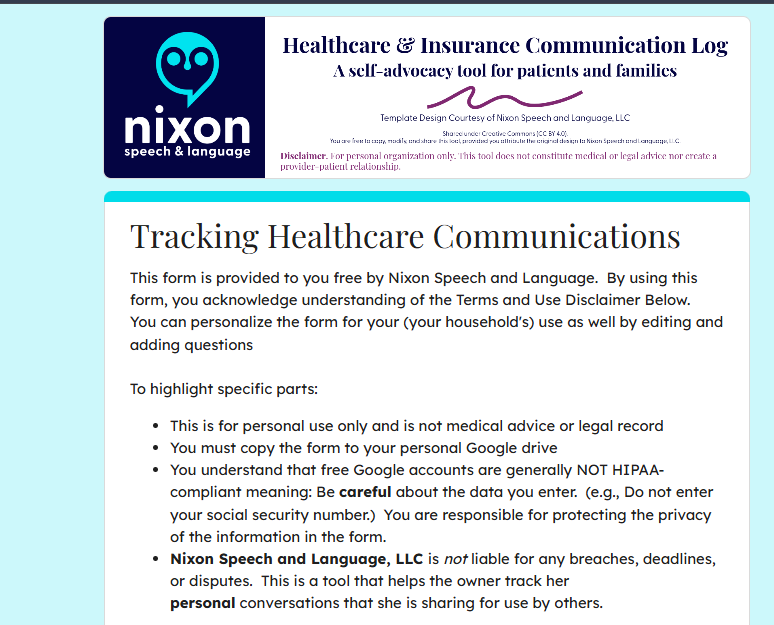

A Quick Word on Privacy: Share the Tool, Not Your Data
If you find this call log helpful, we absolutely want you to share it with your friends, neighbors, or online support groups! However, it is crucial that you share the tool safely.
Because your copied Google Form is tied directly to your personal Google account and your private spreadsheet, sharing your specific form link outside of your immediate family (more specifically those involved in your healthcare and health insurance decisions).
If you send someone your personal link to copy for their own use, you will accidentally give them access to your Protected Health Information (PHI) and private medical notes.
The safe way to share:
The safe way to share: If you want to recommend this tool to someone else, do not share your Google Form link. Instead, simply copy the web address (URL) of this blog post and send that to them! This ensures they can read the instructions and download their own clean, private template that is completely separate from your data.
Disclaimer:
The Short Version: (Simply put)
- This is just a helpful tool: This tracker is a free organizational aid, not official medical or legal advice, and downloading it does not make you a patient of Nixon Speech and Language.
- This tool does not set reminders for you.
- You are in charge of your data: The information you type goes straight into your personal Google account, not ours. You are responsible for keeping your own account and passwords secure.
- Be mindful of privacy: Free Google accounts are not strictly protected by HIPAA (healthcare privacy laws). Please be careful about typing highly sensitive information (like Social Security numbers) into the form, and make sure you track strict insurance deadlines on your main calendar, too.
- Share the tool, not your data. Share the link to the blog to help your friends, not your own form.
Longer version
Please read before downloading: This form is a self-help organizational tool provided courtesy of Nixon Speech and Language, LLC. It is not a medical device, a legal record, and does not constitute professional medical or legal advice, nor does it establish a provider-patient relationship. Do not rely solely on this form for critical deadlines. By downloading this template, you acknowledge that you are the sole owner of the data entered and assume all responsibility for securing your personal Google account. Standard, free Google accounts are generally not HIPAA-compliant environments, so please exercise caution when entering highly sensitive Protected Health Information (PHI).
By downloading this template, you acknowledge that you are the sole owner of the data entered and assume all responsibility for securing your personal Google account. Standard, free Google accounts are generally not HIPAA-compliant environments, so please exercise caution when entering highly sensitive Protected Health Information (PHI).
How to set it up
- Make your copy: Click the link at the bottom of this post and select “Make a copy.”
- Customize your form: Open your new form and edit the placeholder text.
- Change the “Who was the call about?” question to list your specific family members.
- Update the “Which organization did you contact?” question to list your main contacts (e.g., Blue Cross, Aetna, CVS Caremark).
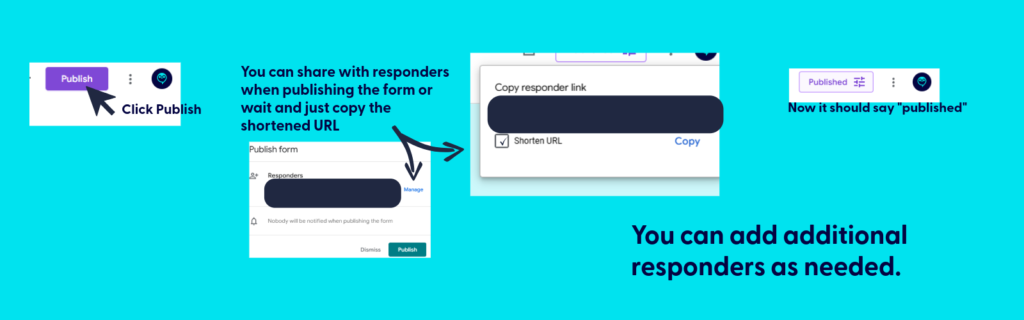
- Publish the form. Be sure to copy the link after publishing for your use.
- Save it for easy access:
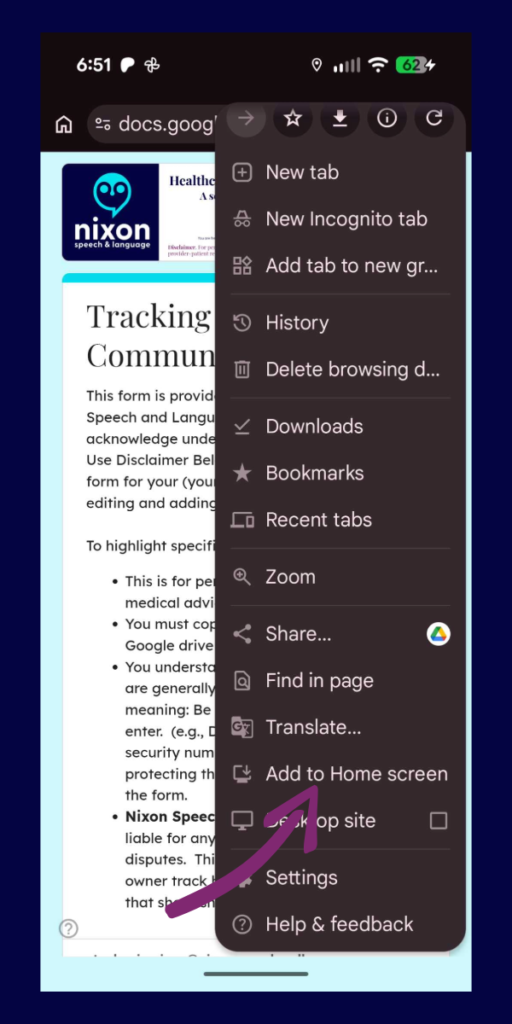
- Fillable form: Bookmark the link to your fillable form on your computer (in Google Drive), or save it to your phone’s home screen so you can have it ready to complete during your next call.
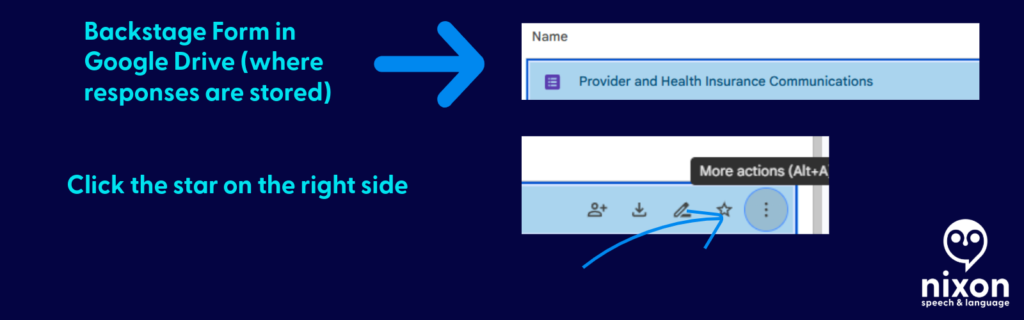
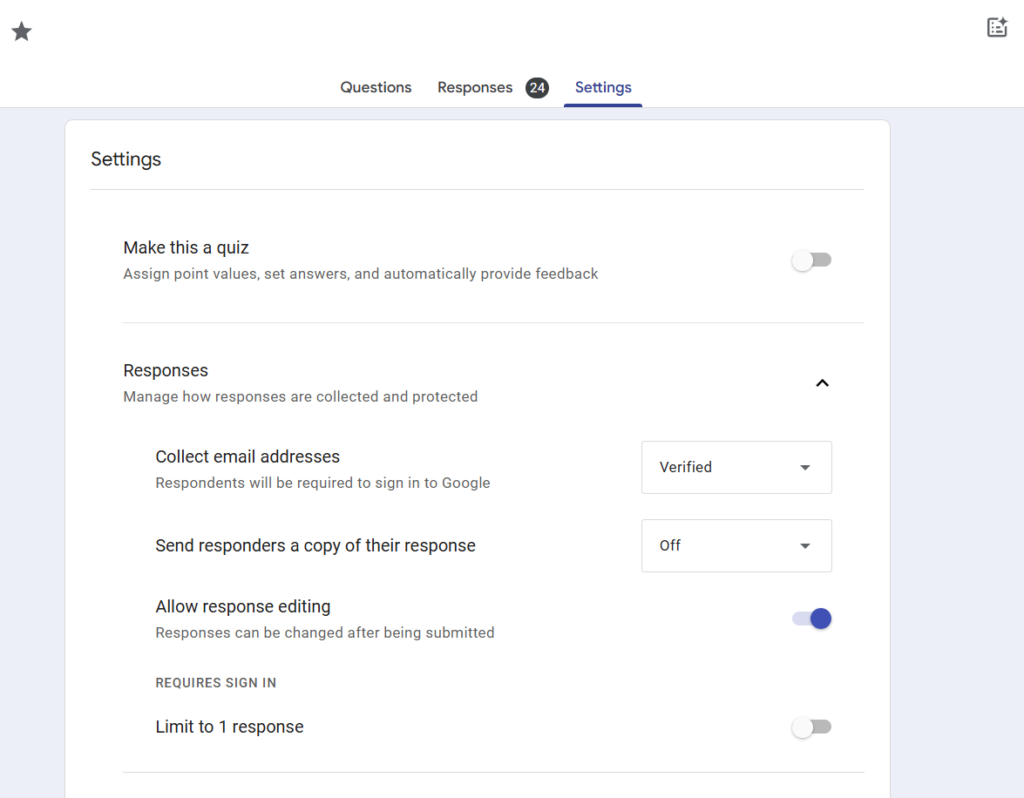
- Bookmark the file used to create the fillable form: This is where you’ll find all your call logs. You can print (or PDF) specific responses or export all responses to sheets.
- Be sure to hit submit when you finish the call. If you don’t, your call log won’t save.
💡 Pro-Tip: Make it a Household Effort!
If you share healthcare duties with a spouse, partner, or adult child, you can use this single form to track everyone’s calls in one central place!
Once you have copied the form to your Google Drive and customized your family’s names, simply click the purple “Send” button at the top right of the screen. You can email the link directly to your partner, or copy the link and text it to them.
Have them save that link to their phone’s home screen. Now, whether it’s you calling the PBM about a prescription or your spouse calling the provider about a bill, all of your notes will feed into the exact same spreadsheet. No more asking, “Wait, what did the insurance rep tell you yesterday?”
The following applies only to those you want to share access to protected health information: If they need to be able to reference all calls for your household/family, be sure to share the backstage link AND fillable form.
📱 Make It an “App” on Your Phone
The easiest way to use this log is to save it directly to your phone’s home screen. That way, you don’t have to dig through your Google Drive every time you make a call.
First, get your fillable link: Open your form on your computer, click the purple “Send” button at the top right, click the link icon (the little chain), and copy that link. Email or text that link to your phone, then follow these steps:
For iPhone (Safari):
- Open the link on your phone using the Safari browser.
- Tap the Share icon at the very bottom of the screen (it looks like a square with an arrow pointing up).
- Scroll down the menu and tap Add to Home Screen.
- Type a short name for it (like “Insurance Log”) and tap Add in the top right corner.
For Android (Chrome):
- Open the link on your phone using the Google Chrome browser.
- Tap the Menu icon in the top right corner (the three vertical dots).
- Scroll down and tap Add to Home screen.
- Type a short name for it (like “Insurance Log”) and tap Add.
Now you will have a shiny new icon on your phone right next to your other apps. Just tap it whenever you are on a call!
📂 How to View Your Call History (The form and spreadsheet)
Think of your Google Form like a restaurant. The shortcut you saved to your phone is the “Front Door”—it’s just the menu where you place your new order. To see the history of every call you have ever logged, you have to go “Backstage” into your Google Drive.
Here is how to find your notes:
- Go to your Google Drive: On a computer, go to drive.google.com and log in with the exact same Google account you used to copy the template.
- Open the “Backstage” File: Find your saved form (e.g., “Healthcare Communication Log”) and double-click to open it. This opens the Editor view.
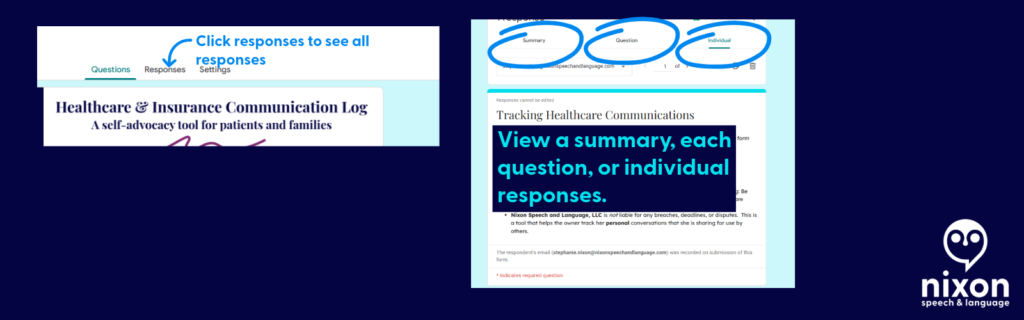
- Click the Responses Tab: At the very top center of the screen, click the word Responses (it is right next to “Questions”).
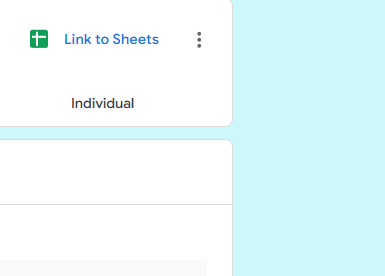
- Create Your Master Spreadsheet: For the best view, look for the little green icon that says “Link to Sheets” (or “View in Sheets”) near the top right of the Responses section.
Clicking that green button will instantly generate a clean, organized Google Spreadsheet containing every single detail of every call you have ever submitted.
📄 Need Hard Proof? How to Save a Call as a PDF
If you are filing a formal appeal or need to prove exactly how many times you contacted your insurance company about a specific issue, you can export individual call logs as clean, printable PDF documents.
Here is how to do it:
- Go “Backstage” into your form and click the Responses tab.
- Instead of looking at the spreadsheet, click the Individual tab (located right next to “Summary” and “Question”).
- You will see your form filled out exactly as you submitted it. Use the
<and>arrows to flip through your history until you find the specific call you need. - Click the Printer icon at the top right corner of that specific response.
- When your computer’s print menu pops up, change the “Destination” or “Printer” from your physical home printer to Save as PDF.
Now you have a professional, timestamped document you can attach directly to an appeal letter or an email to your provider!

Get the template
Ready to get organized? Click below to copy the template to your Google Drive:
Please read before downloading: This form is a self-help organizational tool provided courtesy of Nixon Speech and Language, LLC. It is not a medical device, a legal record, and does not constitute professional medical or legal advice, nor does it establish a provider-patient relationship. Do not rely solely on this form for critical deadlines. By downloading this template, you acknowledge that you are the sole owner of the data entered and assume all responsibility for securing your personal Google account. Standard, free Google accounts are generally not HIPAA-compliant environments, so please exercise caution when entering highly sensitive Protected Health Information (PHI).
By downloading this template, you acknowledge that you are the sole owner of the data entered and assume all responsibility for securing your personal Google account. Standard, free Google accounts are generally not HIPAA-compliant environments, so please exercise caution when entering highly sensitive Protected Health Information (PHI).
Remember, share the post, not your data.
By clicking here you acknowledge that you have reviewed the disclaimer.
Information provided in this post by, Stephanie M. Nixon, Ph.D., CCC-SLP, is provided in good faith. Nixon Speech and Language, LLC makes no representation or warranty of any kind, express or implied regarding the accuracy, adequacy, validity, reliability, availability, or completeness of any information.



Leave a Reply