“Patient’s Log”: Track your Insurance Calls Like a Provider (In 60 seconds)

Stop scribbling on scrap paper. Here is the exact system I use to hold insurance companies accountable (and keep track of what has been said).

In my last post, I talked about the importance of documenting every single interaction with your insurance company. But let’s be honest: when you are managing a chronic illness, working, or just living life, finding a notebook and a working pen while on hold is just one more hurdle.

My husband and I realized early on that we needed a system that was fast, shared, and impossible to lose.

Our solution? A simple Google Form.

It lives as an icon on our phone home screens. When we get on a call, we tap it, fill in the blanks while we talk, and hit submit. It automatically saves everything into a spreadsheet that we can search later.

Why This Works Better Than a Notebook

  1. It Prompts You: You never forget to ask “Who am I speaking with?” because the form requires you to type it in.
  2. It’s Collaborative: If my husband takes a call, I can see the notes instantly on my computer. No more “Did you call them?” arguments.
  3. It Creates a Timeline: When you need to file a grievance (like I did), you just open the spreadsheet and copy-paste the entire history.

The Fields You Need (Steal My Form)

I created a free Google Form with these specific questions. You can copy this exact structure:

  • Patient calling about: (Checkbox: … Names of those in the household, etc.)
  • Date called: (Date picker)
  • Who contacted? (Checkboxes: Benefits, Care Management, CVS Caremark, HR, etc.)
  • Method of contact: (Checkboxes: Phone, Email, Secure Message)
  • Did I record the call? (Yes/No – Check your local laws as many areas require you to ask permission to record.)
    • My Script: “I need to record this call so I have a record of what to do next. Do I have your permission to record?” Note. Be sure to note this to any new call participants.
    • Note: If they say “No,” I immediately ask: “Since you are recording this for quality assurance, can I request a copy of that recording for my records?” (This usually changes the tone of the conversation!)
  • Name of representative: (Crucial! Always ask for this first)
  • Reason for call: (e.g., Prior Authorization, Billing Error, Benefits Question)
  • Summary of call: (What did they say? What did you say?)
  • How long were you on the call? (This is important evidence for complaints)
  • Action items: (What did the representative promise to do? What do you need to do?)
  • Follow-up date: (When should you check back?)

Header for your form.
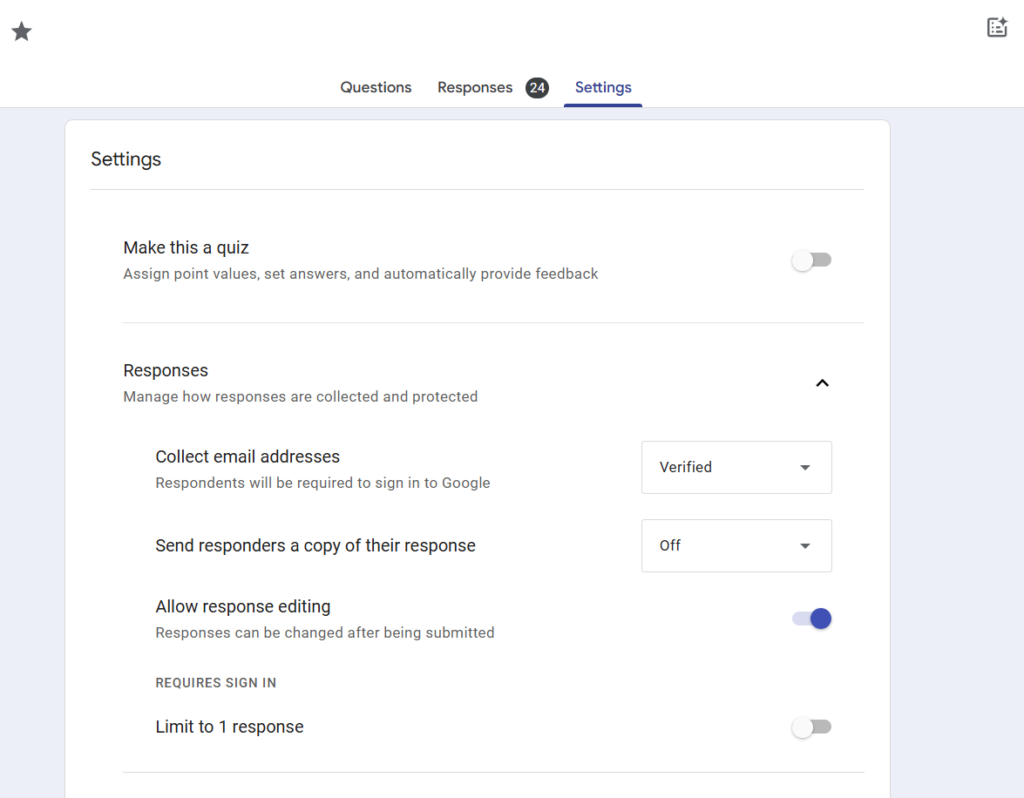
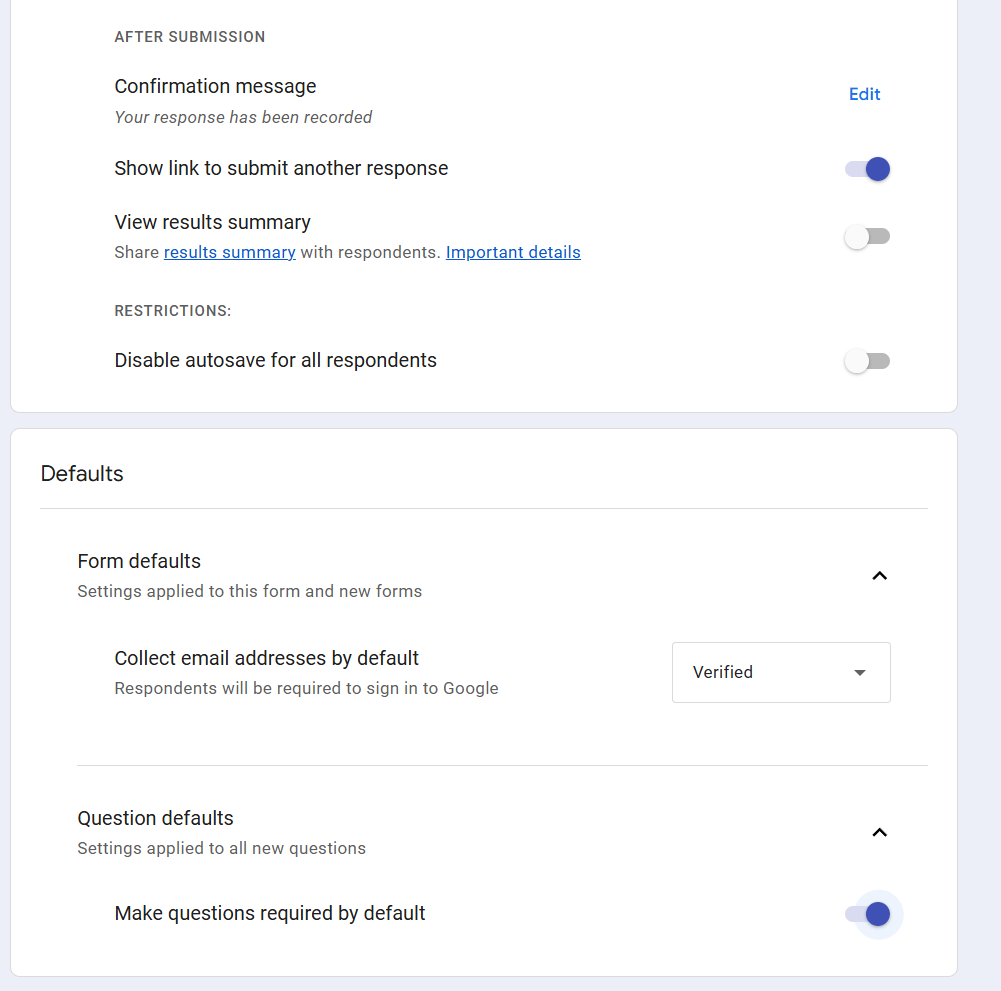
Settings for the form. Some are personal, but this let’s me and Josh know who entered the data.
I have the email addresses required by default and the same for questions. (You can set some as not required.)

How to Set It Up

  1. Go to forms.google.com and click “Blank Form.”
  2. Add the questions listed above.
  3. Click “Send,” copy the link, and email it to yourself and your spouse/caregiver.
  4. Pro Tip: Open the link on your phone, tap “Share” (iOS) or the menu dots (Android), and select “Add to Home Screen.” Now it looks and acts just like an app.

The Result

When my pharmacy billing nightmare happened, I didn’t have to rely on my foggy memory. I opened my spreadsheet and saw exactly who disconnected on me on January 29th, and exactly what “Curtis” told me on February 6th.

That data wasn’t just notes; it was evidence. And evidence is the only thing that wins insurance appeals.

Disclaimer: I am a Speech-Language Pathologist and person with chronic illness, not an insurance broker or attorney. This post shares my personal experience and is not intended as legal or financial advice.

Simple Kanban Task Tracker! Free!

Organize your tasks visually with this easy-to-use Kanban board!

This tool helps you manage your workflow by moving tasks through “To Do”, “In Progress”, and “Done” columns. It runs directly in your web browser and saves your data locally, making it a simple, private way to stay organized.

Key Features:

  • Visual Workflow: Classic Kanban layout with “To Do”, “In Progress”, and “Done” columns.
  • Drag & Drop: Easily move tasks between columns using your mouse or touchscreen.
How to move items in your list
  • Custom Categories: Add your own categories (e.g., “Project X”, “Follow Up”, “Home”) to better organize tasks. Predefined categories include “Work”, “Personal”, and “Urgent”.
  • Color Coding: Tasks automatically change color based on their column (“To Do”, “In Progress”, “Done”) for quick visual status checks. Category badges also have distinct colors.
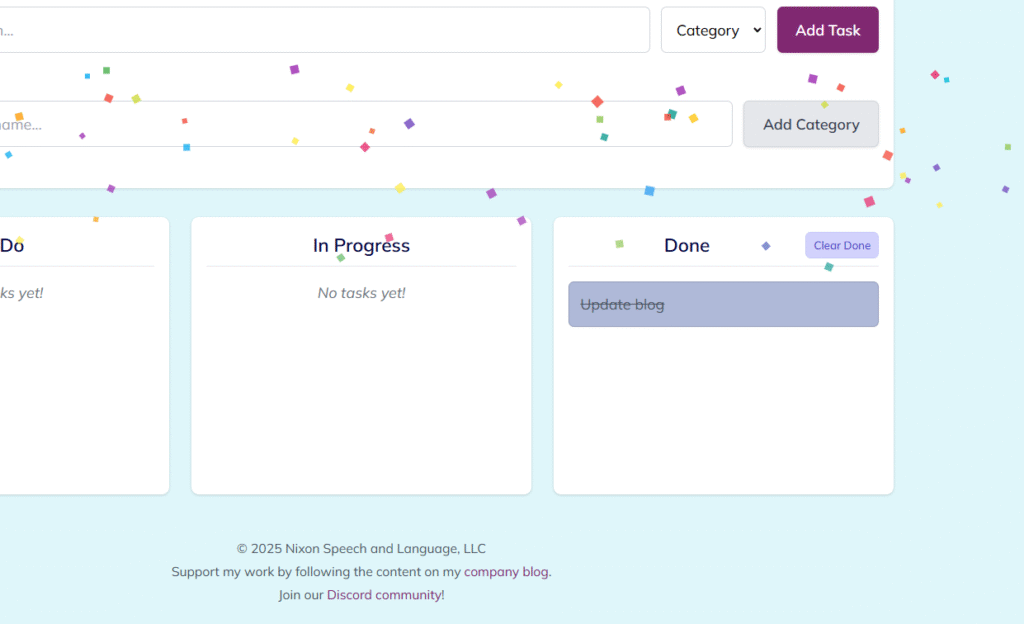
  • Confetti Fun!: Get a burst of confetti whenever you move a task to the “Done” column. 🎉
  • Local Storage: Your tasks and custom categories are saved directly in your browser, so they’ll be there when you reopen the app on the same device and browser.
  • Clear Completed Tasks: Easily clear all tasks from the “Done” column with a dedicated button.

How to Download and Use:

  • Download:
    • Click the download link provided
    • The license terms (GPLv3) are detailed below and available on the blog post/GNU website.
  • Open: Double-click the downloaded .html file. It will open in your default web browser. No internet connection is needed after opening.
  • Add Tasks: Type a task description, select a category from the dropdown, and click “Add Task” or press Enter.
Image of adding a text and selecting a category
  • Add Categories: Type a new category name in the “Add New Category” section and click “Add Category”. It will now appear in the dropdown list for tasks.
  • Move Tasks: Click and drag (or tap and drag) tasks between the columns.
  • Clear Done: Click the “Clear Done” button in the header of the “Done” column to remove all completed tasks.

Important Notes:

  • Local Data Storage: Task and category data is saved only in the browser you are currently using on this specific device. It will not sync automatically across different computers, tablets, phones, or even different web browsers (like Chrome vs. Firefox) on the same device.
  • Updates: For the latest version of this tool, please check the Nixon Speech and Language Blog or our Discord Community. Follow our blog or social media channels (linked below) for update announcements.

License:

This program is free software distributed under the terms of the GNU General Public License Version 3 (GPLv3). Essentially, this license guarantees you the freedom to use, study, share, and improve the software. You can redistribute it and/or modify it under the terms of this license.

Key points to understand:

  • Freedom: You are free to use, modify, and share this software.
  • Attribution: If you share or redistribute this software (modified or not), you must keep the original copyright notice (© 2025 Nixon Speech and Language, LLC) intact.
  • Sharing Changes: If you modify the software and distribute your version, you must also license your modified version under the GPLv3 and make the source code available. You cannot make a modified version proprietary (closed-source).
  • Commercial Use: You can charge a fee for distributing copies or offering support/warranty for the software, provided you follow all GPLv3 terms (like providing the source code and keeping it under the GPL).
  • NO WARRANTY: This software is provided “AS IS” without any warranty. Nixon Speech and Language, LLC is not liable for any issues or damages arising from the use or modification of this software by others, as detailed in the full license text.
  • Brand Protection: The GPL license applies to the code. The Nixon Speech and Language name and logo are trademarks and are not automatically licensed for use by the GPL.

The full terms can be viewed on the GNU GPL website. Please refer to the full text for complete details.

Developed with assistance from Google AI. © 2025 Nixon Speech and Language, LLC


Access and advocacy active listening andoid Autism childhood apraxia of speech chronic illness claims processing Communication communication log deductible Department of Education diagnoses Discord doge Dyslexia dyslexia emoji dyslexia symbol education emoji errors processing claims google health insurance health insurance mistakes health unknowns Independent Funding innovation Institute of Education Sciences iPhone Kanban Task Tracker learning disabilities max out of pocket National Institutes of Health navigating healthcare NIH Organizer petition pharmacy benefit managers Planner pqbd.org research research design Research Funding speech-language pathology Speech and language disorders Systematic Research