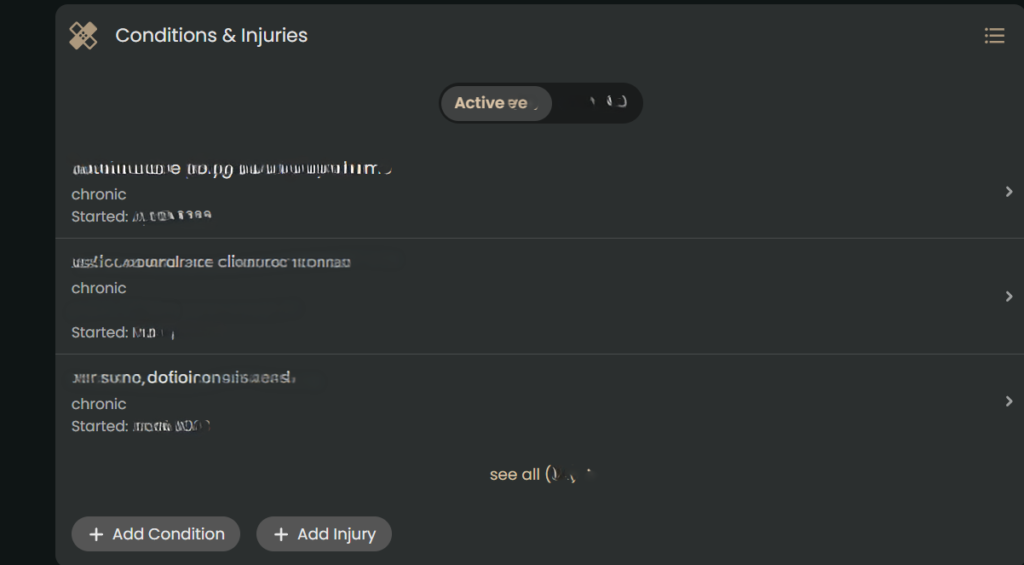
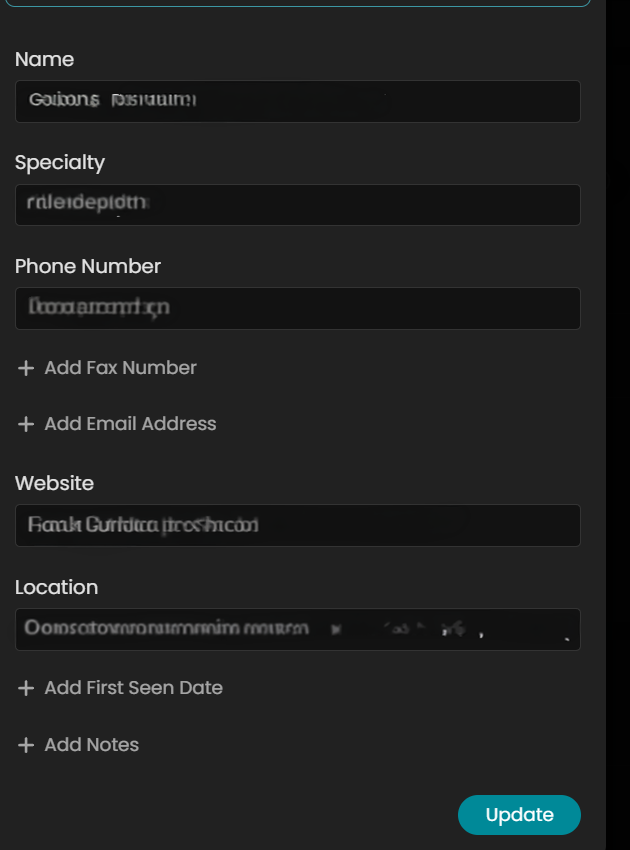
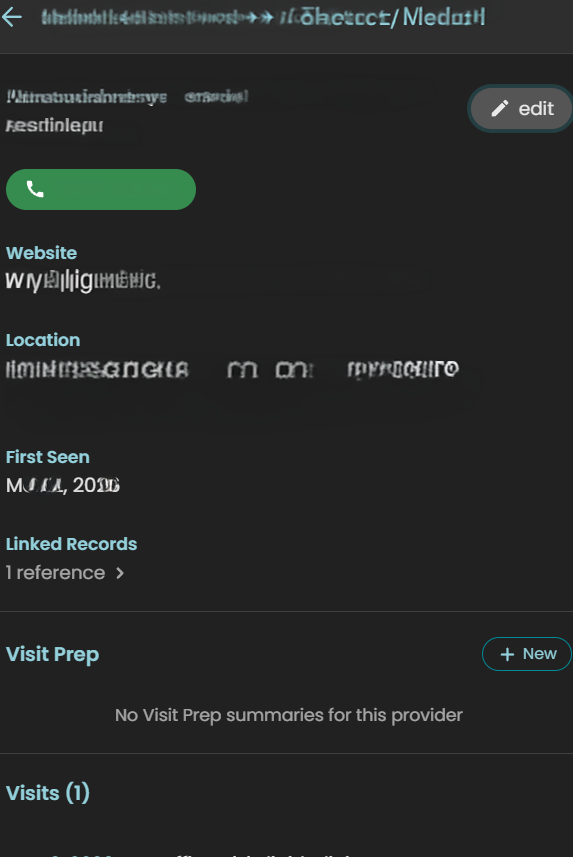
Image of Guava Health App from a desktop computer showing the dashboard

Review: Guava Health: The Ultimate “Spoonie” Command Center

Reviewer Profile: Complex chronic illness patient juggling multiple specialists, managing daily symptom swings, and wading through the endless administrative sludge of health insurance and disability paperwork.

If you have a complex chronic illness, you aren’t just a patient—you are essentially running a small, unpaid medical accounting firm just to stay alive. Between logging into five different patient portals, tracking biometric data from wearables, sharing labs across providers, and remembering to take your medications, the administrative burden alone is fatiguing.  

I’ve been using Guava Health Premium for over a year now, and I want to share my experience with patients and providers.

See my disclosures.


The Quick Verdict: Your “Spoonie” Command Center

My Rating: 4.9/5 Spoons (everyone has room to improve)

TL;DR:

Guava Health turns the administrative nightmare of managing chronic illness into a centralized, searchable “second brain.” It stops you from drowning in medical paperwork by syncing your health records, simplifying tax and disability filings, and correlating your wearable data with your actual symptoms.

  • Privacy First: HIPAA-compliant; they do not sell your data.
  • The Ultimate Spoon-Saver: Automatically generates provider lists, visit summaries, and chronologies for insurance or disability forms.
  • Aggregator: Connects to major/minor portals and allows easy manual uploads for non-portal providers.
  • Verdict: If you are managing complex health goals and tired of administrative fatigue, this is the most practical tool for self-advocacy on the market.
  • Cost: Free plan for syncing/storage; Premium ($78/year) for AI assistants, health insights, and automatic data imports.

Privacy and Trust

Guava Health is HIPAA-compliant and does not sell your data. You are not locked in; you can export your records in PDF, CSV, and other formats.

The Bottom Line

Guava Health is a massive upgrade from trying to organize my medical records, imaging, and labs across multiple providers at different hospital systems.  The app excels at turning scattered medical records into an easy to follow, searchable timeline. 

Yes, there are some pieces I’d improve upon, BUT the app saves me cognitive energy.

Standout Features

Note: Guava Premium ($78/year – or free if your provider has a Guava Health Provider Portal) supports unlimited profile managers for families and caregivers, making it a robust tool for collaborative care coordination.

The “MOST-of-Your-Portals-In-One-Place” Aggregator

The experience

Guava Health easily connects with many patient portals including smaller providers (e.g., my dermatologist) and larger medical systems (e.g., MedStar, George Washington Medical Faculty Associates, etc.).  It directly connects with LabCorp (if you have a patient portal).  Guava pulled years of labs, doctor notes, and vitals into a single, clean timeline.

The Hidden Gem: Upload imaging and PDFs

For smaller clinics that don’t sync directly, you can upload old-school PDFs or download a CCDA (.xml) file from their portal and drop it into Guava.

Its AI text-parser reads the document, extracts the biomarkers, and charts them right alongside your hospital labs.
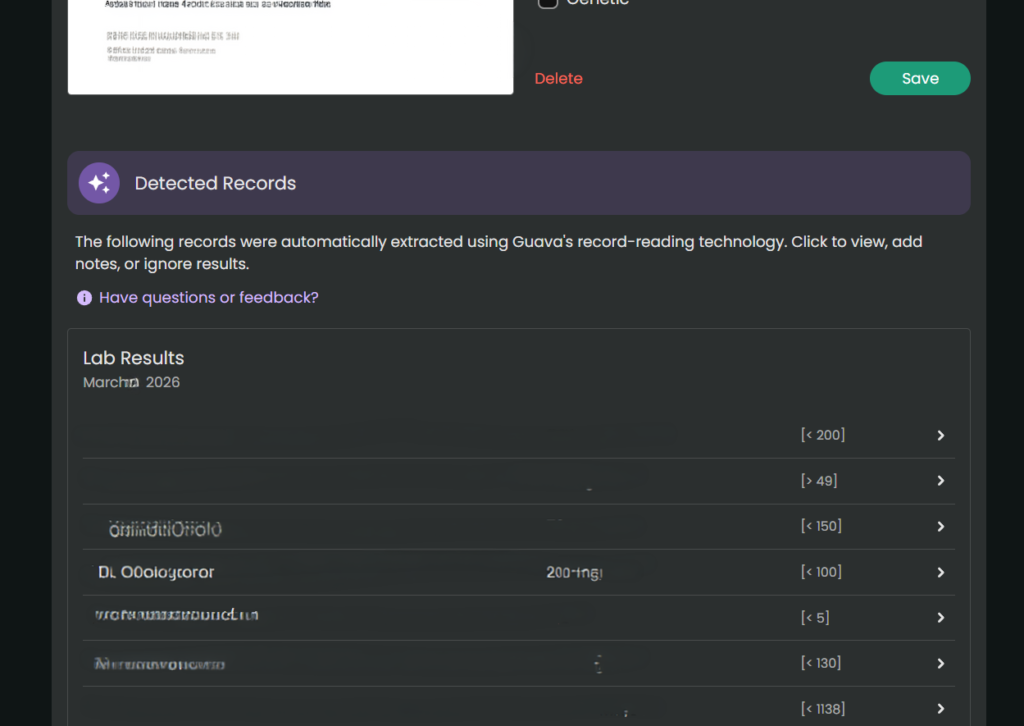
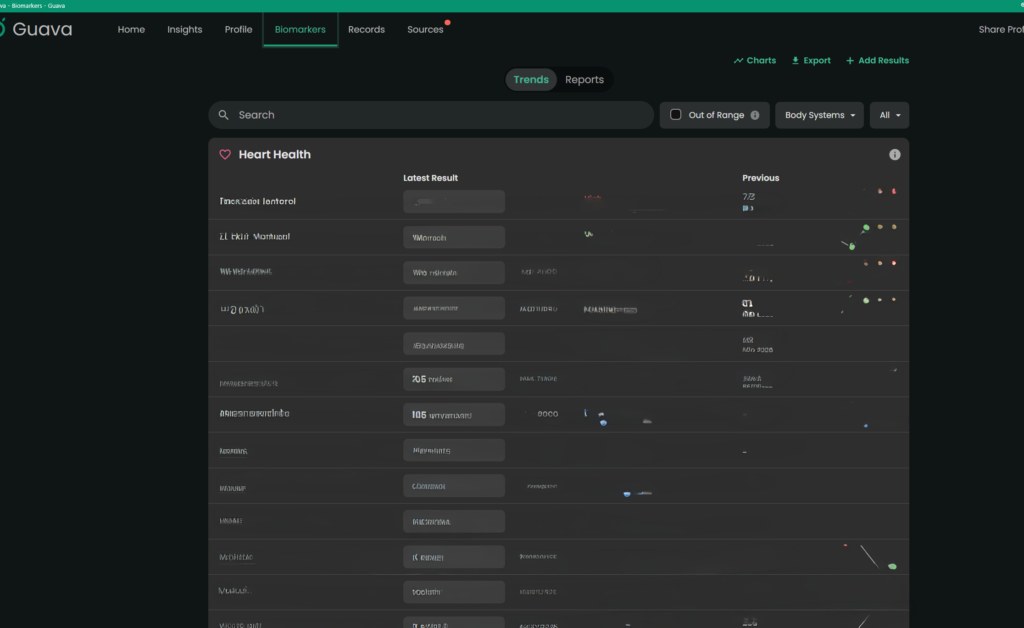
When there is conflicting data (e.g., different readings for the same day), the app currently prioritizes the most recently processed entry. Always manually verify critical or life-altering medical information. Note. You always want to double check the numbers/dates of the labs, but the parser typically pulls information accurately.
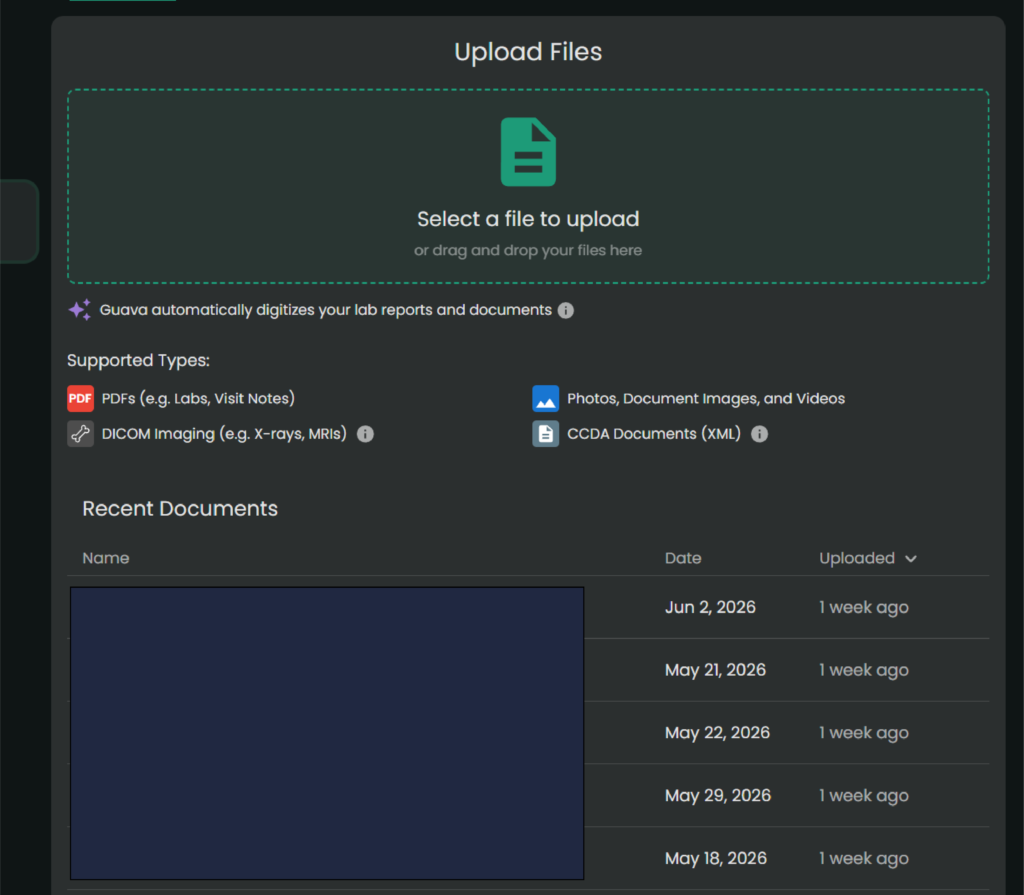
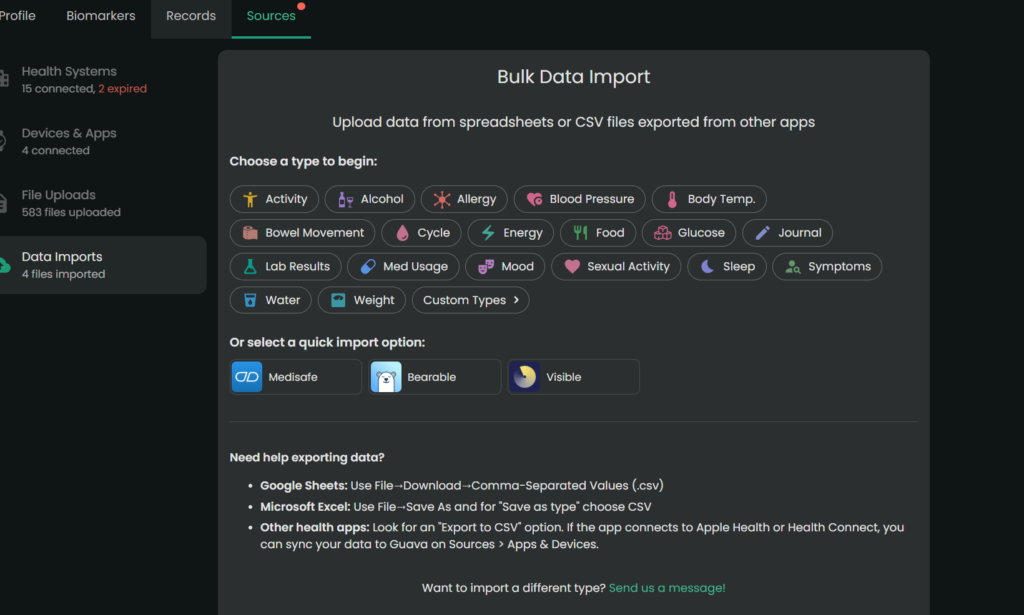
File Uploader
For providers and labs whose portals don’t connect with Guava Health (or even for the images from that MRI you had), you can upload them directly to Guava Health. (Note. It’s easiest to do this at your desktop/laptop.)

Universal Search

You can type “ferritin” or “prednisone” into one search bar, and it will scan your records to find those specific phrases.
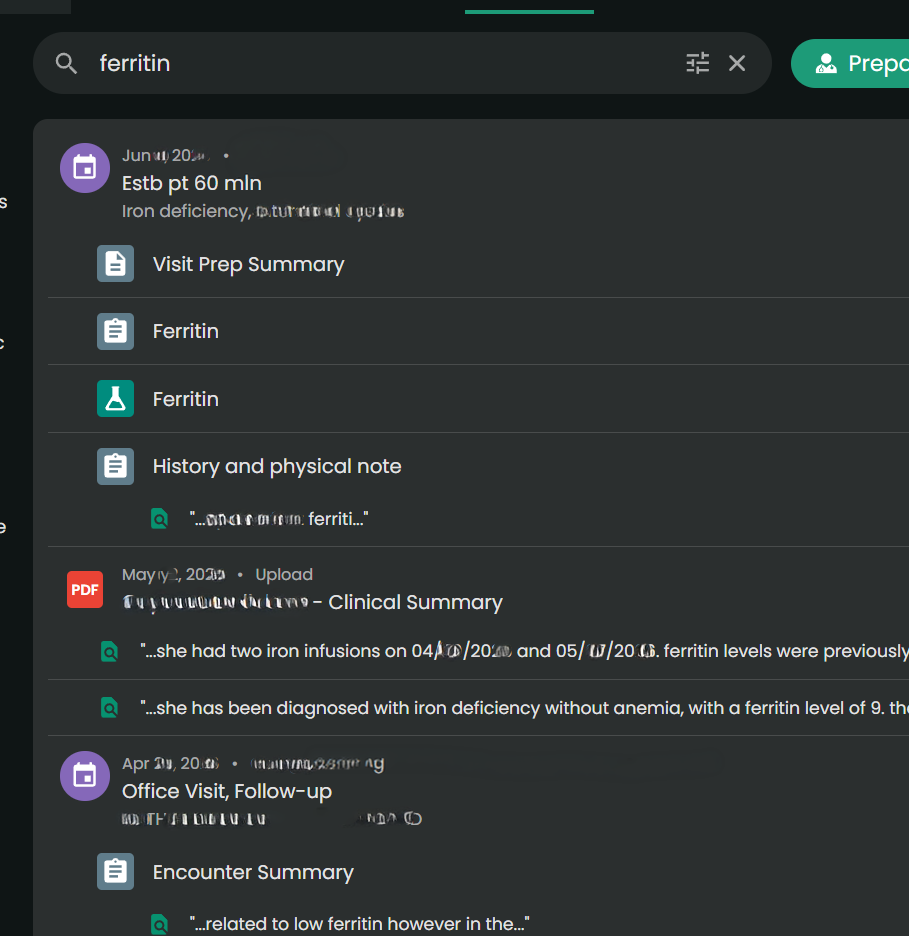
Guava Health search for ferritin
Universal Search Example

Admin Paperwork Lifehack

The Experience:

This was an unexpected game-changer. When you are filling out intake packets for providers, filing health insurance appeals, or completing disability forms, they always ask for an exact chronology of when you were seen and by whom. And providers want to know a list of medications you have tried for the condition, effectiveness, and side effects. (This part also helps with appeals for medication coverage.)

In Guava Health, it will auto-populate much of the provider information from connected portals.  But I often add information to complete the provider’s profile only because it makes my life easier for completing other forms.  

While manual entry for non-portal providers might take 30 seconds, that investment pays for itself ten-fold. When I need to complete disability paperwork or gather data for taxes, I don’t hunt through portals. I download my entire appointment history and provider list for the calendar year in seconds.

For taxes, I take that exported list and ask Gemini to organize it into a CSV with columns for Date of Service, Provider, and Address. I cross-reference this against my credit card statements for parking fees and use Google Maps to calculate mileage. It turns a multi-hour headache into a streamlined administrative task.

Also, you can also merge data across providers within the same department (e.g., If you see several ENT providers within 1 office, then you can merge the data in the app.)

Why it saves spoons?

The ability to download your appointment history and a unified provider list with specialties, addresses, phone numbers, fax numbers, and first visit date pulled from all your separate portals is a massive spoon saver. No more logging into three different systems and hunting through contact pages while dealing with brain fog. It handles the logistical grunt work beautifully.

Using AI for Admin and Forms

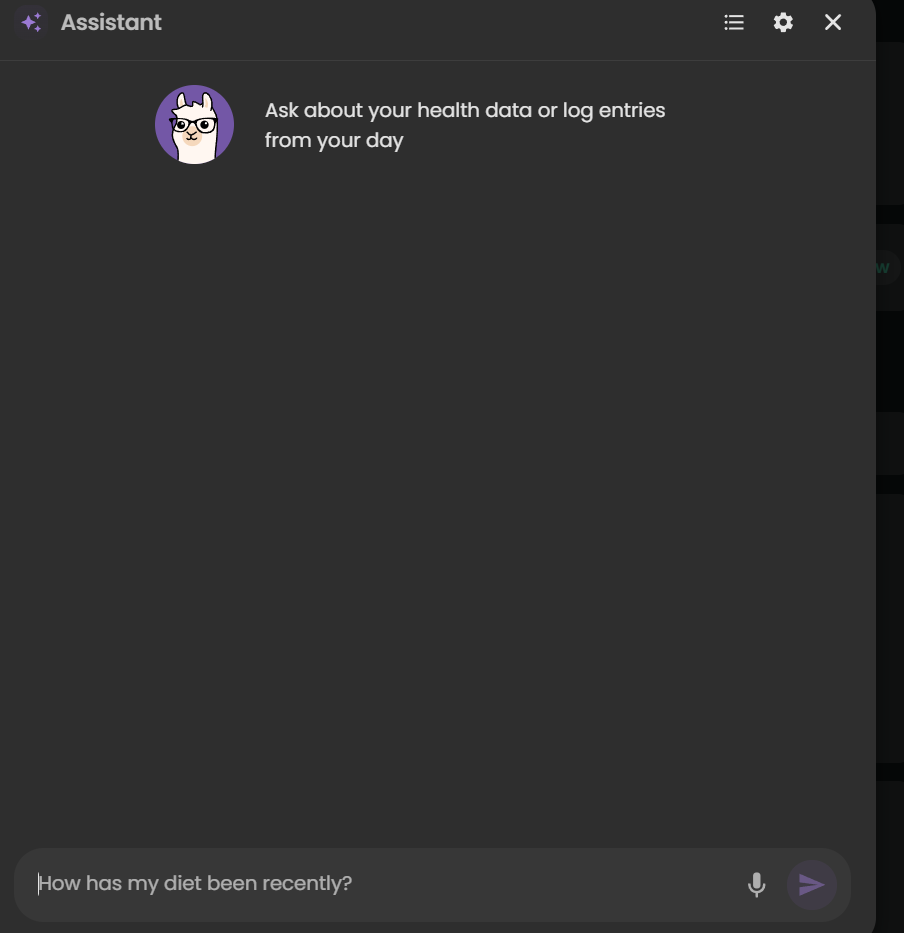
I also use the Guava Assistant to reduce the ‘disability tax’ on my energy levels. When I am faced with complex questions from disability companies, I provide the relevant records to the AI to draft a response. This guides the drafting process based on my actual data, which significantly reduces the fatigue of form-filling. 

***Important Disclaimer: Always review and edit AI-generated responses to ensure they align with your own experience and professional advice. The AI is a tool to organize the ‘raw material,’ but you are the final editor.*

Guava Guardian (Beta)
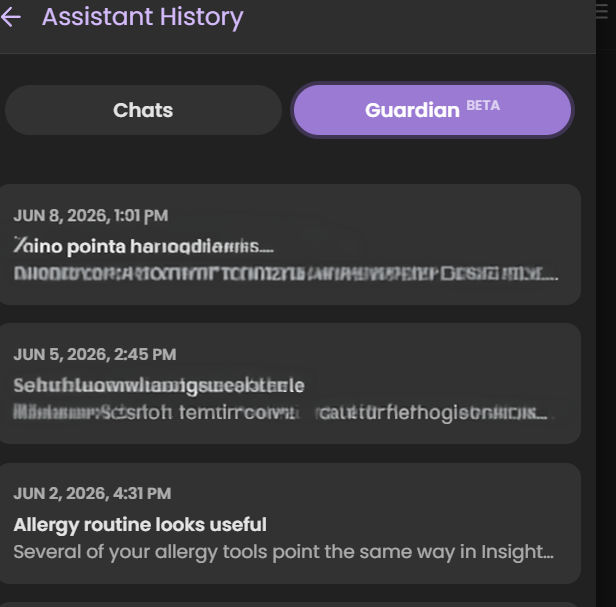
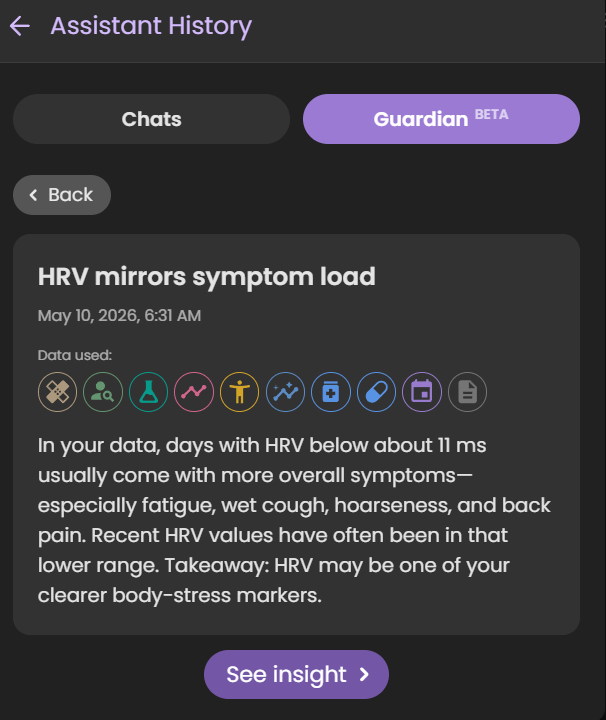
Guava Guardian (beta) is another recent addition that checks looks for changes in your biomarkers, symptoms, etc. and notifies you about different pieces of information. It recently pointed out that my HRV matches my symptom load, it has suggested I track specific symptoms differently to better see if medications do what they should, and it has even caught safety concerns for ensuring I time medications appropriately.

*Note. Just because the Guardian notes a correlation or statement about a medication, symptom, etc. doesn’t mean it is relevant to you specifically. Always check with a provider if you have questions.

Real-Time Symptom & Wearable Correlation

The Experience

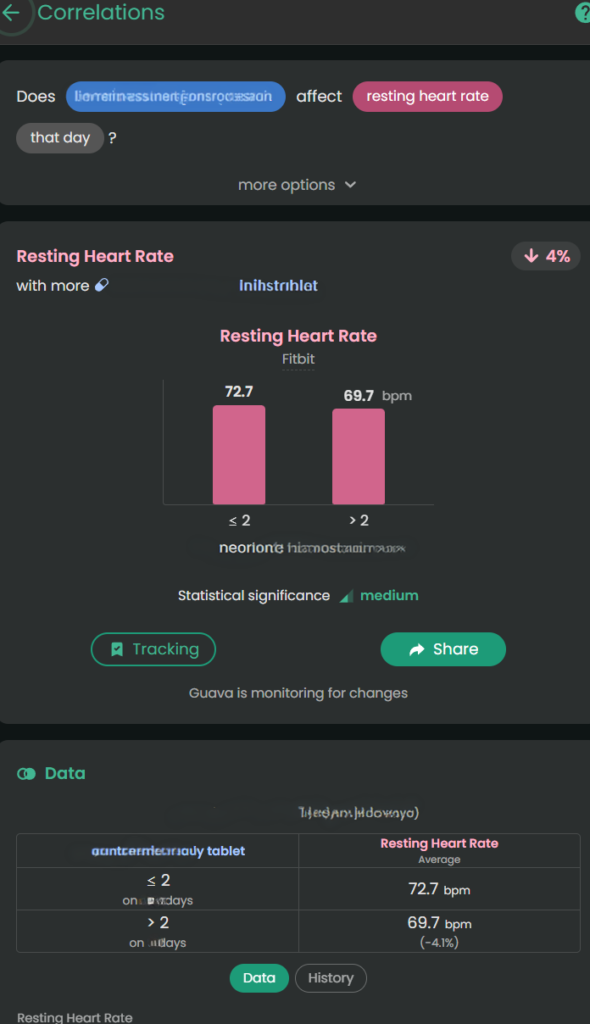
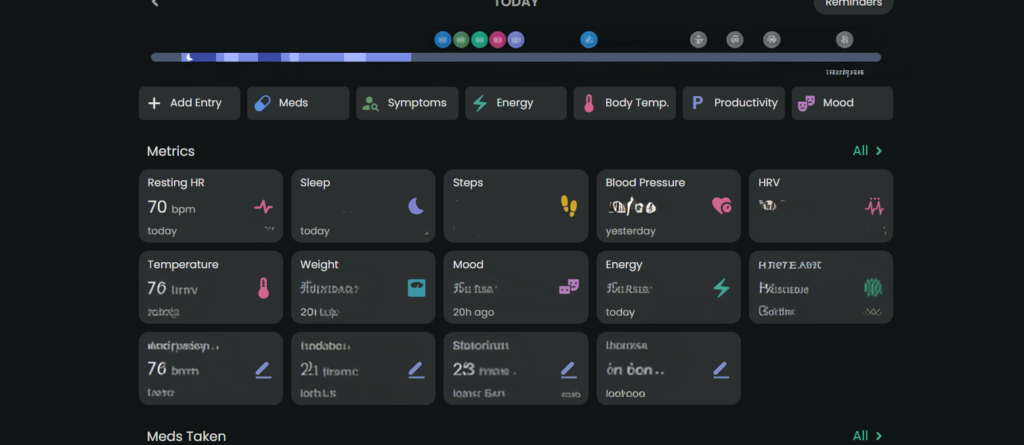
Wearable data can be overlooked by providers because it’s just raw numbers. Guava Health connects with multiple wearables (e.g., Google Health, Oura, etc.) and apps (e.g., Omron).  It uses that data to “look” for insights across the data available from the wearables and apps and against my custom symptom logs, lab data, and medication data.  

The Value

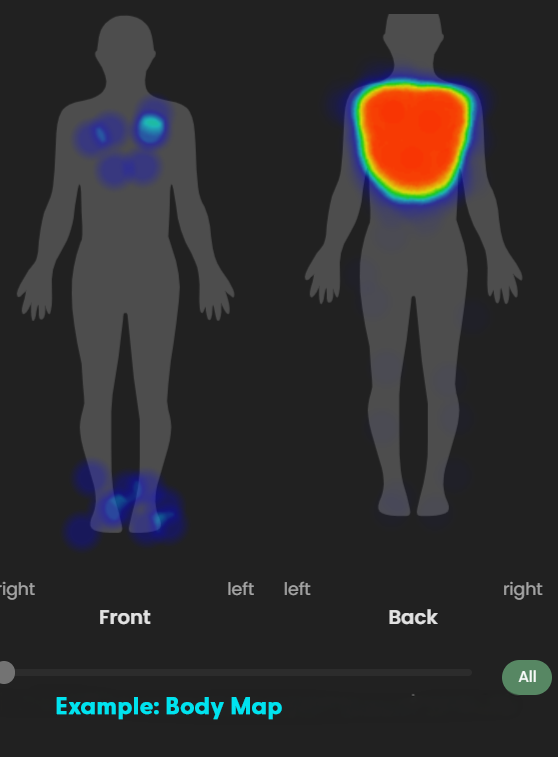
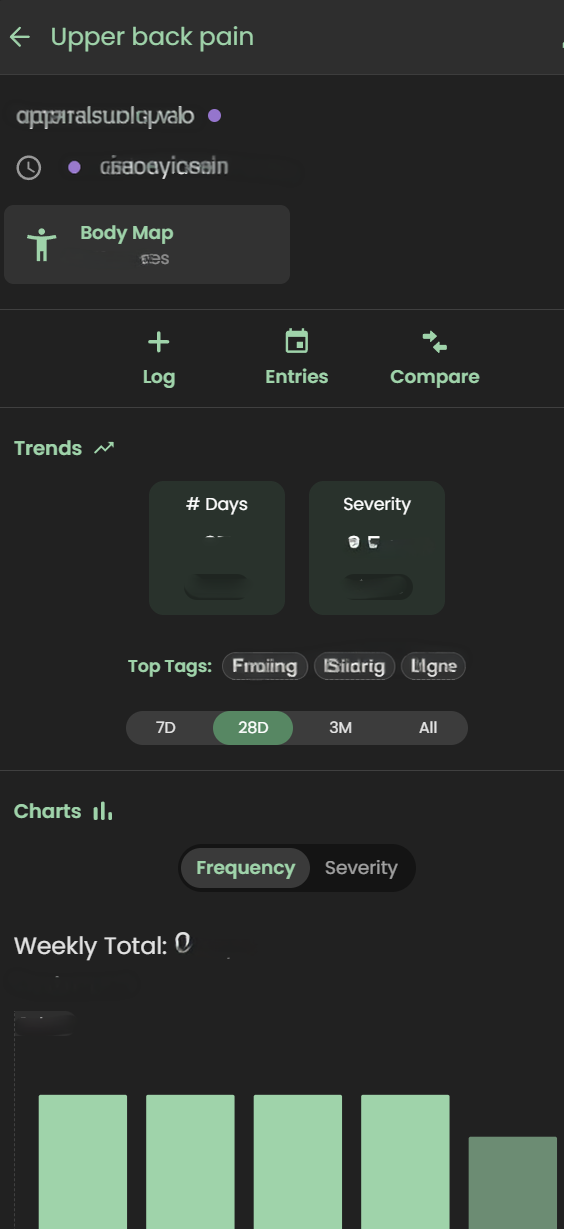
I can track my pain or fatigue on a 1–10 scale OR by merely stating “present”, take pictures of relevant symptoms (e.g., bruises, rashes, swelling), and visually map pain using a body heat map. 

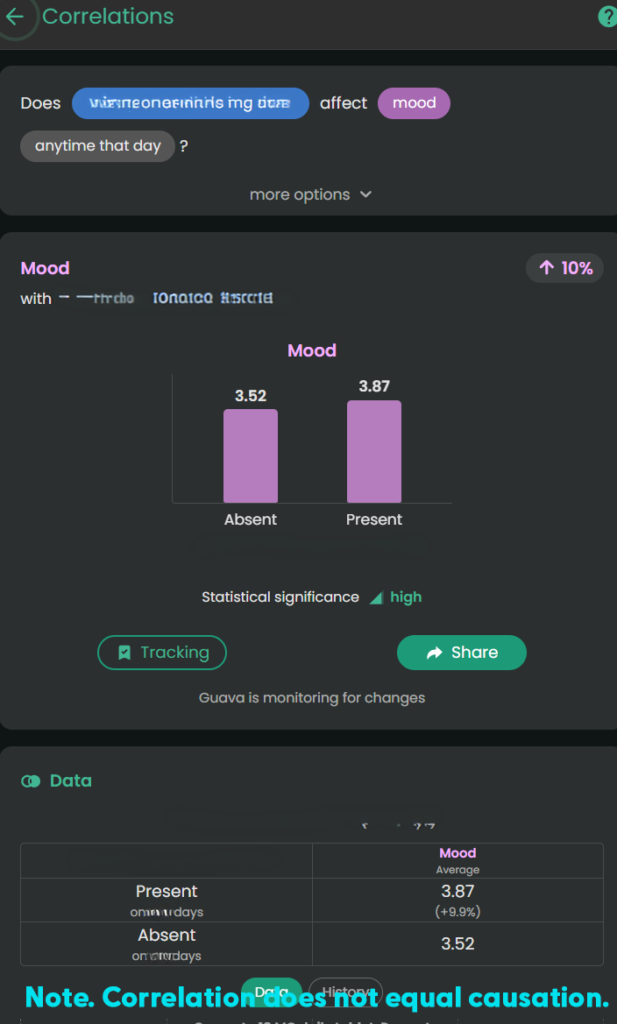
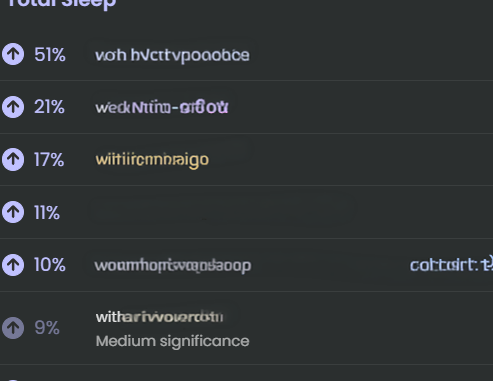
Guava Health provides insights about the likely impact of specific medications on biometric data, symptoms, and labs. This is helpful when I want to see if a medication has the desired effect.

Example: For stimulant medications, a provider might want to monitor the following:

  • Impact on a patient’s sleep
  • Impact on a patient’s executive functioning (i.e., looking for improvement)
  • Impact on energy
  • Impact on mood
  • Impact on blood pressure 
  • Impact on heart rate

This gives me the “numbers” for my lived experiences: 

  • Higher diastolic and systolic BP with more Amlodipine Besylate or increased ankle swelling with more Amlodipine Besylate
  • Lower pain with Celebrex 200 mg BID brand vs. Celecoxib generic (all manufacturers)
  • Lower resting heart rate with a higher dose of Concerta (e.g., 54 vs. 36)

*Note. Correlation does not equal causation. I provide the data to providers as appropriate to help them guide my care.

The 15-Minute Appointment Visit Prep
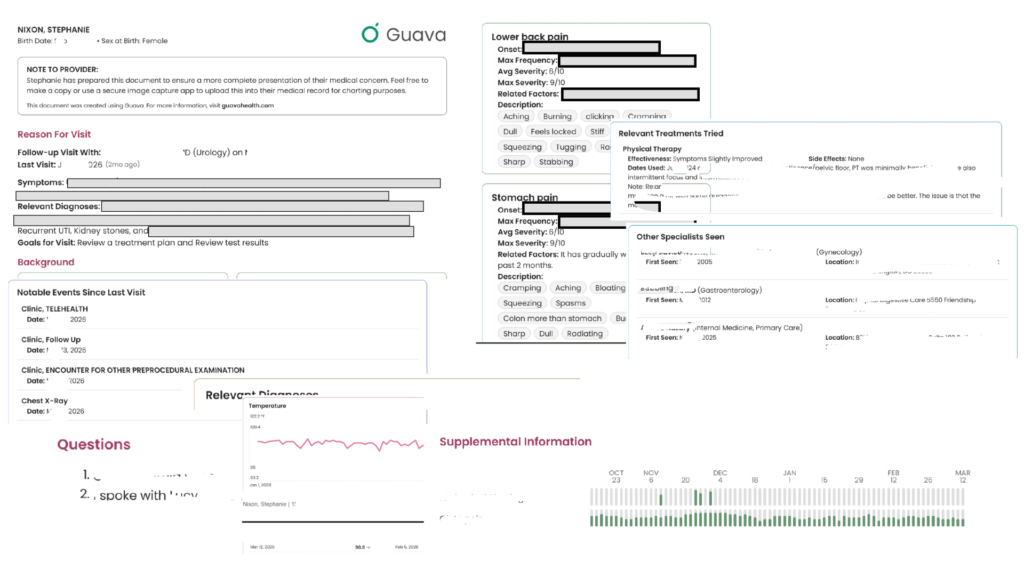
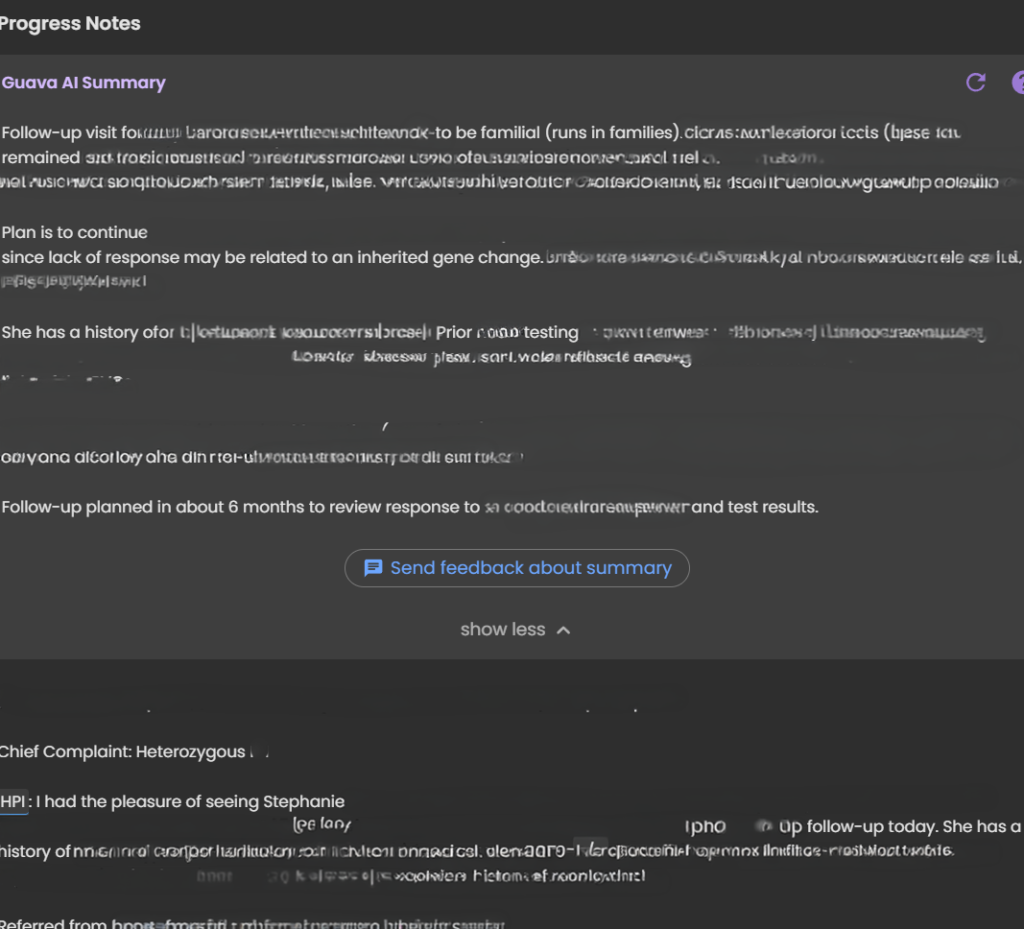
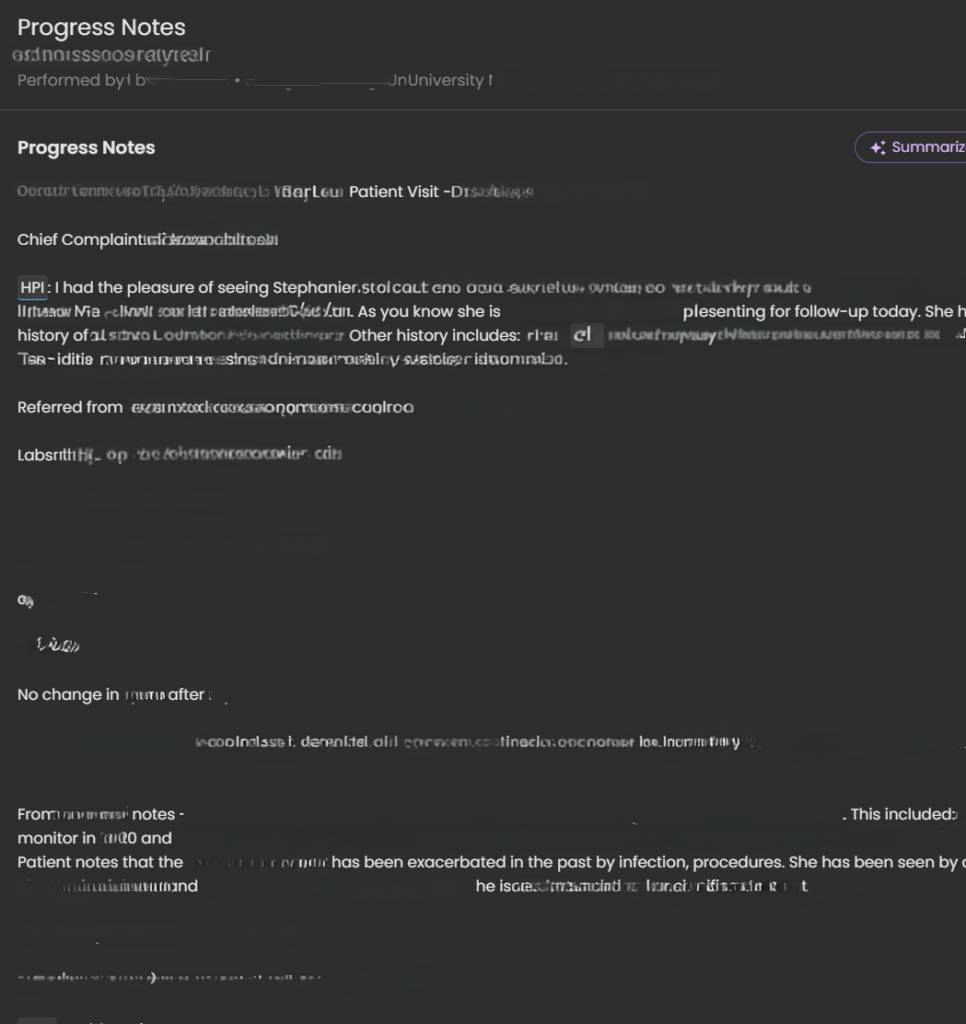
Image Collage of a Guava Health Visit Prep
This is an example of a visit prep for a urology appointment I had earlier this year. It helps the provider see what you have tried, your symptoms, etc. If the provider has a “provider portal” you can send it to them that way, or you can download this and had it to them at the appointment (or message it via the portal). My Internal Medicine provider scans the document to add to my appointment note for the Review of Symptoms.

The Experience:

Providers are often rushed. If you hand them a 40-page printout, they won’t read it. Guava allows you to create a “Visit Prep Summary” highlighting your top concerns, current medications, and immediate questions. You can even include relevant labs and biometric data.  Total sleep, resting heart rate, blood pressure – these are all examples of what you can include.

Dynamic Sharing:

You can securely send your provider a temporary, interactive web link or to their Provider Dashboard (if they have one). This allows them to click through your interactive charts on their own screen, without cross-sharing your data with your other providers unless you explicitly allow it. You can also revoke permissions to providers if desired.

Downloadable Prep:

You can also download and print the visit prep to take to the appointment. 

Will all providers read through everything you provide? No. 

BUT, having it available to them is helpful.  In fact, this week I walked into my ENT’s office, opened Guava Health, typed the following to the AI: “Could you summarize the pattern of respiratory symptoms and changes over the past few weeks – sitting at ENT…”

And the AI summarized the trajectory of the symptoms and then provided a short statement I could share with my ENT who read through that quickly and honestly was a lot faster than me trying to recall everything over a few weeks on my own.

“For about 3 weeks I’ve had persistent mixed dry/productive cough, marked post-nasal drip and hoarseness, recurrent sore throat, and repeated swallowing difficulty with food/liquids/pills feeling stuck or causing choking/coughing. Symptoms worsened around late June to early July, with increased sinus pressure, sneezing/runny nose, ear pain, chills, and severe fatigue. I’ve felt feverish at times but haven’t had measured fever. Despite amoxicillin and regular nasal/inhaled treatments, symptoms are still ongoing.”

Guava Assistant

You can also use the AI securely in real-time during urgent visits, such as in the ER. If you have access to your lab results in the app, you can ask the AI to help explain them so you know exactly what questions to ask your provider in the moment, which helps reduce the stress and overwhelm of an emergency situation.

Some providers will take a stance of the patient brought in X pages of hand-typed notes (*side-eye* to #wordshaveweight), but others will immediately appreciate having that list of symptoms to reference for charting. 

Guava Tags

Guava Tags are NFC tags you can use to log medications, exercises, water, etc.  I personally use them to log PRN medications (e.g., Tylenol, migraine meds, etc.) vs. regular prescriptions.  A 10-pack costs $19.  You can move them to other items and reassign them later. 

Tracking
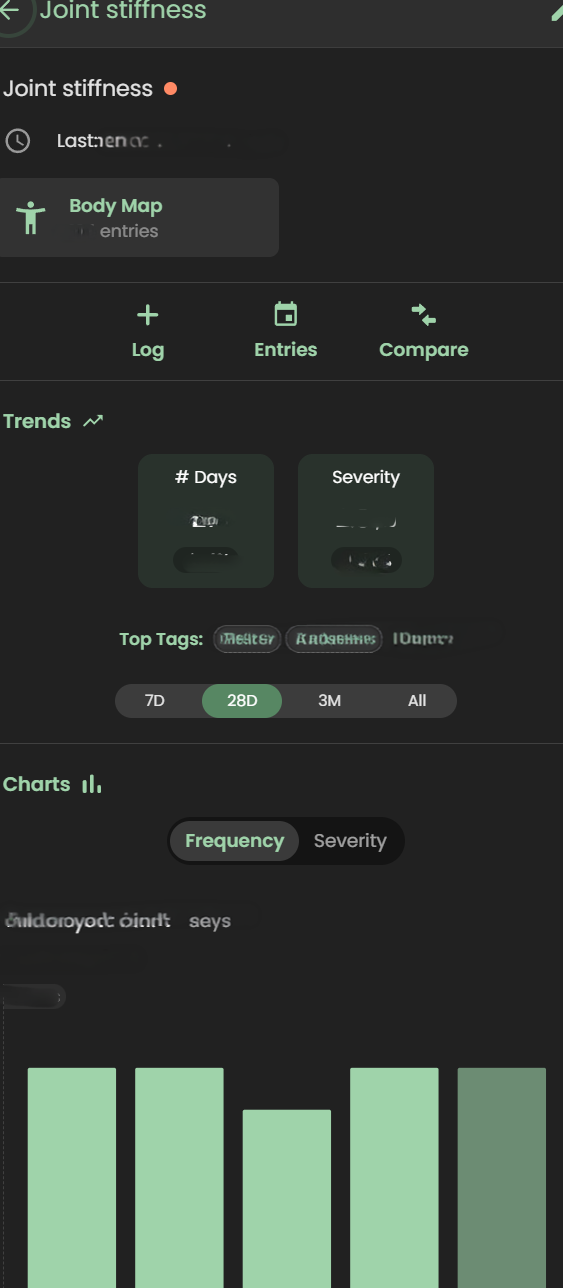
Tracking symptoms, activities (e.g., PT exercises), and medications can seem overwhelming.  I get it.  

But, you don’t need to do it every time you experience a symptom … for many of us that would be constant!!! I just set specific times to track and try to track at those times.

Why do I track?

  • To be able to concisely describe when a symptom started and whether it changed/progressed to providers
  • To help me better understand influences (medication, environmental, etc.) on my health 
  • To provide data on request to providers (e.g., my migraine provider wants to a count of migraine days and how they affected me)
  • To data dump my symptoms 
  • To find the positives in a day (see Bright Spots in a Day)

For me tracking is like a “diary” of my day.  I have a schedule for it (AM symptoms and PM).  I rarely log symptoms or events outside of those times unless they are something worth tracking immediately (e.g., migraine starts midday; severe esophageal spasm begins; etc.)

What do I track?

  • Symptoms (e.g., ankle swelling, migraines, etc.)
  • Executive functioning (e.g., Problem Solving, Organization, etc.)
  • Energy
  • Mood
  • Custom logs like productivity, bright spots in the day, and physical therapy exercises
  • Medications taken

In a log, you put as much as you want or as little as you want.  

  • select a “tag” to indicate whatever you’d like about the symptom (e.g., right ankle, tingly, frequent, constant, 1-2 times during the day)
  • use the body map to note where it occurred
  • add a picture (if relevant like with a rash)
  • write a paragraph with additional details
  • use the number to note severity or even just mark the symptom as “present”

The custom logs can function like a diary where one day you might just put a “tag” or other days you could write a multi-paragraph description of events.

Medication Management: Reminders, Adherence, and Safety

For those of us managing complex regimens—especially with cognitive fatigue or ADHD—medication reminders are a game-changer. I’ve known about “pager” systems, but Guava’s system is a massive step up.
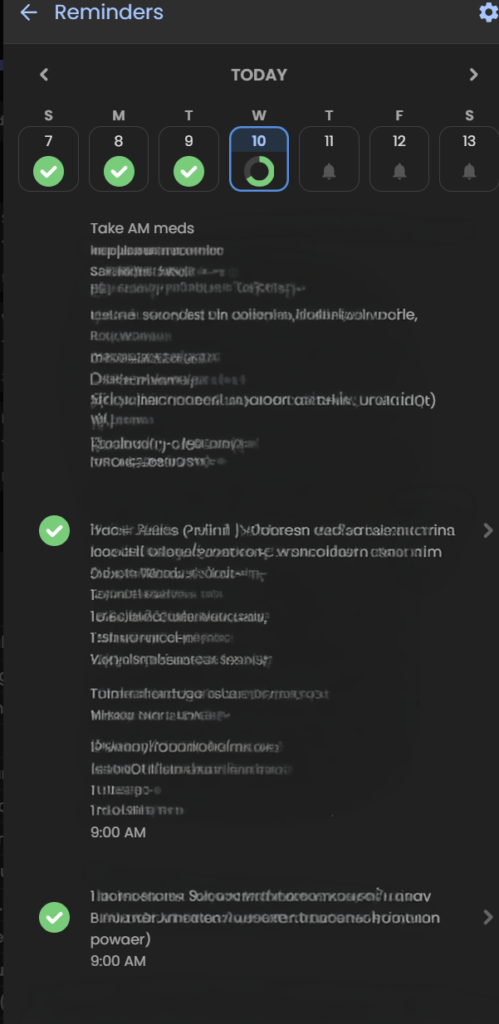
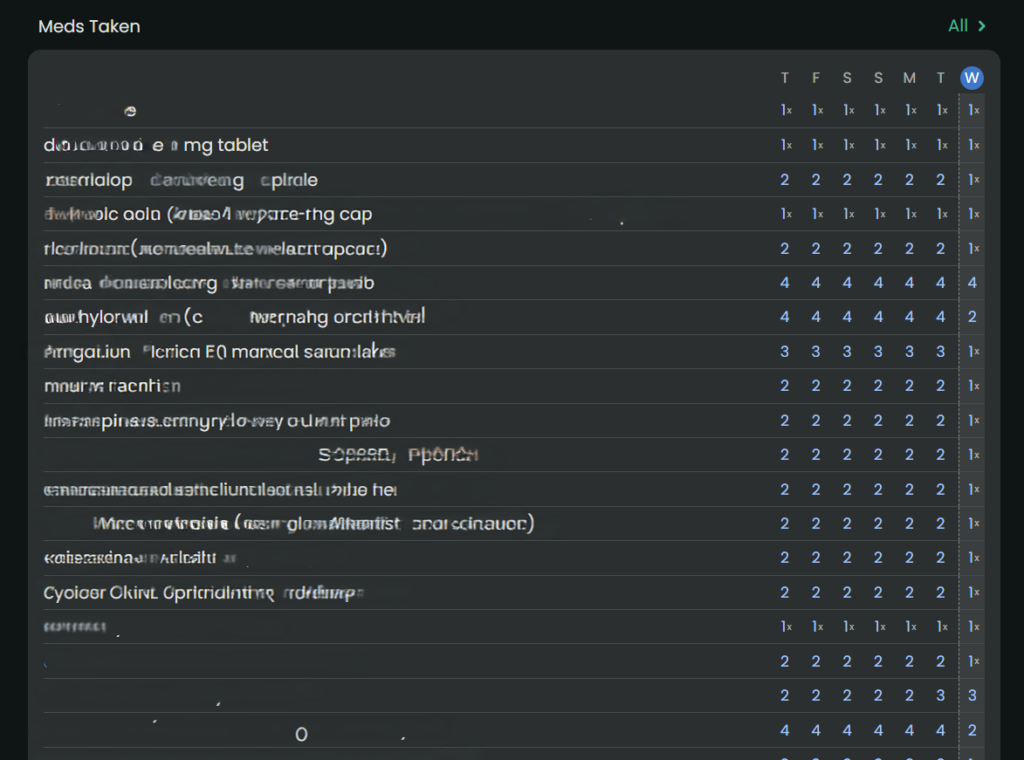
  • Consistent Reminders: It’s not just for daily pills; it’s for spacing out temporary treatments. For example, if I’m on an antibiotic that needs to be spaced out from my PPI, I can set a distinct, secondary reminder schedule to keep me on track without having to do the mental math.
  • PRN Organization: For “as-needed” (PRN) medications, I use Guava Tags. It’s an easy, manual way to log these meds without cluttering my daily scheduled reminders.
  • Safety First: Guava Guardian (beta) adds a critical layer of safety. It recently notified me about medication timing when it saw a new prescription that required careful spacing from my existing meds. This automation removes the anxiety of potentially dangerous overlaps.

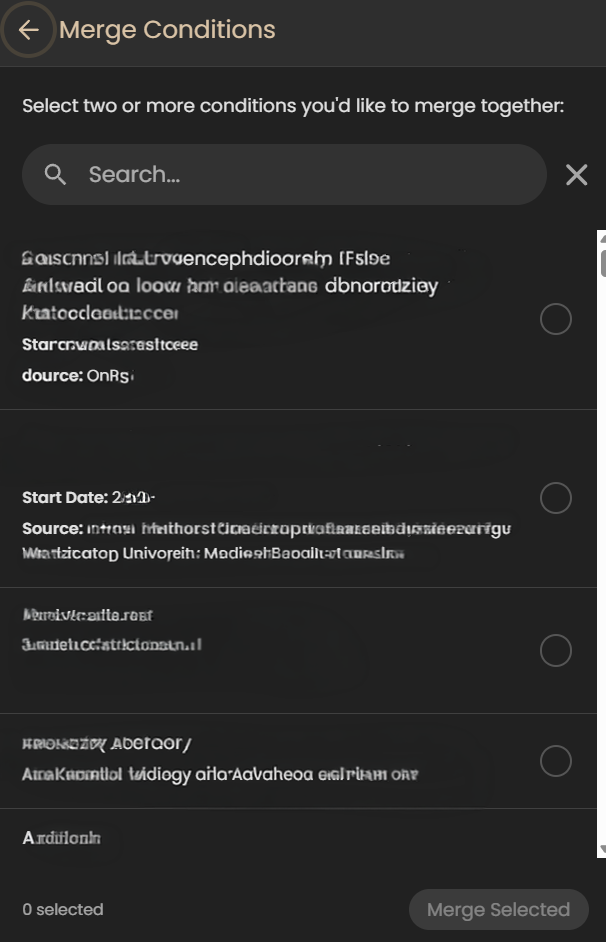
Merging Information

Although this may seem like a little deal, for me it’s huge. When I’ve tried other apps that pull from your portal (e.g., Perplexity, Novellia, Pluto, etc.) they don’t allow me to merge the information – to clean it up.

Here’s what I mean – so let’s say you log into the app and see the same medication listed in several ways (e.g., Amlodipine, Amlodipine Besylate, Norvasc, etc.). They are all the same medication, but each one is listed separately in an app. It becomes cumbersome to sift through the data to find what is relevant to you. And you can’t merge any the information in most apps, but in Guava Health – you can.

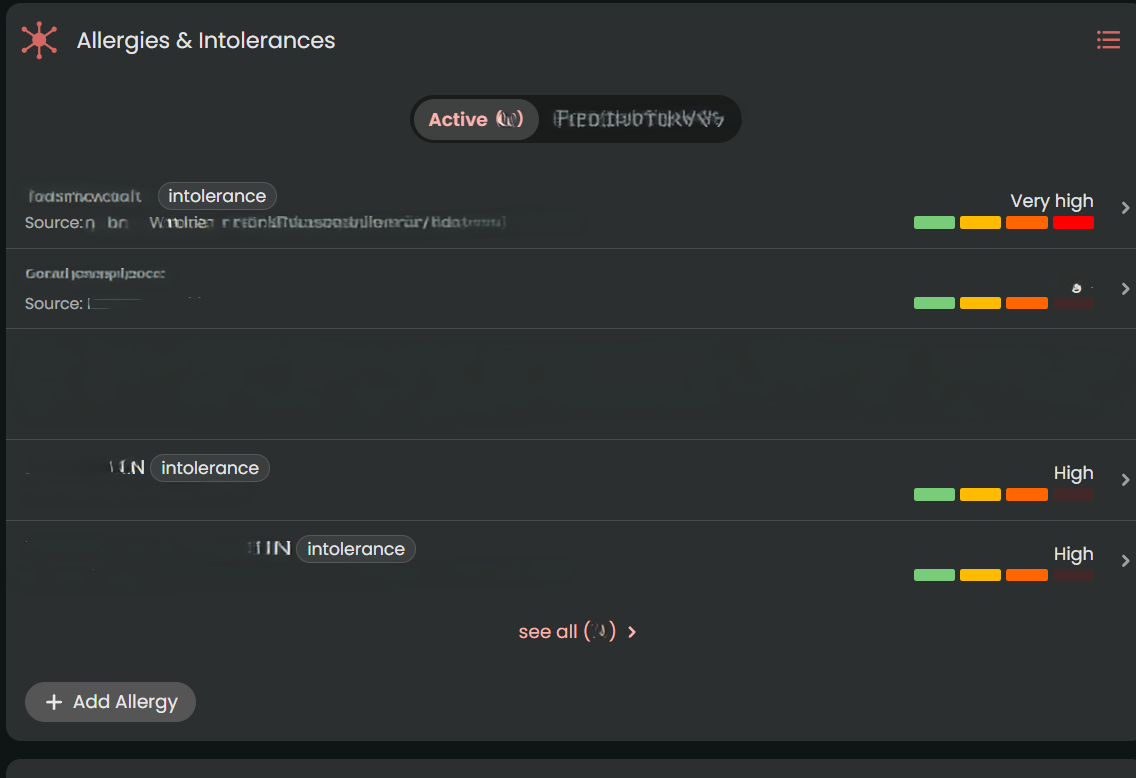
You can merge conditions, medications, and more.
Some areas that I’d love to see developed:

  • PRN Tracking: While Guava is fantastic for scheduling routine medications and supplement reminders, it lacks advanced conditional safety logic for “as-needed” (PRN) medications. For example, if you log a heavy PRN pain medication, the app won’t automatically throw up a warning alert if you accidentally try to log another dose too close to the previous one.
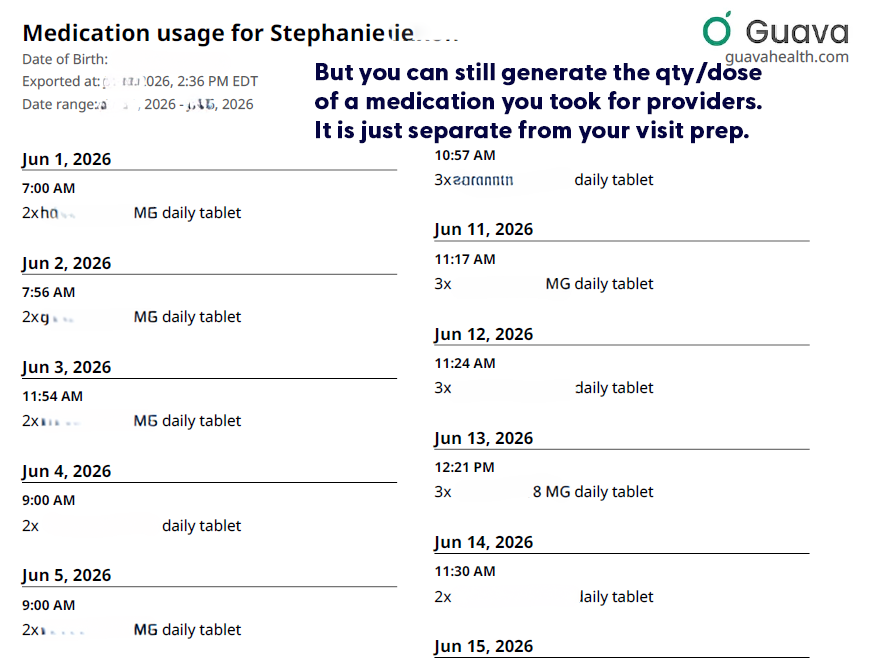
  • Including medication qty/dose taken on visit preps: Currently the visit prep shows the doctor whether you took the medication (i.e., logged taking it), but it doesn’t tell the provider how much medication you took each day.  (i.e., Did you need to take more migraine medication, pain medication, or ADHD medication that day?) But you can still download that list directly from Guava’s interface, for each day.  

  • Tiny metadata choices can make a big difference. If Guava eventually allowed users to mark a custom symptom as ‘higher = better’ or ‘higher = worse,’ it could make behavioral tracking much clearer. This would be especially helpful for executive-functioning and ADHD-related tracking, where users may be measuring improvement in skills rather than worsening of symptoms.

Is it worth it?

Yes, absolutely. Free plans allow portal syncing and manual uploads. The Premium plan ($78/year) unlocks automatic health insights, unlimited family/caregiver profiles, AI-assisted data entry, and automatic lab/imaging imports. If you are managing mild health goals, Guava might be more app than you need. But if you have limited daily energy (“spoons”) and are actively drowning in medical receipts, fragmented portals, and repetitive healthcare questions, Guava is well worth it.

It takes the chaotic, disorganized puzzle of chronic illness and builds a defensive wall around your data, making it one of the most practical tools for self-advocacy on the market today.

Use this link to get a free Guava Emergency Card!

If you use this link to join Guava Health Premium, you’ll get a free emergency card.
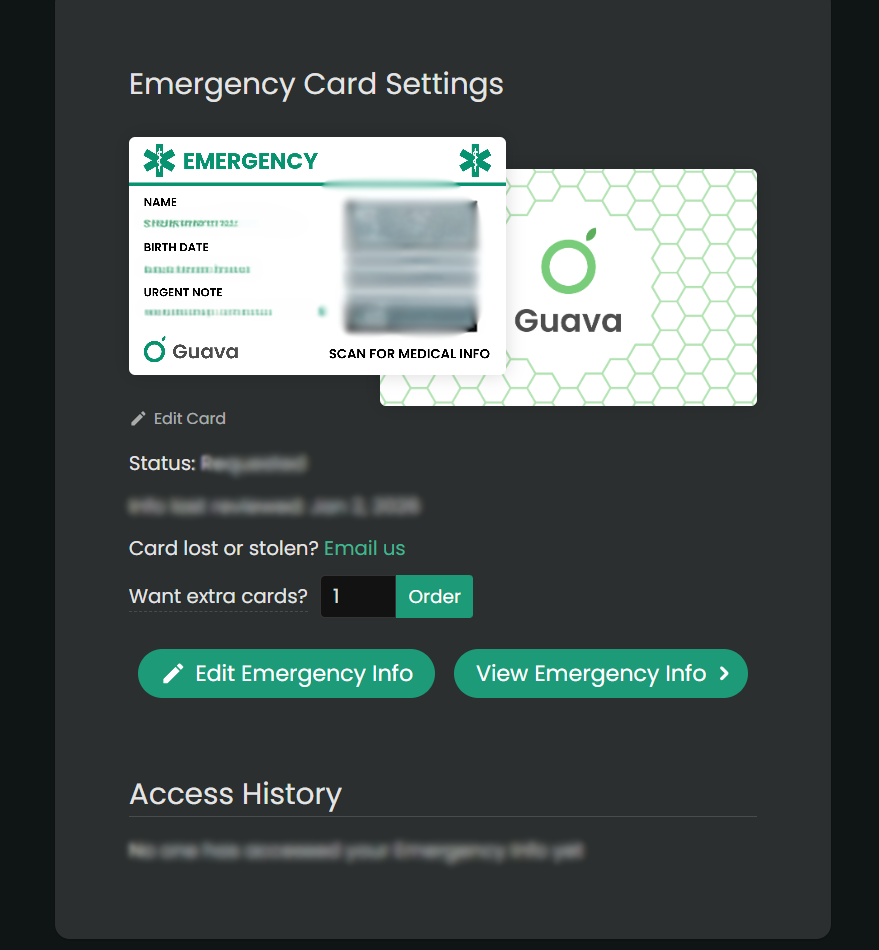
Image of the Guava Health Emergency Card

Access and advocacy, chronic illness, Health apps, navigating healthcare

A highly conceptual graphic of an open, ancient-style lore book resting on a clipboard labeled 'Provider's Note.' The pages blend medical anatomical drawings of eyes and joints with mythical text titled 'Sagas of Patients' and 'Words Have Weight,' challenging the use of subjective language in medical charting.

Words Have Weight: The “Saga” of Subjective Charting

Part 2B: Provider Track – Liability of the Filter

Personal Narrative & Data Integrity:

  • Designated Record Set: This series represents a personal, professional audit of my own legally obtained medical history and “Designated Record Set”.
  • Factual Basis: All clinical data points—including the 169.4-minute gastric emptying result —are pulled directly from my documented clinical records.
  • Advocacy Intent: My goal is to highlight systemic disparities in medical documentation and foster better clinical communication.
  • Non-Defamation: This audit is a critique of the content and quality of documentation and the patterns of clinical bias, rather than an attack on specific individuals or institutions.

A Note on Neurodivergent Baseline:

Contextual Accuracy: Observations regarding communication style, energy, or behavior (often labeled “manic” or “pressured” in my records) must be viewed through the lens of my documented, lifelong ADHD diagnosis.

A ‘u’ was added (AuDHD) as a late diagnosis a few years ago providing a key to understanding why so many providers saw ‘manic’ behavior where there was actually just a neurodivergent person managing a health emergency. We have to stop labeling what we don’t understand.


Clinical documentation is a legal and clinical record. It should describe findings, reasoning, function, and uncertainty—not turn subjective impressions into a durable patient identity.

When providers prioritize narrative shorthand over objective data, the consequences extend beyond patient frustration. Subjective charting can bias future providers, delay appropriate workup, and create significant medicolegal risk.

The Choice: A Thread or a Relationship?

In a research study by Melanie Sloan and colleagues¹, one patient described her medical record as:

“A deranged Twitter feed… creating a completely unrecognizable image of me as a patient and a person.”²

As a provider, you have a choice:

  • The “Deranged Twitter Feed”: Do you want to be just another reactionary post in a chaotic thread of subjective dismissals?
  • The Anchor of Trust: Or do you want to be the provider they respect—the one who actually listens and anchors the record in data?

If you entered medicine for an ego trip or to exert power, there is no point in reading further. But if you are here to help, then I am asking you—as both a provider and a patient—to LISTEN.


The Contrast: Storytelling vs. Clinical Data

When you read a previous provider’s note describing a complex illness as a “saga,” it creates a powerful cognitive bias. It can cause you to actively ignore objective data sitting right in the chart.

Case Study: The “Histrionic” Filter vs. The Objective Truth

Consider one of my ER visits. Likely primed by a previous provider’s “saga” label, the clinician documented: “There is a histrionic component to her presentation.”

What the clinician ignored to maintain their narrative:

  • Hypovolemic Shock: My blood pressure was 80/51, requiring 39 minutes of critical care.
  • Inflammatory Markers: A WBC of 14.3, Neutrophils: 84.4%, Lymphocytes: 8.3%.
  • Radiographic Evidence: A High-Resolution Chest CT finalized one week prior explicitly documented “tree-in-bud nodularity,” the radiographic hallmark of small airway mucus plugging and infection.

When you allow a biased adjective to anchor your judgment, you write a psychiatric label on a patient whose complaint is legitimate and objectively noted in labs and imaging. And you become another domino falling in the chain all because you didn’t review all the data or allowed your diagnosis and assumptions to be guided by others. This is an indefensible medicolegal liability.

A woman holding up a stack of medical file folders, serving as the featured banner image for the Words Have Weight blog post on patient record advocacy.
Designed by Nixon Speech and Language LLC

Clinician Associated Trauma (CAT) is Real

Clinician Associated Trauma is the cumulative psychological harm caused by repeated medical gaslighting and biased charting.

  • The “Organization” Trap: I provided a chronological timeline of my worsening cough in hopes they would understand, only to have it called a saga. I spent the past 5 years trying to better organize my history, only to have it referred to as “30 pages of notes”.  
  • The Identity Error: When Precision Fails

In January 2020, a resident referred to my three-month medical crisis as a “saga” while incorrectly identifying me as “Ms. Dixon”. Most notably, the attending physician then signed off on this report, attesting that they “reviewed the resident’s note and agree with the history” .

In educational settings, using the wrong name on a child’s report would likely render the document invalid. In medicine, however, we allow a senior clinical supervisor to “verify” an error-ridden note, giving subjective character assessments the weight of permanent clinical truth. If a provider isn’t precise enough to get your name right, they aren’t precise enough to label your experience.

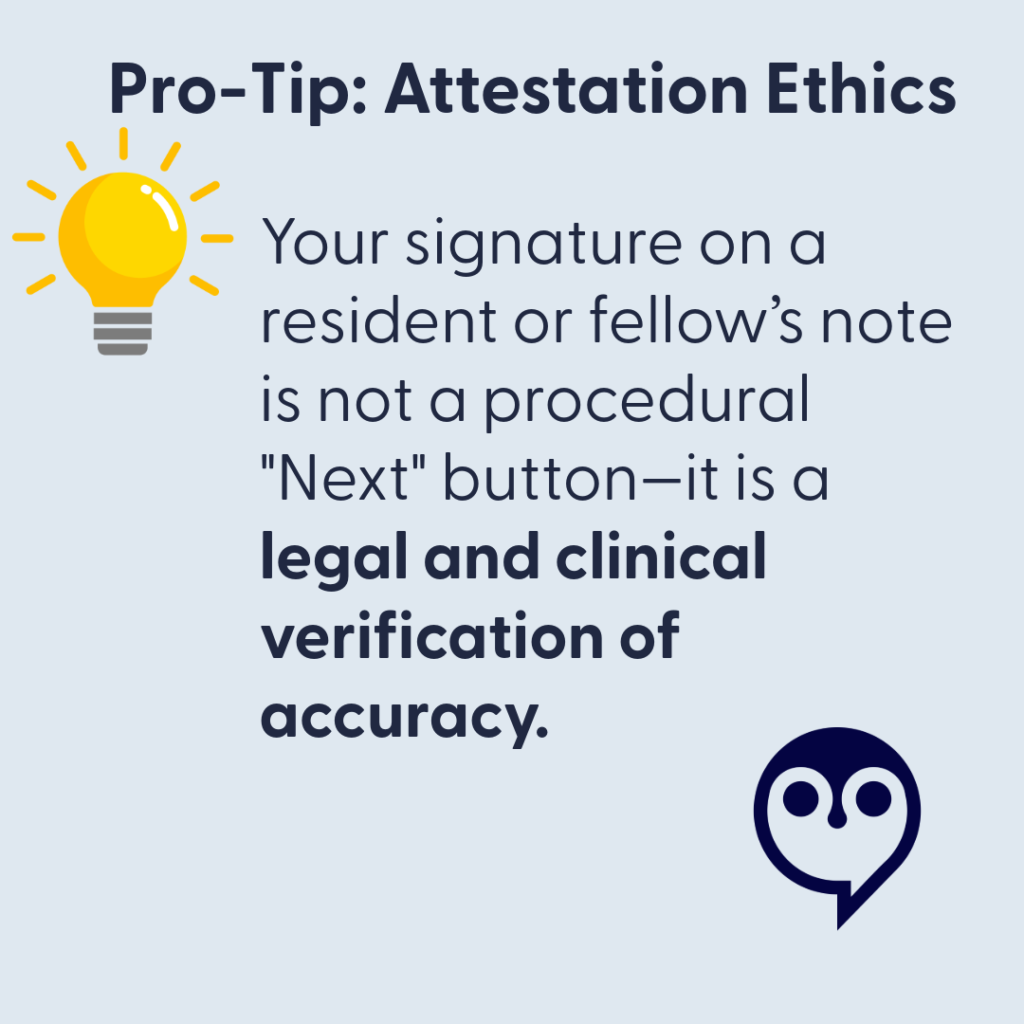
    Pro-Tip: Attestation Ethics.  Your signature on a resident or fellow's note is not a procedural "Next".  It is legal and clinical verification of accuracy.
    • The “Rubber Stamp” Risk: When you sign an attestation for a note containing an incorrect patient name or biased labels like “saga,” you are professionally validating a “deranged twitter feed” entry.
    • The Transparency Reality: Under the 21st Century Cures Act, patients see your attestation immediately. If you are too rushed to catch a wrong name, the patient (and the law) will assume you were too rushed to perform a rigorous clinical review.
    • The Clinical Standard: If a document’s basic identifiers are wrong, its clinical conclusions are suspect. Use your edit window to ensure the final record reflects the objective truth, not a “rubber-stamped” narrative.

    Technical Stewardship: Closing the Gap

    Longitudinal aggregation is the best defense against fragmented care.

    • Guava Health: Allows providers to reconcile conflicting documentation and see the “receipts”—like a 169.4-minute gastric half-time—before a subjective bias can take root.
    • Google Workspace + BAA: Provides secure, HIPAA-compliant infrastructure to handle high-stakes documentation.

    The Correction as a Collaboration

    Under the 21st Century Cures Act, the wall between the patient and the record has been removed. If an error exists, they will see it.

    • Acknowledge the Discrepancy: Respond with empathy: “I am sorry there are discrepancies… I am on your side!”, but mean it.
    • Avoid Blaming the Patient: Even if the patient had a chance to review whatever the documentation, it isn’t their fault the chart is wrong. That’s the provider’s job.
    • Update the Record: Whether through an addendum or voiding a note, ensure the final record reflects the functional and physiological truth.

    Humanity Over Perfection: The Due Diligence Standard

    We are all human. Patients don’t expect their providers to be perfect; they expect them to do their due diligence .

    Mistakes happen—a wrong name, a misinterpreted symptom, a “rubber-stamped” attestation . But the difference between a “mistake” and “Clinician Associated Trauma” is the willingness to be honest when your own “spoons” (capacity/energy) are lacking.

    The “Honest Pivot” Script

    If you are overwhelmed, behind schedule, or hit a wall with a complex case, don’t reach for a “saga” label to end the visit. Try radical honesty instead:

    “I want to be fully present for this conversation, and I know you took the time to come in today. Honestly, my capacity is low right now, and I want to give your data the deep thought it deserves. Can I review your records this week and follow up with a call or a telehealth visit in 10 days to discuss my findings?”

    Why This Pivot Saves the Relationship:

    • It Models Respect: You are acknowledging that the patient’s time and data are valuable.
    • It Prevents Bias: By pausing instead of rushing, you avoid making the “snap judgments” that lead to “histrionic” labels or identity errors.
    • It Shifts the Dynamic: You are no longer the “gatekeeper” with all the answers; you are a partner performing an audit.

    The Provider Challenge: The Mirror Test

    • Stay in Scope: If you are not a psychiatrist, do not reach for labels like “pressured speech” to pathologize a communication style. Investigate neuro-informed baselines (AuDHD) or physiological distress first. As I said in Part 1 – there are many reasons a person might speak with a fast rate beyond anxiety (and they aren’t zebra reasons…).
    • Document Uncertainty, Not Assumptions: Do not use psychiatric labels as a “wastebasket” for difficult diagnostics. Similarly, ask yourself … why is this patient bringing 30 pages of “hand-typed notes” to my appointment?

    Sometimes…the answer is as simple as the patient doesn’t want to forget the name of the 12 medications or…the patient’s hand cramps writing on your background history forms, so they have it available to print for providers.  And other times…their history is just that long. 

    Don’t assume their physical symptoms are anxiety – some of us blank when people ask questions, that doesn’t mean it’s somatization or anxiety.

    • Audit Your Adjectives: Adjectives that frame symptoms as a performance (“claims,” “dramatic,” “demonstrates”) transmit bias to every clinician who follows.
    • Document Function, Not Assumptions: I was an SLP unable to work for 3 weeks due to a vocal fold ulceration, yet a provider wrote my disability “surpassed objective findings”. Document the loss of function, not your “impression

    The Bottom Line: Be the Partner, Not the Domino

    A corrected chart or a thoughtful follow-up isn’t a sign of weakness; it is a higher standard of Clinical Data Stewardship. It protects you from medicolegal liability and ensures that every future provider sees a clear, objective physiological truth—not a “deranged twitter feed” of biased shorthand.

    If you became a provider because you want to help, then be the one who keeps the dominos standing.

    Bottom Line: A corrected chart isn’t just a win for the patient; it is a higher standard of Clinical Data Stewardship that protects you and ensures every future provider sees the truth, not a “saga”.


    References

    1. Sloan, M., Naughton, F., Harwood, R., Lever, E., D’Cruz, D., Sutton, S., Walia, C., Howard, P., & Gordon, C. (2020). Is it me? The impact of patient-physician interactions on lupus patients’ psychological well-being, cognition and health-care-seeking behaviour. Rheumatology Advances in Practice, 4(2), rkaa037. https://doi.org/10.1093/rap/rkaa037 
    2. Sloan, M., Bosley, M., Gordon, C., et al. (2025). “‘I still can’t forget those words’: mixed methods study of the persisting impact on patients reporting psychosomatic and psychiatric misdiagnoses.” Rheumatology. doi: 10.1093/rheumatology/keaf115. PMID: 40037287; PMCID: PMC12107051
    3. Davis, B. (2021). “Derogatory Language in Charting: The Domino Effect.” Patient Safety Network. https://patientsafetyj.com/article/73542-derogatory-language-in-charting-the-domino-effect 
    4. Goddu, A. P., O’Conor, K. J., Lanzkron, S., et al. (2018). “Do Words Matter? Stigmatizing Language and the Transmission of Bias in the Medical Record.” Journal of General Internal Medicine, 33(5), 685–691. doi: 10.1007/s11606-018-4583-7. PMID: 29374357; PMCID: PMC5910343.
    5. Park, J., Saha, S., Chee, B., Taylor, J., & Beach, M. C. (2021). “Physician Use of Stigmatizing Language in Patient Medical Records.” JAMA Network Open, 4(7), e2117052. doi:10.1001/jamanetworkopen.2021.17052 
    6. Barcelona, V., Scharp, D., Idnay, B. R., et al. (2024). “Identifying stigmatizing language in clinical documentation: A scoping review of emerging literature.” PLOS ONE, 19(6). doi: 10.1371/journal.pone.0303653. PMID: 38941299; PMCID: PMC11213326
    7. Silverman, K. (2023). “Improving Health Equity by Eliminating Biased and Stigmatizing Language in Medical Notes.” Center for Health Care Strategies.
    8. CRICO (2021). “Cures Act Overview”. https://www.rmf.harvard.edu/Risk-Prevention-and-Education/Article-Catalog-Page/Articles/2021/Cures-Act-Overview 
    9. Pandita, D., Johnson, D., & Bledsoe, T. A. “Lab Results Reporting, Ethics, and the 21st Century Cures Act Rule on Information Blocking.” ACP Ethics Case Study Series. https://www.acponline.org/clinical-information/medical-ethics-and-professionalism/ethics-case-studies-education-resources/lab-results-reporting-ethics-and-the-21st-century-cures-act-rule-on-information-blocking 
    10. HHS.gov (2025). Your Medical Records: https://www.hhs.gov/hipaa/for-individuals/medical-records/index.html 
    11. Google Workspace (2026). “Gemini for Workspace: Enterprise Privacy and Model Training Standards.” https://knowledge.workspace.google.com/admin/gemini/generative-ai-in-google-workspace-privacy-hub 
    12. TeamAI (2026). https://teamai.com/blog/large-language-models-llms/gemini-models-explained-the-complete-2026-guide/ 

    For more information about Guava Health go to https://guavahealth.com/ For more information about the FitBit transformation to Google Health coming 5/19/2026 go to https://health.google/

    Access and advocacy, chronic illness, clinical documentation bias, Clinician Associated Patient Trauma, medicolegal risk, patient advocacy in healthcare, patient gaslightling, providers

    Words Have Weight: Stopping the ‘Deranged Twitter Feed’¹ in Your Chart

    Part 2a

    All blog disclaimers here

    Personal Narrative & Data Integrity:

    • Designated Record Set: This series represents a personal, professional audit of my own legally obtained medical history and “Designated Record Set”.
    • Factual Basis: All clinical data points—including the 169.4-minute gastric emptying result —are pulled directly from my documented clinical records.
    • Advocacy Intent: My goal is to highlight systemic disparities in medical documentation and foster better clinical communication.
    • Non-Defamation: This audit is a critique of the content and quality of documentation and the patterns of clinical bias, rather than an attack on specific individuals or institutions.

    A Note on Neurodivergent Baseline:

    Contextual Accuracy: Observations regarding communication style, energy, or behavior (often labeled “manic” or “pressured” in my records) must be viewed through the lens of my documented, lifelong ADHD diagnosis.

    A ‘u’ was added (AuDHD) as a late diagnosis a few years ago providing a key to understanding why so many providers saw ‘manic’ behavior where there was actually just a neurodivergent person managing a health emergency. We have to stop labeling what we don’t understand.


    Have you ever read a medical note about yourself and thought: Who is this person? You are not alone. In a research study by Melanie Sloan and colleagues,¹ one patient described her medical record as:

    “A deranged Twitter feed… creating a completely unrecognizable image of me as a patient and a person.”²

    That quote hits hard. It describes what happens when a provider writes something subjective, negative, or dismissive in your chart. One note can change how the next provider sees you. And then the next. And then the next.

    Patient safety experts call this The Domino Effect.³ This is how chart bias spreads.

    What is Chart Bias?

    Chart bias happens when a provider writes words that sound like a judgment of your personality rather than a description of your health. These subjective adjectives can quietly shape your care before a new doctor even walks into the room.⁴

    Watch for “performance” words like:

    • Dramatic,Anxious, or “Histrionic”
    • Difficult 
    • “Saga”, Somatic/Somatization, or “Exaggerating”
    • “Well-appearing” (especially when objective data says otherwise)

    These words act as a path through your hospital record. They can lead the next doctor to subconsciously view your physical symptoms as a “performance,” questioning your credibility before you even speak.⁵


    My Story: Same Patient, Different Stories

    A few years ago, I saw my doctor for a cough that had lasted three months. I was hoarse and losing my voice. I provided a clear timeline and evidence of a bacterial infection. Instead of a diagnosis, the provider labeled my experience a “saga” and wrote that I was “demonstrating” my cough.The first note framed the encounter subjectively; the second documented objective evidence of infection.

    I wasn’t “demonstrating”— when I didn’t cough, I was taking shallow breaths. Because one cough led to more coughing, and coughing led to bladder incontinence (even mild is embarrassing, iykyk).

    Eight days later, a specialist looked at the same body but saw a different story:

    • Abnormal lung sounds (Rhonchi)
    • Rapid heart rate (Tachycardia)
    • Chest CT results: “Tree-in-bud nodularity,” which showed a likely infection.

    The first note framed the encounter subjectively; the second documented objective evidence of infection.

    When the Story Overwrites the Facts

    Later, in the ER, a doctor labeled my coughing “histrionic” despite contemporaneous objective findings including a blood pressure of 80/51 and an elevated white blood cell count paired with elevated neutrophils (84.4%) and low lymphocytes (8.3%). I will never know if the doctor was reading the “saga” in my chart, but somehow the data on the screen didn’t receive the same emphasis in that note as his perception of me as a “chronic pain” patient.  

    I eventually filed a HIPAA correction to have the word “histrionic” (and other comments) struck from my record. I did this because words in a chart don’t stay in one visit. They follow you.

    To this day, I still question what I could’ve done differently to avoid being misunderstood. Yes, when I go to the ER, I try to communicate past my pain past my symptoms in hopes because in my mind that is the best way to get help.  Sometimes, it works … Other times, it seems providers think if you can communicate that well you can’t be “that sick”. 


    Why This Matters

    Research shows that even one stigmatizing note can change how clinicians think about you. It can change how seriously they take your pain and how hard they look for a physical cause.3, 4, 5, 6, 7 In other words: your chart can become a story about how the provider perceives your character instead of a record of your health.¹, ² 

    And when I realized what that provider said and what another provider said – providers I thought I trusted, it felt like betrayal – it hurt.  

    Those comments didn’t match with my personality or with what I was experiencing in those moments in those hours on those days. And the thought that a provider would put those words, words I would’ve told interns not to use ever, in my chart – the chart of another provider, felt like a slap.  

    Could I have just ignored these comments and found new providers? Yes. But they would stay there.  So I have decided to advocate with whatever spoons I have.


    The “Spoon Theory” of Medical Advocacy

    Dealing with chronic infections, illness, providers, employers (concerned about productivity from missed work due to the first two-three), and trying to have a balanced life  – well it is absolutely fatiguing.  

    That means many of us come into these situations with our executive function cups full to overflowing.  Such situations require working memory – we need to hold in our memory what the provider says in the current appointment at System A, what the labs say, what our imaging says, what the other provider at System B, not to mention what we might need to take care of at work or home because we may need to schedule another appointment.

    So when I saw the note above in my chart, the biased note, it was like a “gut punch” that felt invalidating.  It drained my energy. And I know there are other patients (many women) out there like me. I thought the ER visit that night went okay – I thought the provider understood, then I saw that note. 

    Yes, can I look up all the terms to understand what each lab means? But the energy – it’s overwhelming:but that costs “spoons” you don’t have.

    For me, I have been using an AI Buffer – to separate the data from the disrespect, the dismissal, the gut punch, literally not being heard…    


    What You Can Do? (Action Plan)

    Safety note for readers.  

    Before you provide all your medical data to AI, I want you to understand security risks and how to protect your documents.  I take those risks because right now, it is the best way I can save my spoons and manage my health. 

    For me, these are my strategies to navigate care today at this moment.  I will provide more information about these paths later – but I hope these help:

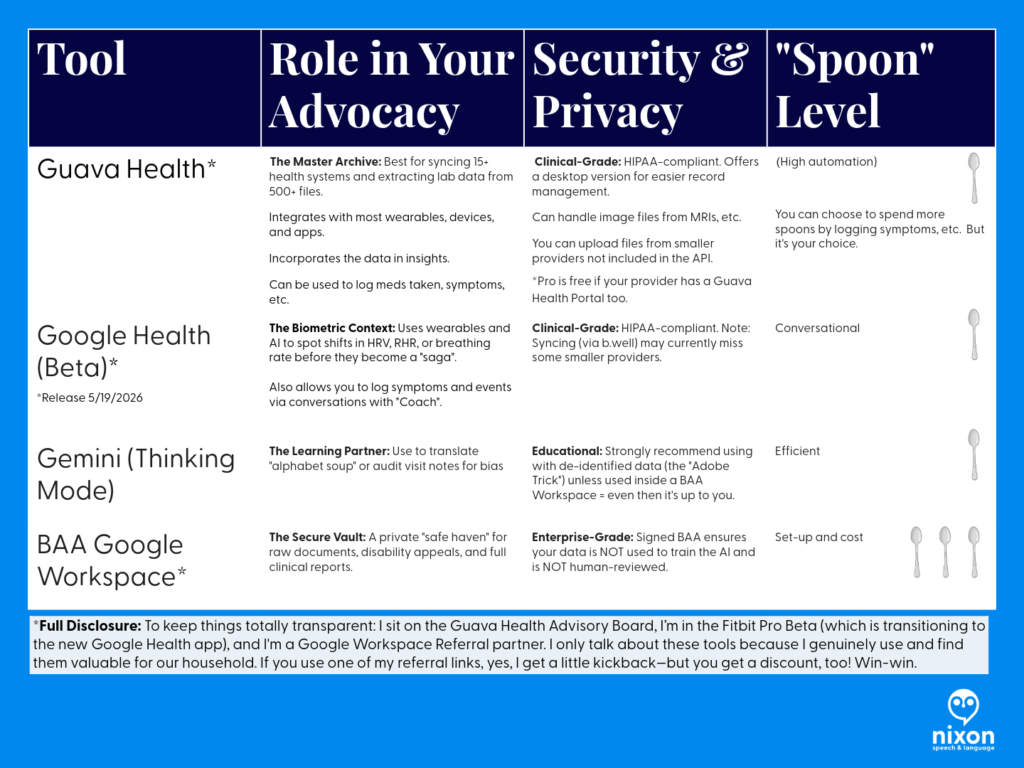
    Summary table of healthcare consumer technology, data privacy risks, and biomarker tracking tools.

    Strategy Summary

    • Audit for Bias: Use Gemini (Thinking Mode) to help you objectively spot if a note describes your personality instead of your physiology.
    • Externalize Your Memory: Use Guava’s Body Map and Medication Tracker to replace the high-stress “spotlight” of trying to remember 32 medications during a 15-minute visit.
    • Provide the Receipts: Use your multi-year biometric trends (Heart Rate, HRV, etc.) to prove that your symptoms are a significant shift from your baseline, not “health anxiety”.
    • Protect Your Privacy: If you are managing sensitive documents like disability appeals or vocational reports, move them into a Google Workspace with a BAA for maximum protection.
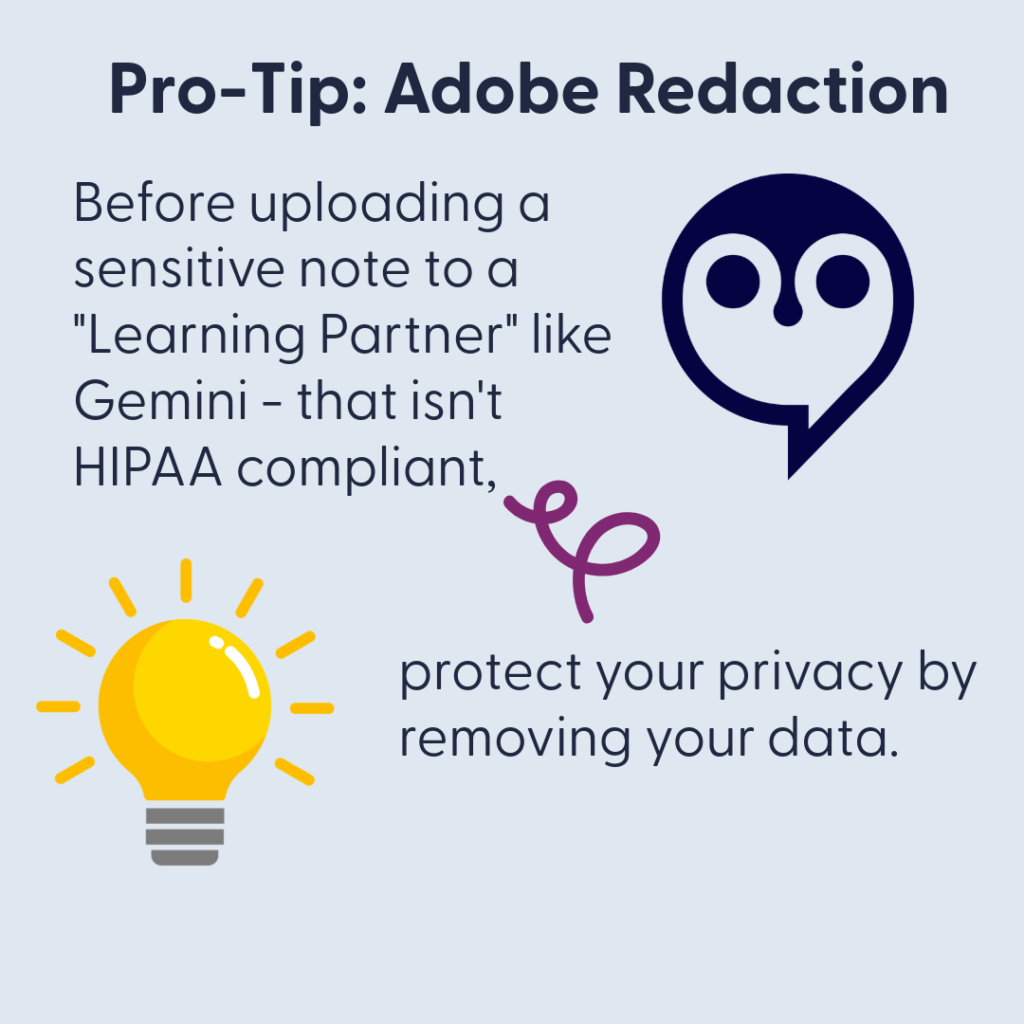
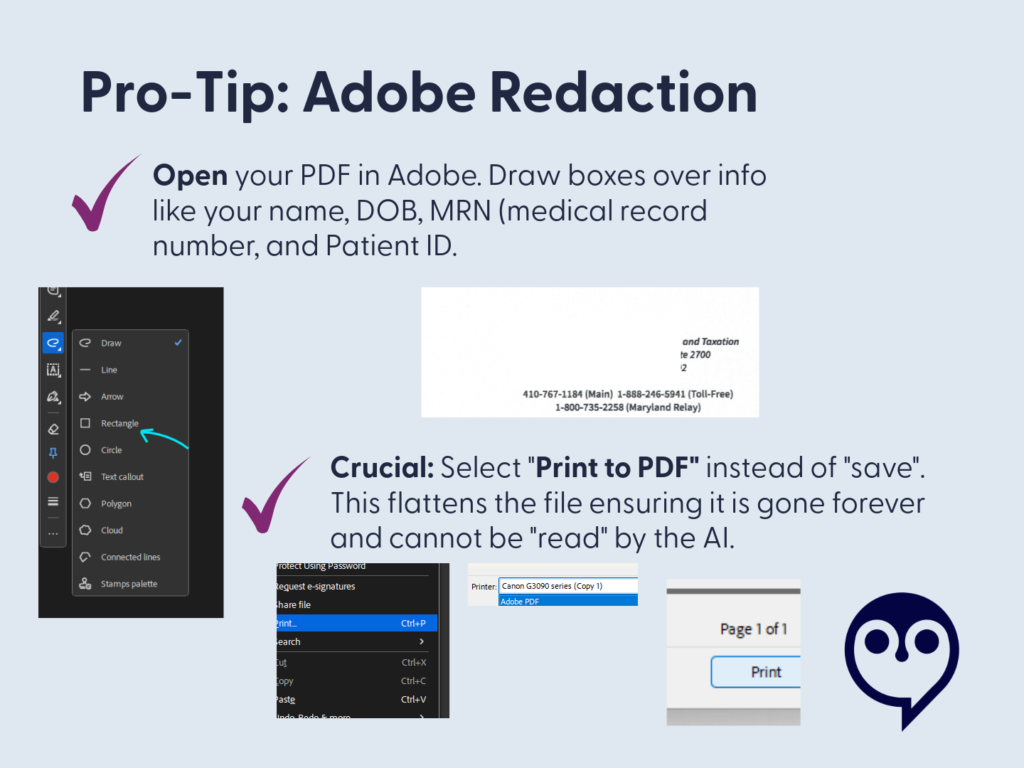
    Pro-tip about redacting text within Adobe
    How to redact documents within Adobe

    Why This Tech Matters

    Using these tools isn’t about obsessing over every data point; it’s about Spoon Management. When you have a complex history—like Ulcerative Pancolitis or Gastrointestinal Dysmotility—you shouldn’t be expected to be your own medical librarian. These tools turn the “deranged Twitter feed” of a medical record into a searchable database that you control.

    Here’s how how I go about it

    1. Access Your Notes (Medical Records)

    Under the Cures Act, you have the right to see your clinical notes.⁹ Don’t just read the summary; get the Progress Notes. 

    Tips: Sign up for the patient portal. 

    Use the summary like a snapshot.  It’s the outline to the Progress Note (usually).  But, often it just lists your current medications or the appointments to schedule, etc. 

    2. Create an “AI Buffer” (Protect Your Spoons)

    Medical advocacy is exhausting. When a note feels like a “gut punch,” don’t waste your limited energy (“spoons”) manually looking up every term.

    • The Strategy: Use an AI tool to objectively “audit” the note. Ask: “Does this note focus on my health or my personality?” (If it focuses on your personality – ask yourself if that is the provider’s role in your care.)

    * The Privacy Choice: If you use an AI like Gemini, consider a Google Workspace with a BAA.11 This ensures your data isn’t used to train public models and isn’t reviewed by humans. It’s your “Safe Haven” for medical records. (I’ll talk more about this in another post – but I want to be sure you understand those risks.)

    If you’re thinking about setting up Google Workspace for yourself, keep an eye out for my upcoming post on how I’m using it to manage our household! I’ll be sharing a deep dive, and as a member of the Google Workspace Referral Program, I’ll share some information and discount links – we will both be rewarded. <3

    • Accuracy Tip: Always use “Thinking” or “Pro” mode for medical analysis. “Fast” modes can miss the technical nuances you need for an appeal.12

    3. Use Technology to “Translate” and “Talk”

    If you struggle with dense text due to dyslexia, a stroke, or a learning disability, use these apps to hear your data:

    • Guava Guardian (Beta): A personal health detective. It can voice-alert you to a “split chart” (duplicate records) and helps you see how symptoms like hoarseness correlate with objective biometrics like HRV.
    • Google Health Coach Pro (Coming May 19): This multimodal tool allows you to talk to your data. Instead of squinting at a screen, ask the Coach to “summarize my last labs in plain English.”

    4. Request a Correction

    If you see something inaccurate or stigmatizing, say something.There are several paths and each depends on your comfort level with the provider.  

    I’ve used emails, faxes, portal messages, and phone calls to navigate these issues.  In the portal, be aware that other providers in that system can likely see your messages. (I didn’t know this.)

    How to start: 

    • Contact the provider directly via the patient portal to request the correction/clarification: “I was reviewing my visit note from [Date] and noticed the history doesn’t match the objective data from my specialist. I’ve attached the relevant lab results and cultures to help clarify the timeline. Could we update the record to reflect these physical findings accurately?” 
    • Contact the hospital’s Medical Records or Patient Advocacy department and ask about the amendment process.
    • For small practices, there is still a path for requesting corrections – this is your right to request it and there must be a path provided to you in that LONG HIPAA statement you received. Ask.

    Phrases you can use:

    • “I read my note and this wording does not reflect what happened.”
    • “Can we focus the record on the objective lab findings from that visit?”
    • “I would like to add an addendum to reflect the functional impact of my symptoms.”

    I’ll go into this further in a separate post.  I don’t want to tell you it will always work out.  But I do want you to know this is your right. And I understand it isn’t as easy as I said just now. 


    The Bottom Line

    Your medical chart should describe your health. It should not turn one provider’s opinion into your permanent identity. If you feel like your chart describes a stranger instead of you, you are not wrong to question it.


    References

    1. Sloan, M., Naughton, F., Harwood, R., Lever, E., D’Cruz, D., Sutton, S., Walia, C., Howard, P., & Gordon, C. (2020). Is it me? The impact of patient-physician interactions on lupus patients’ psychological well-being, cognition and health-care-seeking behaviour. Rheumatology Advances in Practice, 4(2), rkaa037. https://doi.org/10.1093/rap/rkaa037 
    2. Sloan, M., Bosley, M., Gordon, C., et al. (2025). “‘I still can’t forget those words’: mixed methods study of the persisting impact on patients reporting psychosomatic and psychiatric misdiagnoses.” Rheumatology. doi: 10.1093/rheumatology/keaf115. PMID: 40037287; PMCID: PMC12107051
    3. Davis, B. (2021). “Derogatory Language in Charting: The Domino Effect.” Patient Safety Network. https://patientsafetyj.com/article/73542-derogatory-language-in-charting-the-domino-effect 
    4. Goddu, A. P., O’Conor, K. J., Lanzkron, S., et al. (2018). “Do Words Matter? Stigmatizing Language and the Transmission of Bias in the Medical Record.” Journal of General Internal Medicine, 33(5), 685–691. doi: 10.1007/s11606-018-4583-7. PMID: 29374357; PMCID: PMC5910343.
    5. Park, J., Saha, S., Chee, B., Taylor, J., & Beach, M. C. (2021). “Physician Use of Stigmatizing Language in Patient Medical Records.” JAMA Network Open, 4(7), e2117052. doi:10.1001/jamanetworkopen.2021.17052 
    6. Barcelona, V., Scharp, D., Idnay, B. R., et al. (2024). “Identifying stigmatizing language in clinical documentation: A scoping review of emerging literature.” PLOS ONE, 19(6). doi: 10.1371/journal.pone.0303653. PMID: 38941299; PMCID: PMC11213326
    7. Silverman, K. (2023). “Improving Health Equity by Eliminating Biased and Stigmatizing Language in Medical Notes.” Center for Health Care Strategies.
    8. CRICO (2021). “Cures Act Overview”. https://www.rmf.harvard.edu/Risk-Prevention-and-Education/Article-Catalog-Page/Articles/2021/Cures-Act-Overview 
    9. Pandita, D., Johnson, D., & Bledsoe, T. A. “Lab Results Reporting, Ethics, and the 21st Century Cures Act Rule on Information Blocking.” ACP Ethics Case Study Series. https://www.acponline.org/clinical-information/medical-ethics-and-professionalism/ethics-case-studies-education-resources/lab-results-reporting-ethics-and-the-21st-century-cures-act-rule-on-information-blocking 
    10. HHS.gov (2025). Your Medical Records. https://www.hhs.gov/hipaa/for-individuals/medical-records/index.html 
    11. Google Workspace (2026). “Gemini for Workspace: Enterprise Privacy and Model Training Standards.” https://knowledge.workspace.google.com/admin/gemini/generative-ai-in-google-workspace-privacy-hub 

    Access and advocacy, Bias, chronic illness, clinical documentation bias, Clinician Associated Patient Trauma, empower patients, patient advocacy in healthcare, Words have Weight

    Research vs. Reality: Why Perplexity Health Fails Chronic Patients Where Guava Health Thrives

    Transparency Disclosure

    In a world of sponsored “health tech” content, here is the truth:

    • I am a paying subscriber of Perplexity Pro ($20/mo) and a paying subscriber of the Guava Health Family Plan.
    • While I serve on the Guava Health Patient Advisory Panel, I do so pro bono (unpaid).

    This review is not a promotion; it is a clinical audit. I’ve spent my own money on these tools because I am a “spoonie” patient, provider, and researcher searching for a way to make a complex life more manageable. (But for the record, I do accept cookies.)

    The Dangerous Illusion of “All Your Data”

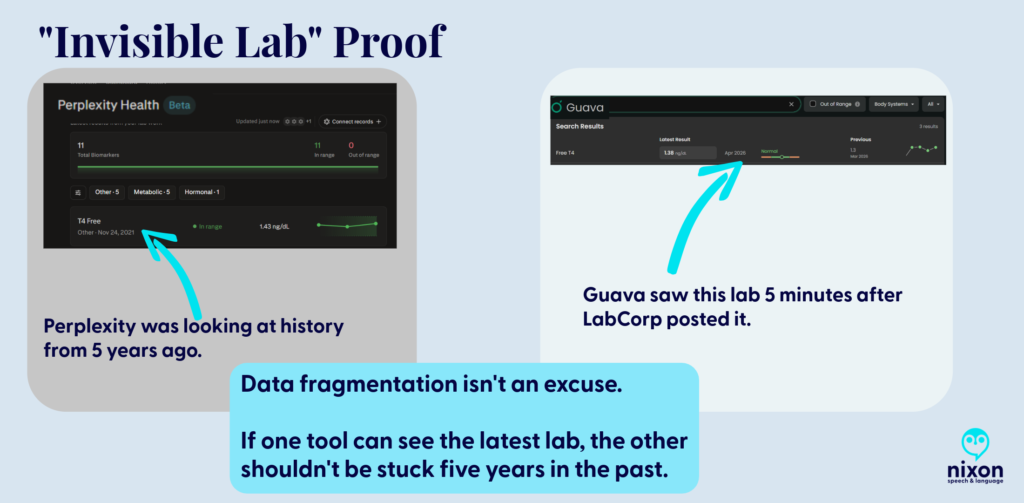
    The biggest risk of Perplexity Health (Beta) is the illusion of completeness. Its marketing promises a seamless “Health Hub,” but my testing revealed a dangerous “blind spot.” Despite being connected to my EMRs, Perplexity ignored my most recent labs and defaulted to a T4 Free result from 2021 as my “current” status.

    The Safety Warning: If a patient trusts Perplexity’s dashboard, they might miss key data and believe they are clinically stable when the AI is simply “ignoring” the last five years of their data because it didn’t index in a way the AI could add to your biomarkers.

    The Guava Advantage: Guava understands that medical data is messy. Even when a provider doesn’t have a direct API integration, Guava allows you to upload the report. The platform doesn’t just “store” the PDF; it indexes and pulls that data into your biomarkers, ensuring your trends are accurate and complete (or as complete as the data it obtains via APIs and your uploads).

    Fig 1. Data Latency Proof. Perplexity remained stuck in 2021 despite current data being physically present in the system.
    Data Latency Proof. Perplexity remained stuck in 2021 despite current data being physically present in the system.

    The “Spoonie Tax”: Friction as a Barrier

    Chronic illness management is often a full-time job. We use technology to save “spoons,” not spend them. Perplexity, however, added to that fatigue through technical friction:

    The Quantity and Size File Wall

    I could only upload 200 documents. As a person with chronic illness who has been on this earth more than say 40 years, that didn’t begin to cover even half of my documents. You might tell me, ‘Just upload the most important ones’ or ‘Import them from the provider’, well, I tried that.

    • The connection to my primary care provider’s office linked to her old facility vs. the current one despite having the correct address on file for her.
    • My dermatologist, hematologist, integrative medicine provider, endocrinologist, cardiologist, gynecologist, primary care provider, and gastroenterologist weren’t accessible via Perplexity. (And these are only a few of the providers whose data couldn’t be accessed by Perplexity.)
      • Note. Six of eight of the above aren’t accessible via Guava either, but I can upload those visit notes to Guava Health myself.
    • To only see 10% of the data can also limit seeing the big picture. So, I grouped the files using Adobe to upload them (after deleting each individual file that I had uploaded).
      • BUT if you’ve used AI to try to analyze data in large 150+ page files, you’ll know … it isn’t always easy. (Even Gemini tells me occasionally that my files are “too large”.)

    The Administrative Demand

    Then I had an interesting ‘conversation’ with Perplexity’s AI when I realized that despite syncing up with the API of one of my facilities with most of the lab data, it was missing specific data points (e.g., all Free T4 data after November 2021 despite that specific lab being drawn between 2-6 times/year.)

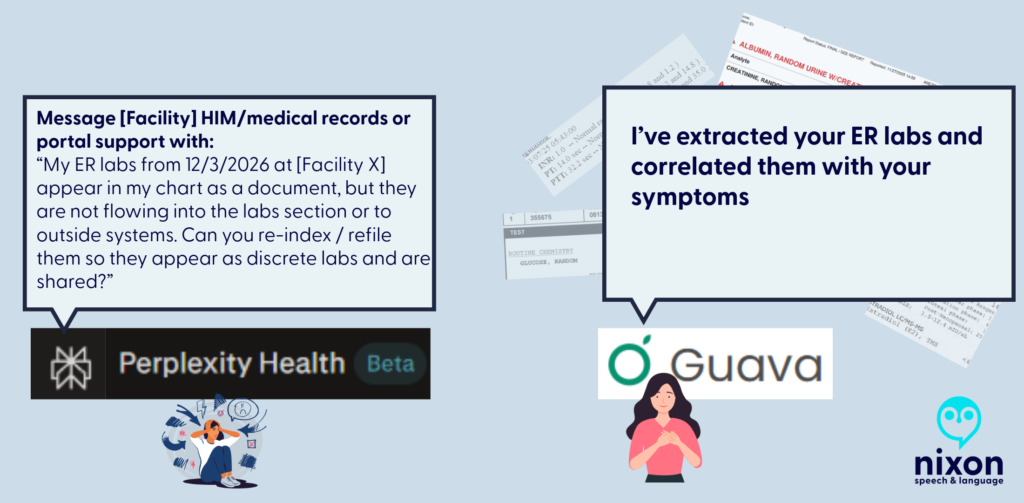
    So I asked Perplexity Health’s AI where the labs are, and was told “You’re right that [FACILITY X] has them and that you uploaded them; the issue is that they’re not surfacing in the structured “labs/observations” stream I can see”. The AI provided several reasons for why those labs weren’t there:

    • They may be stored only as a scanned PDF/image of the ER report, not as discrete lab rows, so they don’t appear in the lab feed even though they’re in your chart.
    • The upload might be filed under “Media,” “Documents,” or an outside-records bucket that isn’t mapped into the lab/observation section my view is pulling from.
    • The interface that shares data from Facility X’s EMR to this aggregate view may not map ED lab panels from that date or that specific visit type correctly.

    But as a patient, provider, or researcher, the issue for those of us using Perplexity Health is that those labs aren’t there, and even uploading them, doesn’t lead to them being added to the biomarker section of the site.

    So when I asked Perplexity AI what I should do, it suggested that I call the hospital’s IT department to request they “re-index” my FHIR API mapping.

    Perplexity delegates technical labor to the patient; Guava automates the extraction through AI parsing.
    Fig. 2 Perplexity delegates technical labor to the patient; Guava automates the extraction through AI parsing.


    Even when I provided the connections to the facilities and uploaded the records (labs and visit notes), which took A LOT OF TIME, I learned today from the Perplexity Health AI: “So even though those note sets exist in your health system, what’s flowing into this connection right now is the coded summary, not the full written note body”.

    To get Perplexity Health AI to review the visit note (not the summary, the actual note), I had to reupload the visit notes to the AI side of the conversation so it could read those vs. the coded summaries.

    With that in mind, Guava’s AI had me copy the line from the visit note that I wanted it to compare with my other visit notes. This is what Guava Health’s AI told me today: “I can review excerpts you paste here, but I can’t directly pull provider notes from your chart unless the app exposes them to me in this chat. If you want, paste the relevant sections”.

    The Patient’s Reality

    Asking a hospital’s HIM department to fix a third-party AI’s mapping is an exercise in futility. We don’t have the energy to act as unpaid data engineers for a Beta product that is already charging a premium. Also, what do you think the hospital system would say if I asked for this?

    Help Desk Emails

    I have emailed the help desk for Perplexity Health AI and Guava. Because I did so about the above issue with Perplexity Health AI at the suggestion of the AI after it realized it was missing significant biomarker data points, let’s address the difference.

    Perplexity Health: AI Support Agent Sam emailed me back to thank me for my insights and saying that they forwarded my feedback about lab integration limitations, file upload limits, and suggestions to the product team. I sent the email April 14, 2026. I haven’t heard back.

    Guava Health: This is one example of an email with the Guava Help Desk. I emailed Guava Health’s Help Desk and asked how to fix an issue when there were two sources for the same lab on August 7, 2025. On August 8, 2025, I received an email from Alex Yau, Founder and President of Guava Health to answer my question. He asked for a screenshot for an example, which I sent and he followed up with additional insight and added that he would forward it to his team to give more thought.

    Note. Both Perplexity Health AI and Guava Health have discords. I am not in the Perplexity discord, but I am in the Guava Health Discord.

    The Android OS Barrier

    While iOS users have a native Hub, Perplexity is “desktop-primary” for Android users. Using a mobile browser to check your health data is clunky and lacks the seamless utility of a native app.

    The Repository Advantage: DICOM, Quest, and GI Notes

    Guava is a Source of Truth; Perplexity is a search window.

    • Imaging (DICOM): Guava supports actual X-ray, CT, and MRI image files. You aren’t just storing a “report”; you are carrying your entire imaging library in your pocket. (Note. You need to upload those, but, still.)
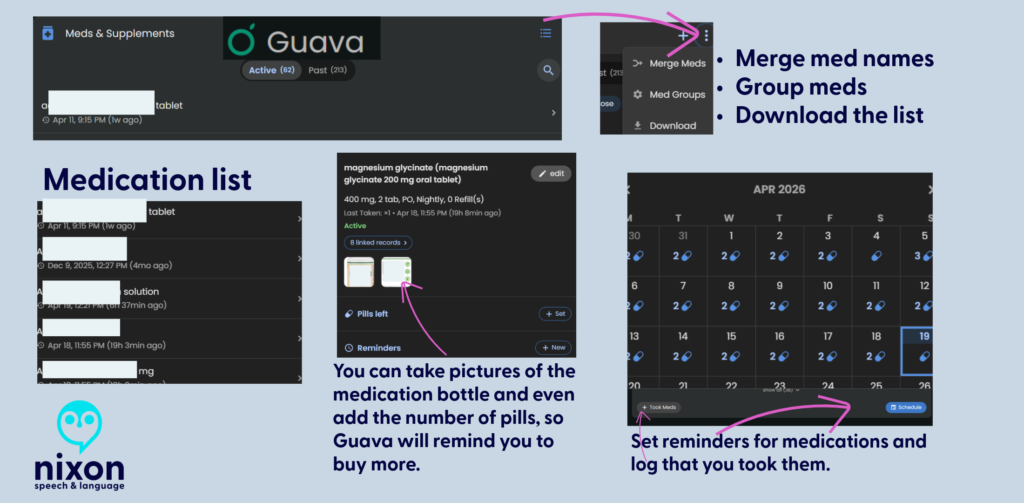
    • Medication Reconciliation: I manage 62 active medications. Guava allows me to merge and deduplicate them across providers. Perplexity was able to retrieve some medication lists from the facilities BUT some of those lists were outdated.

    My understanding is that Perplexity Health AI integrates with Apple Health for medication management, but I use Android, so I cannot comment on that.

    I can, however, comment on Guava Health’s Medication management:

    Data Portability: The “Disability & Tax” Hack

    The true power of a health platform is what you can do with the data.

    • The Guava Hack: I downloaded my encounter history from Guava and used Gemini (in thinking or data analysis mode) to generate a mileage CSV for my taxes and a total encounter count for other paperwork. Guava provided the “raw material” to simplify my legal and financial life.
    • Perplexity’s Failure: Because Perplexity couldn’t accurately aggregate my history, I question whether it could do so accurately.

    I’ll talk more about this in another post.

    Setting Health Goals in Perplexity

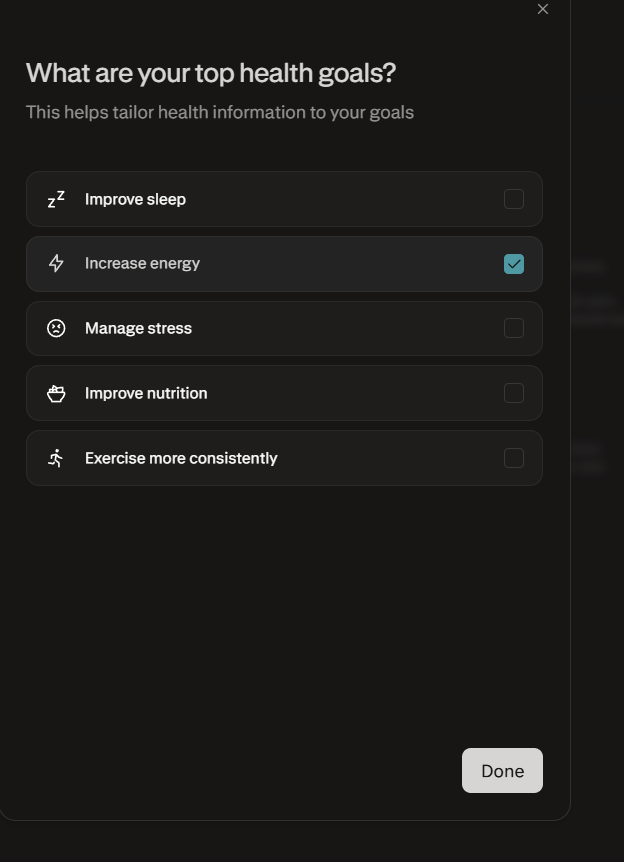
    One of the most revealing disconnects in Perplexity’s “Health Hub” is the Health Goals feature, which feels fundamentally “un-Spoonie.” While the marketing suggests a personalized experience, the available goals are largely aspirational wellness targets—like “Improving sleep” or “Marathon training”—that assume a linear, healthy baseline.

    For a patient managing chronic illness, these rigid targets are often inappropriate or even demoralizing, as they ignore the daily fluctuations in energy and capacity that define the “Spoonie” experience. In contrast, the Fitbit Beta with Gemini feels significantly more approachable; instead of assigning a generic wellness category, it begins with a conversation about your specific challenges and health conditions. This “Coach” approach allows the AI to adjust its insights to your actual reality, rather than forcing you into a “fitness enthusiast” mold that your body simply isn’t in today.

    Health goals page from Perplexity Health AI
    Taken from Perplexity Health AI. It felt like there should be an “other” option.

    Auditing for Bias & The Privacy Trap

    I decided to test Guava Health and Perplexity AI today on auditing visit notes for biased language from a specific former provider.

    • While Perplexity was helpful, I found that NotebookLM and Gemini were significantly better at finding subtle linguistic cues.
    • Guava Health had me copy and paste the lines from the visit note into the AI for analysis against my record, but the AI then gave me an excellent plain language overview of bias in the portion I provided it.

    CRITICAL PRIVACY WARNING: Unless you have a signed BAA (Business Associate Agreement)—like Guava—BE AWARE that uploading sensitive records to any non-HIPAA compliant AI (e.g., Gemini via personal Gmail, NotebookLM attached to personal Gmail, ChatGPT, or Perplexity without the Perplexity Health piece) is only as secure as your cloud data/passwords/and more.

    Final Verdict: Research vs. Management

    Perplexity Health is charging a premium ($20/month) for a Beta product that requires the patient to act as a manual data entry clerk. It is for people who want to research a disease.

    Guava Health is for people who have to manage one. Guava Health Premium is only $8 per month. And if your provider has a Guava Health Provider Dashboard and invites you to it, IT IS free for you. Guava Health also offers a free version to patients.

    • Use Perplexity if: You want a search engine for medical trends. (Maybe? But I still haven’t tested this out as much as I need to. I tend to use Google Scholar.)
    • Use Guava if: You need to manage medications, prepare questions for medical visits, quickly access provider notes, see overviews of your biomarkers, store your imaging, and have your data work for you in the real world.

    COMING SOON:

    • How to get a copy of your evidence (certificate) of coverage
    • The Disability & Tax Guide: A step-by-step on using your medical data to navigate these two data heavy tasks.
    • The Provider Portal: How Guava helps your doctors help you.
    • Guava Tags: How I use custom tagging to find patterns in flares.

    If you have questions about Guava Health, post them here!

    Visit the Platforms

    Identification Note: Logos used for nominative fair use for critical review. Stephanie Nixon, PhD, CCC-SLP serves on the Guava Patient Advisory Panel pro bono. Review based on the April 2026 Beta of Perplexity Health.

    chronic illness, Guava Health, Health apps, Perplexity Health AI, Spoonie life