Clinical Data Strategist & Systemic Advocate bridging healthcare, education, and legal data frameworks across the lifespan. Helping families, providers, and legal teams dismantle documentation bias.
Quick Disclosure Notice: This blog documents personal lived experiences tracking biomarkers and navigating the Cures Act using consumer AI and data tools (including Guava Health, where the author serves on the Patient Advisory Board). This content does not constitute medical, therapeutic, or legal advice. Please read our full, detailed Technology, AI Accuracy, and Medical Disclaimers Here.
Disclaimer: This post is for informational and educational purposes only and reflects personal perspectives and cited research. It does not constitute professional medical advice, diagnosis, or treatment, and should not replace consultation with a qualified healthcare provider.See all disclaimers.
Note: This post expands on my recent ED experience which I described on social media. (You can also find it on Instagram, FaceBook, and TikTok.)
“Kindness always works.” “Just be polite.”
How many of us living with complex conditions have heard these platitudes when expressing frustration with medical providers? And how does hearing that actually make you feel when you are in acute distress?
To me, assertive self-advocacy and strategic navigation often go head-to-head with superficial ideas of “politeness.” Constantly being told to “be kind” conditions many of us—especially women—to freeze or fawn the moment an authority figure responds with skepticism. We sit on exam tables in severe pain, agonizing over whether speaking up will make us seem “difficult,” “demanding,” “rude,” or even just an “inconvenience”.
We have to unlearn that guilt. Directness is not rudeness. Stating clear facts, asking for a supervisor, or correcting a medical record is not being unkind—it is basic self-preservation. If a provider interprets calm, unwavering boundaries as “rude,” that is a reflection of their discomfort with being challenged, not a reflection of your character.
Caveat to “being respectful”
There is also a critical caveat to “being respectful”: providers must recognize that a patient who is visibly upset, tearful, angry, or exhausted is often reacting to fear, acute pain, or physical distress—not disrespecting the staff or the hospital. Take a beat, understand the overwhelming human factors at play, and see the bigger picture rather than tone-policing someone in crisis. Respect is a two-way street, but managing a provider’s comfort should never come at the expense of your life.
Strategic Navigation
When your respectful and polite attempts to communicate your needs hit a wall with a provider, strategic navigation must take over. Some examples include:
Targeted Escalation: Recognizing when a front-line provider (e.g., the Emergency Department PA/NP/Resident) is out of their depth and knowing how to request the attending physician or an on-call specialist without backing down.
Real-Time Fact Correction: Intervening when your medical history is misquoted, misunderstood, or reframed. Doing so isn’t being “difficult”, it is about your safety as a patient and can prevent misdiagnoses from following you through the system.
Breaking the “Curtain Illusion”: Calmly telling a provider you can hear them discussing your case outside the curtain, can reset the room. It transforms a dismissive sidebar into a standard of professional accountability. This becomes more important when you realize the provider is misinterpreting the concern. (e.g., “I heard you discussing my history, and I need to clarify that narrative before we move forward”.)
Provider deflection in an ER
Recognize provider deflection for what it is. When a provider says “we can’t help you here” or “call your outpatient doctor” for an emergency situation, that is rarely a reasoned medical judgment. It may be an attempt to dodge a case that they don’t understand or to clear their patient list before clocking out.
Some responses you can use in an ER when a provider says the phrases above or seems to downplay your situation, you can always say:
“I don’t feel safe leaving with [X, Y, Z]”.
“If you cannot help, then who is the on-call specialist who can”?
“If this hospital does not have [X specialist] or the tools, then I need you to arrange a formal, safe transfer to a hospital that does”.
“I understand this might be outside your comfort zone, but I need to speak with the attending ER physician or the charge nurse before any discharge paperwork is signed”.
Weaponization of passive compliance
Telling patients to simply “be kind” flattens the complex, well-documented realities of medical gaslighting—realities that disproportionately harm women, People of Color, and individuals living with complex multi-system illness. For marginalized and chronically ill patients, passive compliance is too often weaponized against them. Peer-reviewed research and major national consensus reports consistently demonstrate that:
Sex and gender bias in acute care is measurable and widespread: A 2024 analysis (Guzikevits et al, 2024) of over 21,000 emergency department visits published in PNAS found that female patients are significantly less likely to receive pain medication—both opioids and non-opioids—than male patients with identical pain scores, wait an average of 30 minutes longer for care, and are 10% less likely to even have their pain scores recorded by triage nurses. Controlled experiments confirmed that healthcare providers systematically judge female patients’ pain as less intense due to a “gender-pain exaggeration bias” that views women as overly emotional. This builds on decades of evidence showing women’s physical symptoms are routinely psychologized as emotional distress or anxiety rather than organic illness (Hoffman & Tarzian, 2001).
Acute care settings harbor documented racial disparities: In acute emergency departments, Black and minoritized patients face significantly longer wait times, lower assigned triage acuity, lower likelihood of hospital admission, and persistent under-treatment of acute pain. Even in specialized acute care like pediatric migraine management, minoritized children face significantly lower odds of receiving standard IV rescue therapies compared to non-Hispanic White children presenting with identical initial pain scores (Macias-Konstantopoulos et al., 2023; Hartford et al., 2022).
Dismissiveness directly fuels medical mistrust: A 2024 study in JAMA Health Forum examining Black patients’ experiences in the ED found that clinical dismissiveness—feeling unheard, having pain minimized, experiencing clinicians “passing them off,” and having assumptions made about their health literacy—is woven throughout emergency encounters from triage to discharge, directly confirming anticipated medical racism and driving systemic mistrust (Agarwal et al., 2024).
Twenty years of data show minimal system-level progress: The National Academies of Sciences, Engineering, and Medicine (NASEM) 2024 consensus report, Ending Unequal Treatment, confirms that despite two decades of awareness initiatives, racial and ethnic inequities in health care access, treatment quality, and clinical outcomes remain a fundamental, persistent flaw of the U.S. health care system (National Academies of Sciences, Engineering, and Medicine, 2024).
There is a profound difference between toxic compliance and assertive self-advocacy. Setting firm boundaries, correcting false medical records, and insisting that an acute physical symptom be taken seriously is not being “unkind”—it is engaging in necessary, life-preserving self-care.
What do you tell a medical provider who seems to be out of their depth or trying to rush you out the door?
Reviewer Profile: Complex chronic illness patient juggling multiple specialists, managing daily symptom swings, and wading through the endless administrative sludge of health insurance and disability paperwork.
If you have a complex chronic illness, you aren’t just a patient—you are essentially running a small, unpaid medical accounting firm just to stay alive. Between logging into five different patient portals, tracking biometric data from wearables, sharing labs across providers, and remembering to take your medications, the administrative burden alone is fatiguing.
I’ve been using Guava Health Premium for over a year now, and I want to share my experience with patients and providers.
My Rating: 4.9/5 Spoons (everyone has room to improve)
TL;DR:
Guava Health turns the administrative nightmare of managing chronic illness into a centralized, searchable “second brain.” It stops you from drowning in medical paperwork by syncing your health records, simplifying tax and disability filings, and correlating your wearable data with your actual symptoms.
Privacy First: HIPAA-compliant; they do not sell your data.
The Ultimate Spoon-Saver: Automatically generates provider lists, visit summaries, and chronologies for insurance or disability forms.
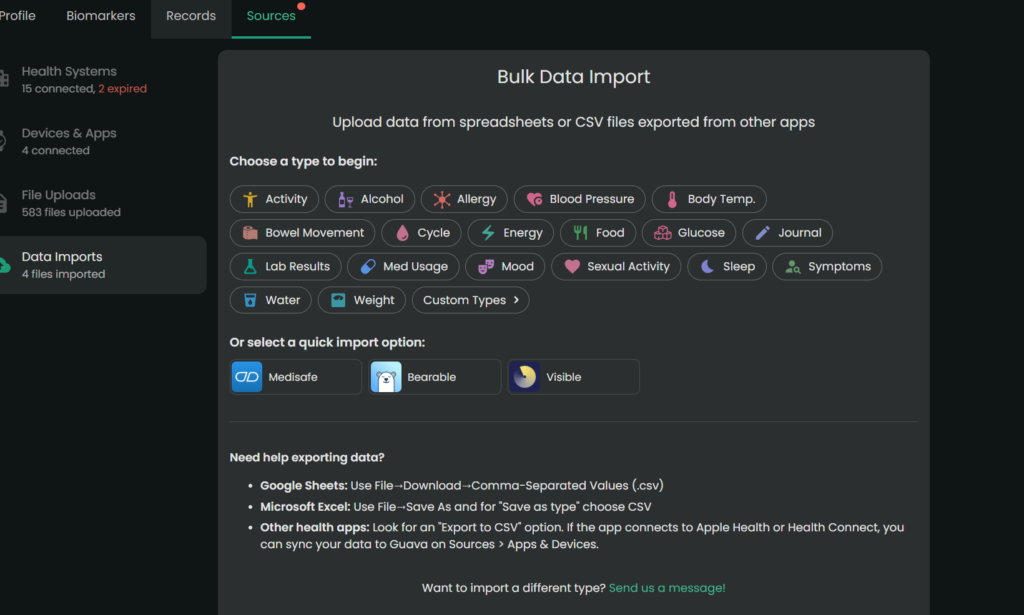
Aggregator: Connects to major/minor portals and allows easy manual uploads for non-portal providers.
Verdict: If you are managing complex health goals and tired of administrative fatigue, this is the most practical tool for self-advocacy on the market.
Cost: Free plan for syncing/storage; Premium ($78/year) for AI assistants, health insights, and automatic data imports.
Privacy and Trust
Guava Health is HIPAA-compliant and does not sell your data. You are not locked in; you can export your records in PDF, CSV, and other formats.
The Bottom Line
Guava Health is a massive upgrade from trying to organize my medical records, imaging, and labs across multiple providers at different hospital systems. The app excels at turning scattered medical records into an easy to follow, searchable timeline.
Yes, there are some pieces I’d improve upon, BUT the app saves me cognitive energy.
Standout Features
Note: Guava Premium ($78/year – or free if your provider has a Guava Health Provider Portal) supports unlimited profile managers for families and caregivers, making it a robust tool for collaborative care coordination.
The “MOST-of-Your-Portals-In-One-Place” Aggregator
Most provider portals connect to Guava. For those that don’t, you can upload the data yourself.
The experience
Guava Health easily connects with many patient portals including smaller providers (e.g., my dermatologist) and larger medical systems (e.g., MedStar, George Washington Medical Faculty Associates, etc.). It directly connects with LabCorp (if you have a patient portal). Guava pulled years of labs, doctor notes, and vitals into a single, clean timeline.
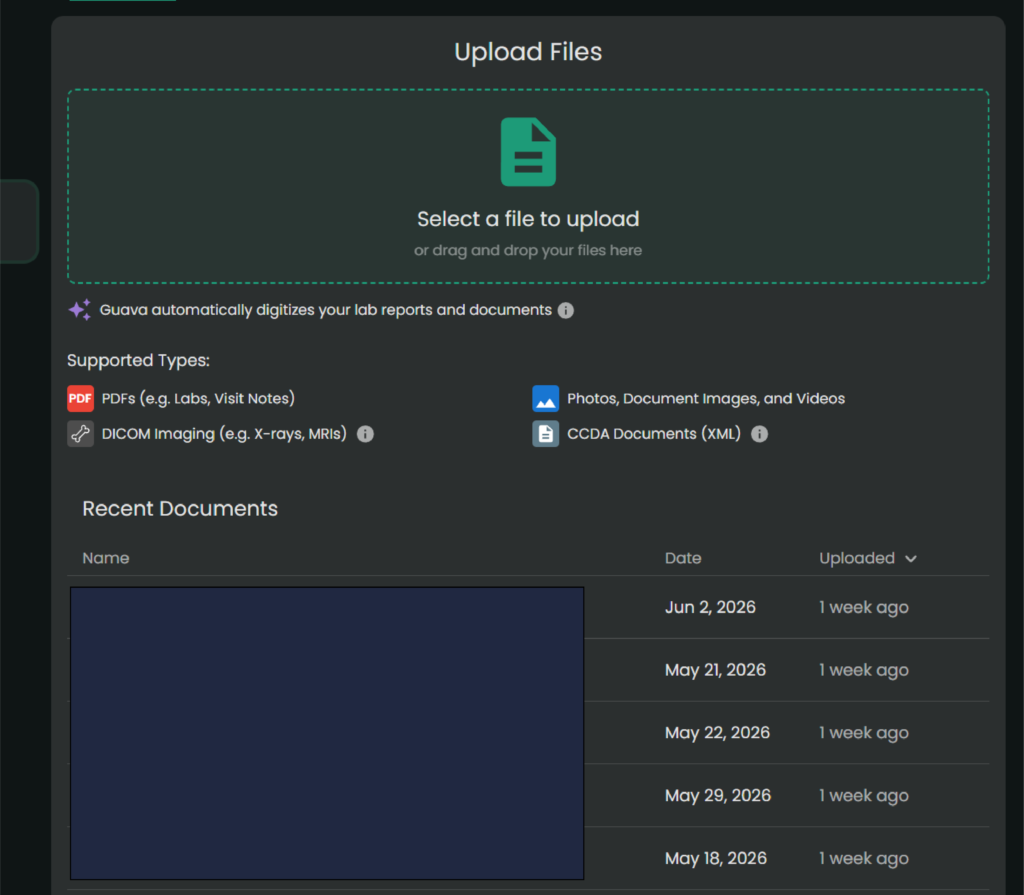
The Hidden Gem: Upload imaging and PDFs
For smaller clinics that don’t sync directly, you can upload old-school PDFs or download a CCDA (.xml) file from their portal and drop it into Guava.
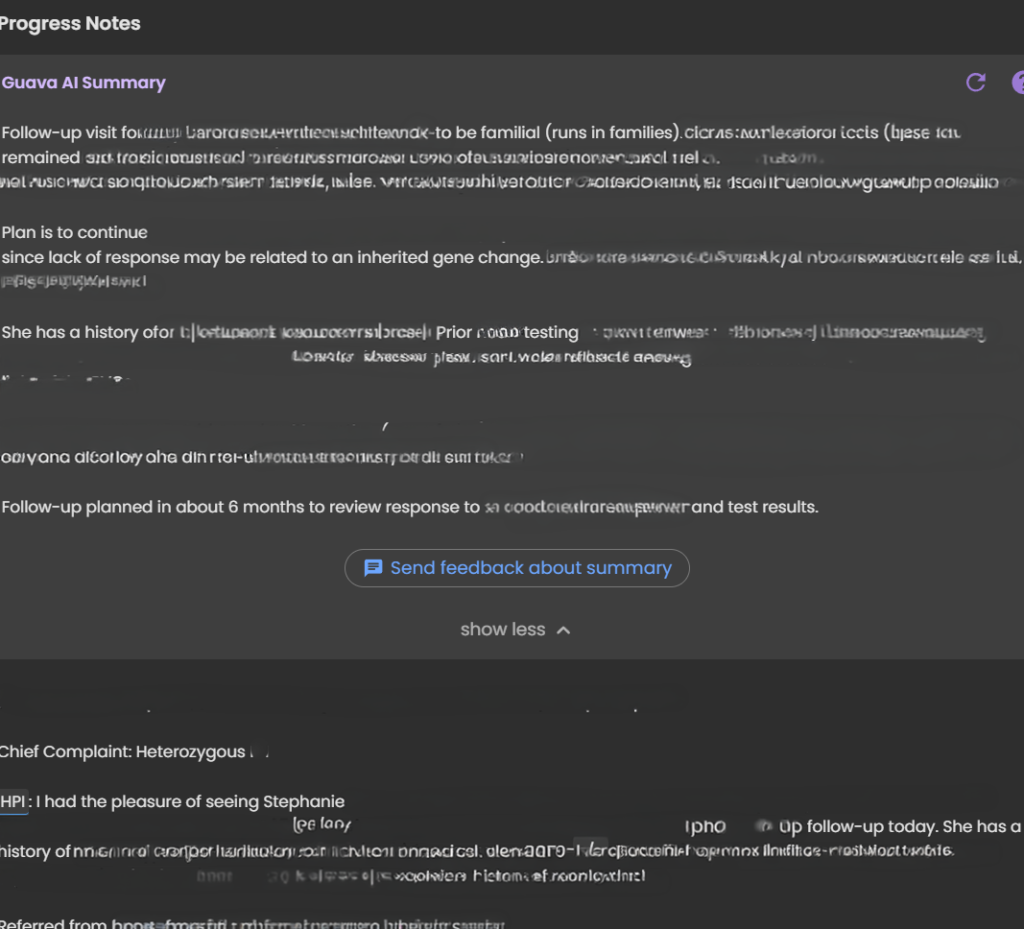
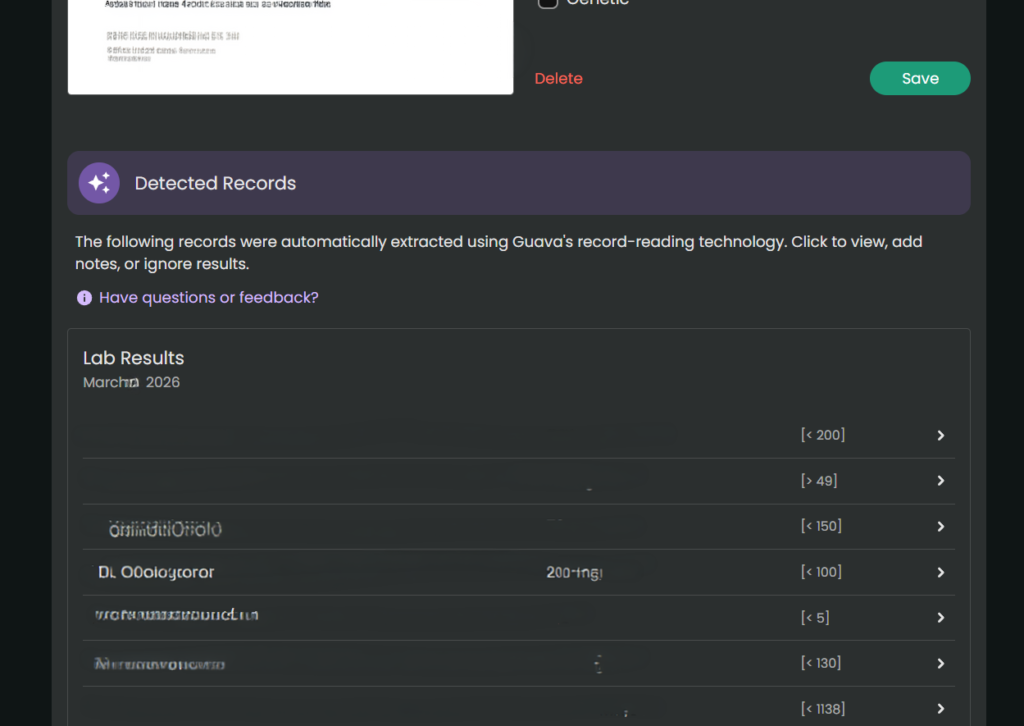
Its AI text-parser reads the document, extracts the biomarkers, and charts them right alongside your hospital labs.
When there is conflicting data (e.g., different readings for the same day), the app currently prioritizes the most recently processed entry. Always manually verify critical or life-altering medical information. Note. You always want to double check the numbers/dates of the labs, but the parser typically pulls information accurately.
For providers and labs whose portals don’t connect with Guava Health (or even for the images from that MRI you had), you can upload them directly to Guava Health. (Note. It’s easiest to do this at your desktop/laptop.)
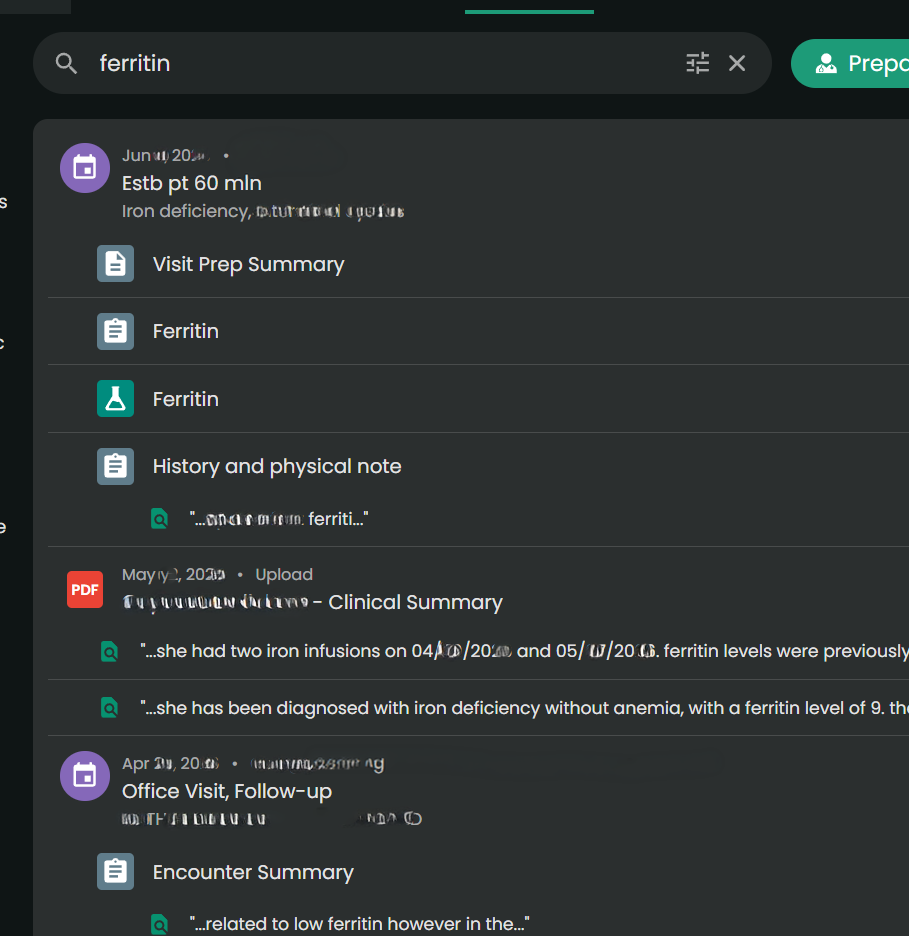
Universal Search
You can type “ferritin” or “prednisone” into one search bar, and it will scan your records to find those specific phrases.
Universal Search Example
Admin Paperwork Lifehack
The Experience:
This was an unexpected game-changer. When you are filling out intake packets for providers, filing health insurance appeals, or completing disability forms, they always ask for an exact chronology of when you were seen and by whom. And providers want to know a list of medications you have tried for the condition, effectiveness, and side effects. (This part also helps with appeals for medication coverage.)
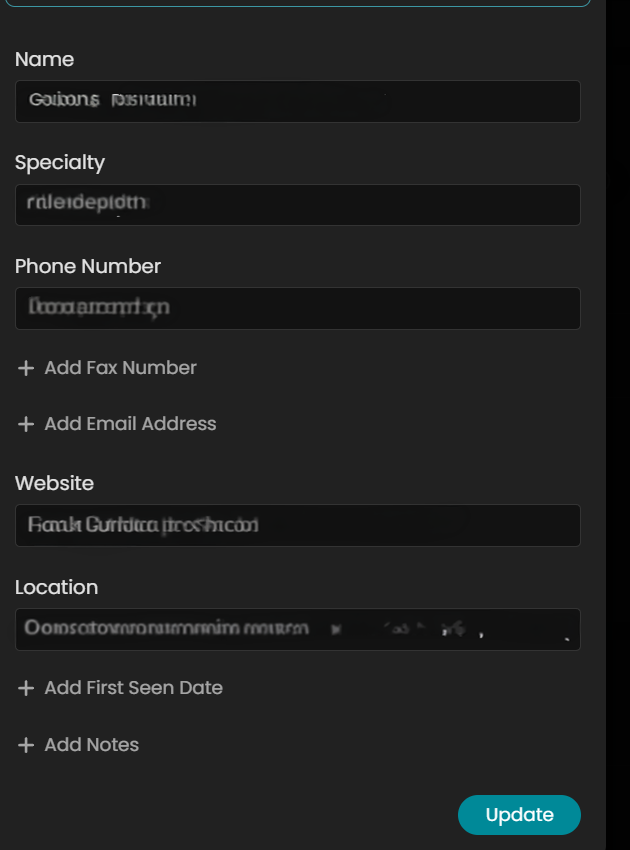
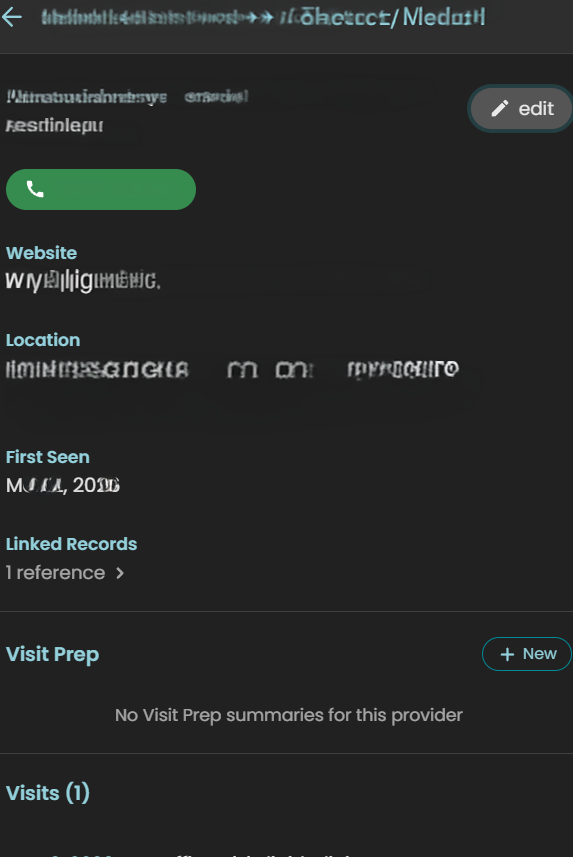
In Guava Health, it will auto-populate much of the provider information from connected portals. But I often add information to complete the provider’s profile only because it makes my life easier for completing other forms.
While manual entry for non-portal providers might take 30 seconds, that investment pays for itself ten-fold. When I need to complete disability paperwork or gather data for taxes, I don’t hunt through portals. I download my entire appointment history and provider list for the calendar year in seconds.
For taxes, I take that exported list and ask Gemini to organize it into a CSV with columns for Date of Service, Provider, and Address. I cross-reference this against my credit card statements for parking fees and use Google Maps to calculate mileage. It turns a multi-hour headache into a streamlined administrative task.
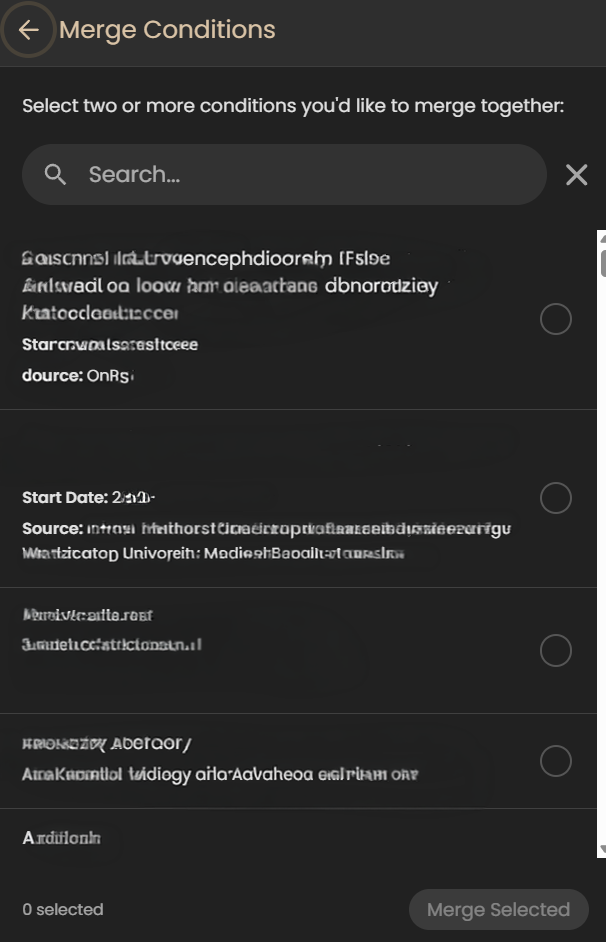
Also, you can also merge data across providers within the same department (e.g., If you see several ENT providers within 1 office, then you can merge the data in the app.)
Why it saves spoons?
The ability to download your appointment history and a unified provider list with specialties, addresses, phone numbers, fax numbers, and first visit date pulled from all your separate portals is a massive spoon saver. No more logging into three different systems and hunting through contact pages while dealing with brain fog. It handles the logistical grunt work beautifully.
Using AI for Admin and Forms
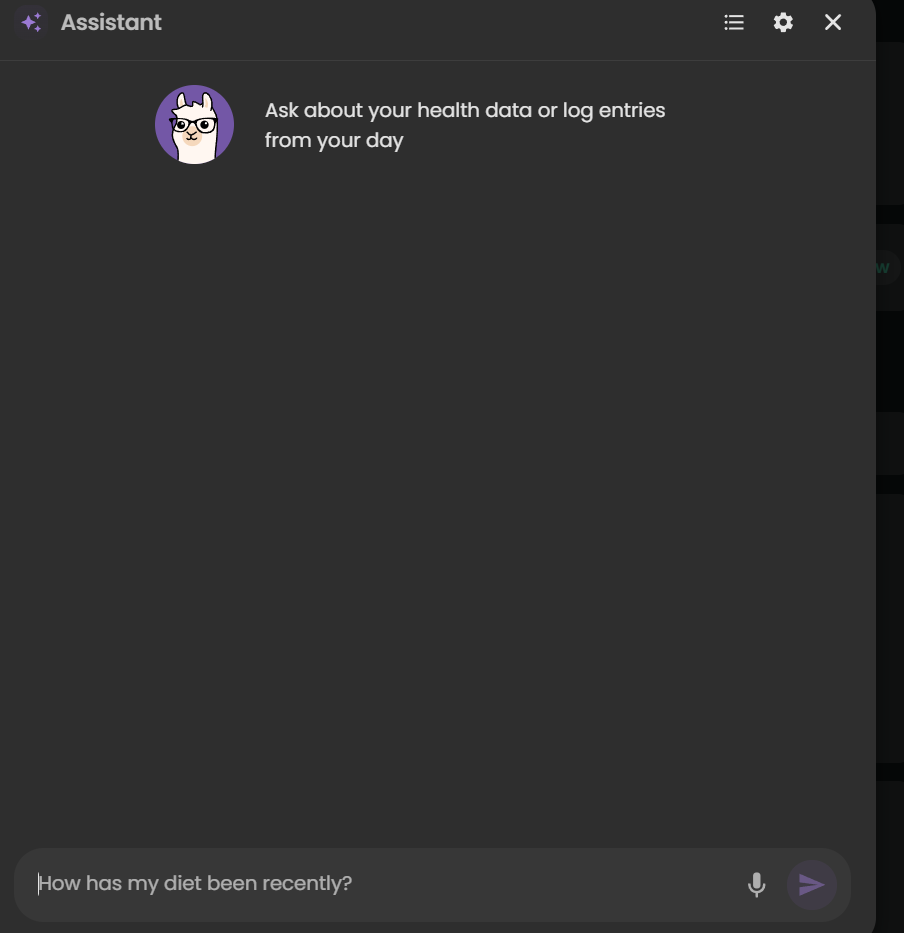
I also use the Guava Assistant to reduce the ‘disability tax’ on my energy levels. When I am faced with complex questions from disability companies, I provide the relevant records to the AI to draft a response. This guides the drafting process based on my actual data, which significantly reduces the fatigue of form-filling.
***Important Disclaimer: Always review and edit AI-generated responses to ensure they align with your own experience and professional advice. The AI is a tool to organize the ‘raw material,’ but you are the final editor.*
Guava Guardian (Beta)
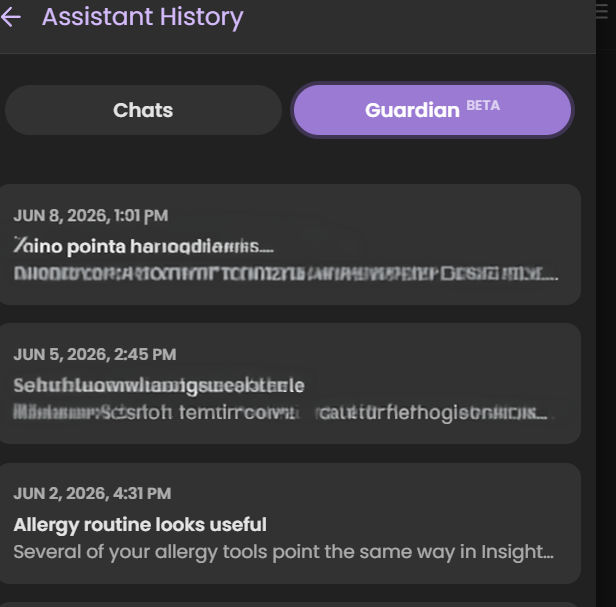
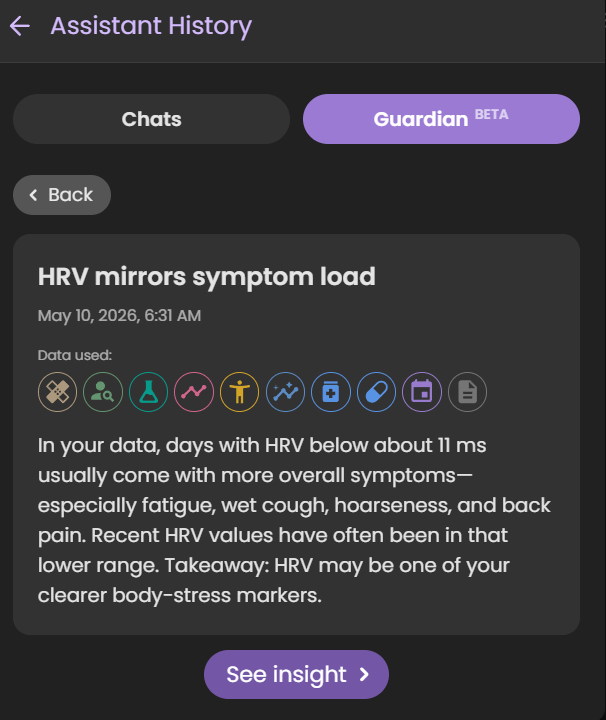
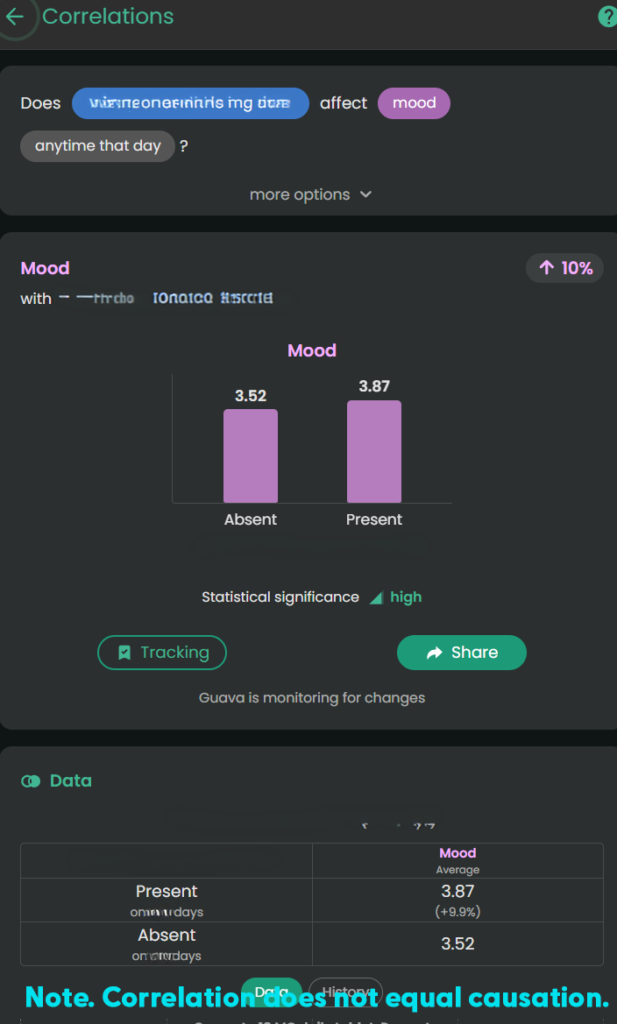
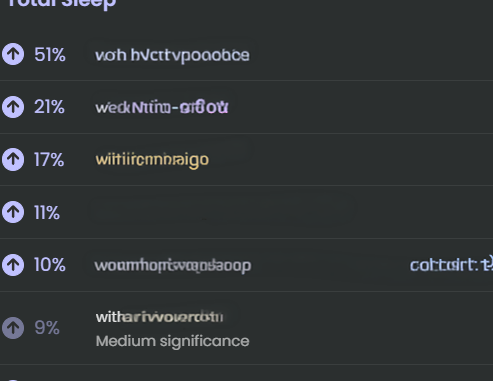
Guava Guardian (beta) is another recent addition that checks looks for changes in your biomarkers, symptoms, etc. and notifies you about different pieces of information. It recently pointed out that my HRV matches my symptom load, it has suggested I track specific symptoms differently to better see if medications do what they should, and it has even caught safety concerns for ensuring I time medications appropriately.
*Note. Just because the Guardian notes a correlation or statement about a medication, symptom, etc. doesn’t mean it is relevant to you specifically. Always check with a provider if you have questions.
Real-Time Symptom & Wearable Correlation
The Experience
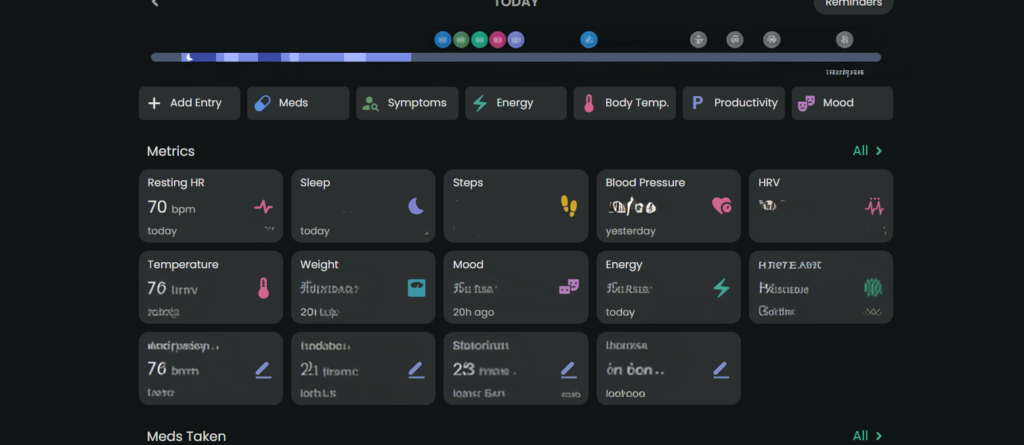
Wearable data can be overlooked by providers because it’s just raw numbers. Guava Health connects with multiple wearables (e.g., Google Health, Oura, etc.) and apps (e.g., Omron). It uses that data to “look” for insights across the data available from the wearables and apps and against my custom symptom logs, lab data, and medication data.
The Value
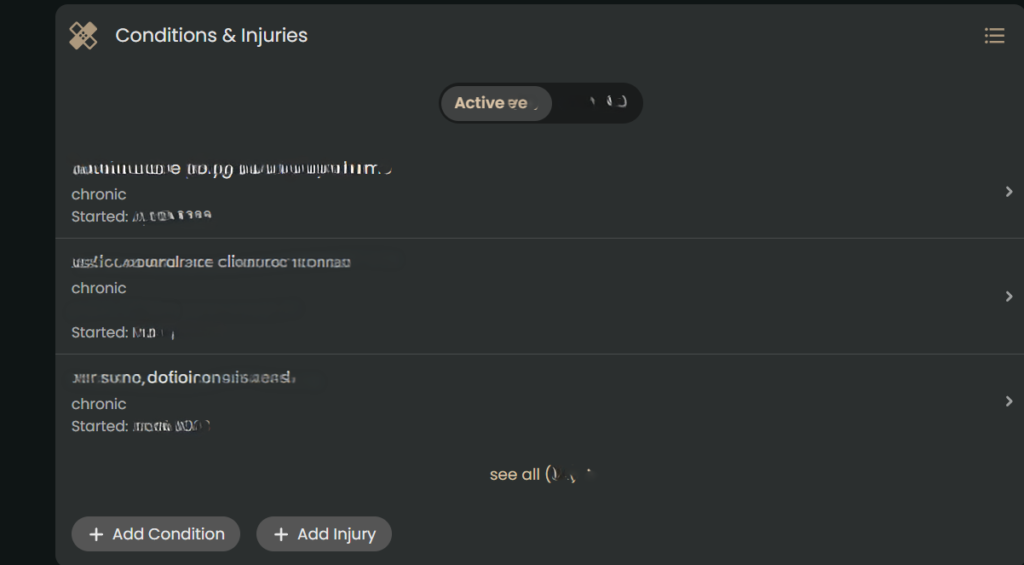
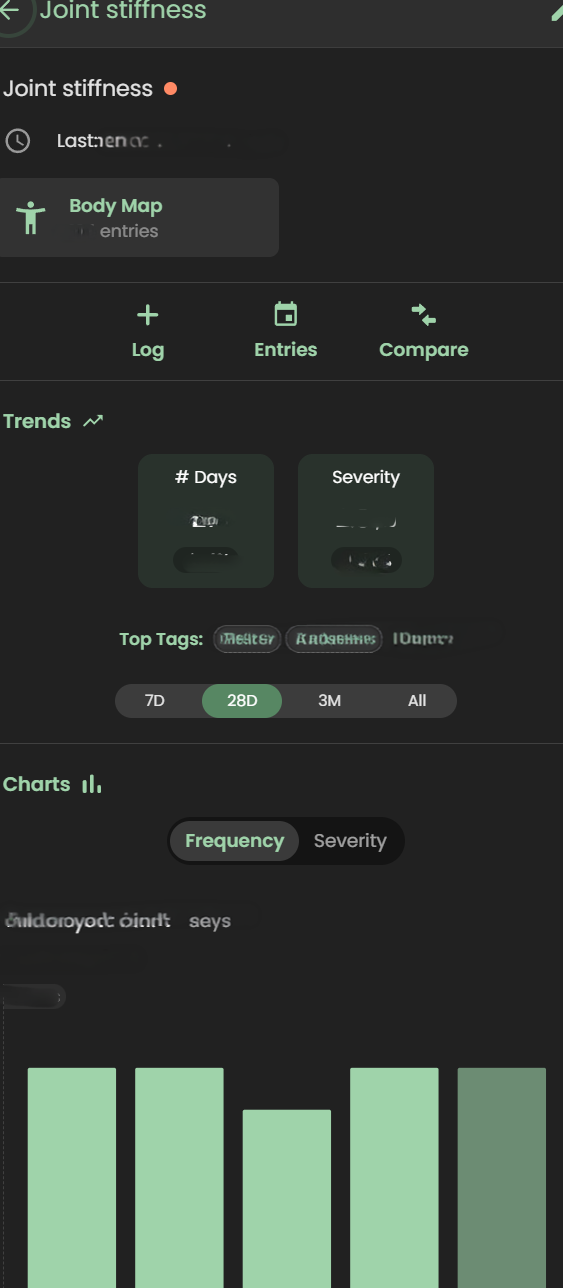
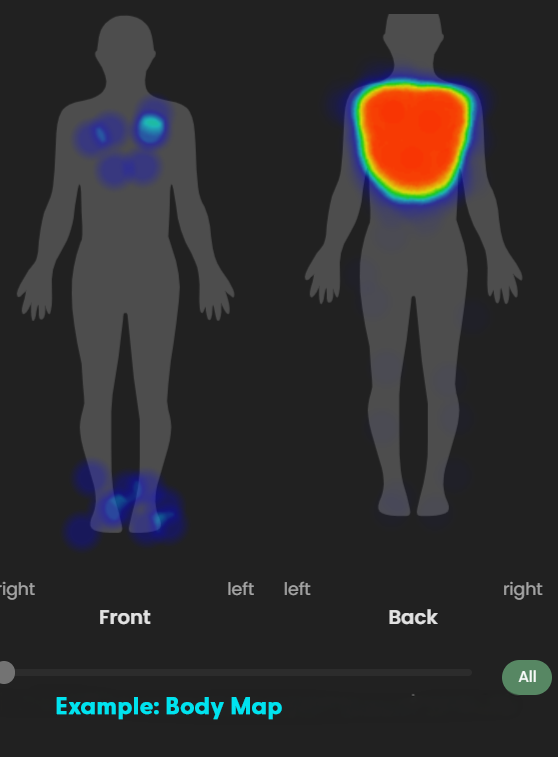
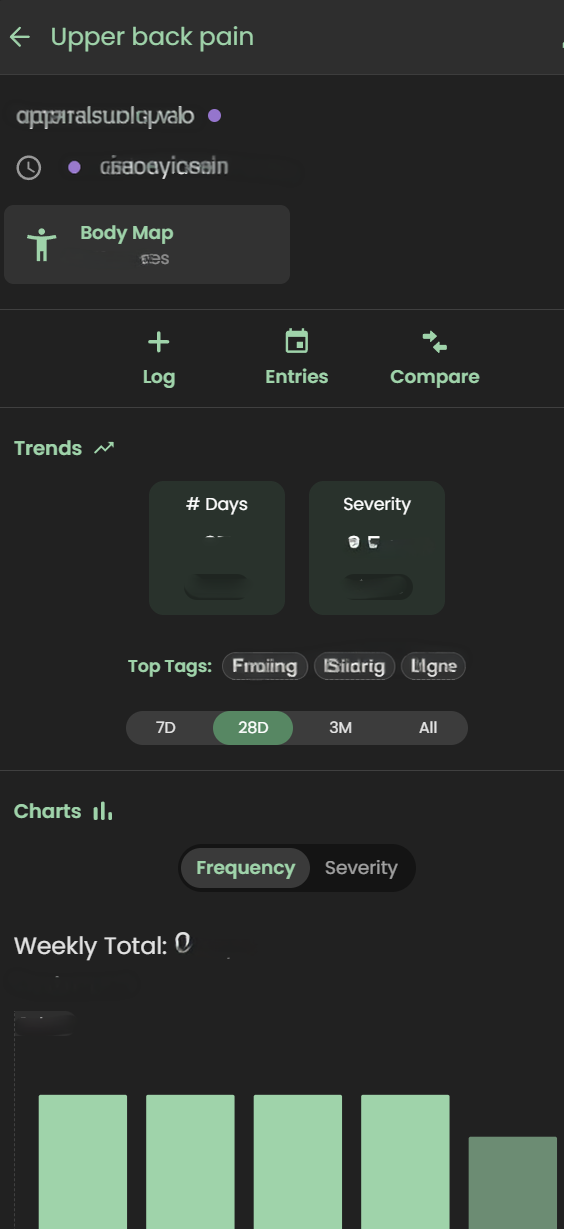
I can track my pain or fatigue on a 1–10 scale OR by merely stating “present”, take pictures of relevant symptoms (e.g., bruises, rashes, swelling), and visually map pain using a body heat map.
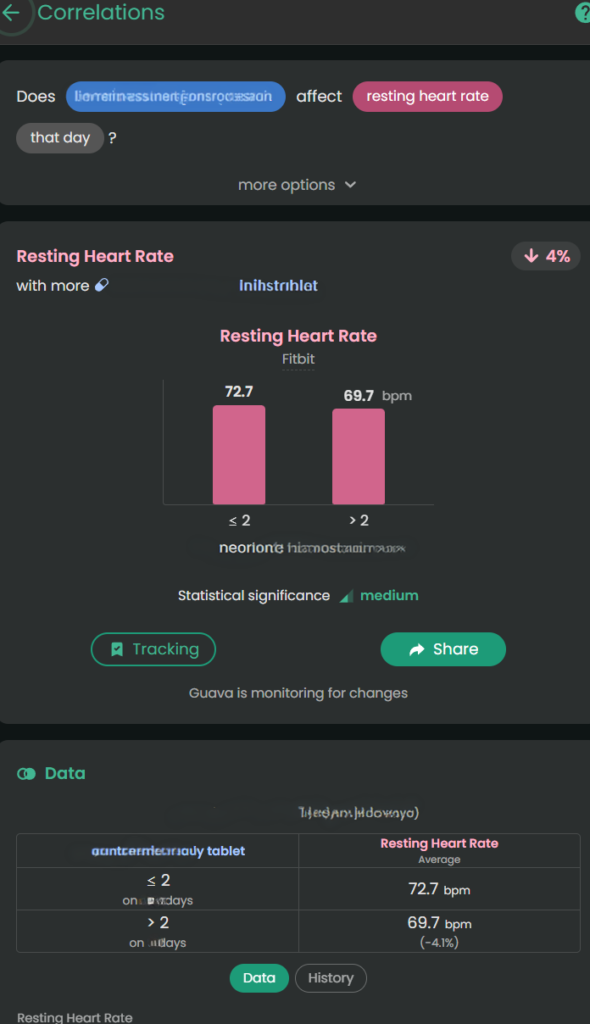
Guava Health provides insights about the likely impact of specific medications on biometric data, symptoms, and labs. This is helpful when I want to see if a medication has the desired effect.
Example: For stimulant medications, a provider might want to monitor the following:
Impact on a patient’s sleep
Impact on a patient’s executive functioning (i.e., looking for improvement)
Impact on energy
Impact on mood
Impact on blood pressure
Impact on heart rate
This gives me the “numbers” for my lived experiences:
Higher diastolic and systolic BP with more Amlodipine Besylate or increased ankle swelling with more Amlodipine Besylate
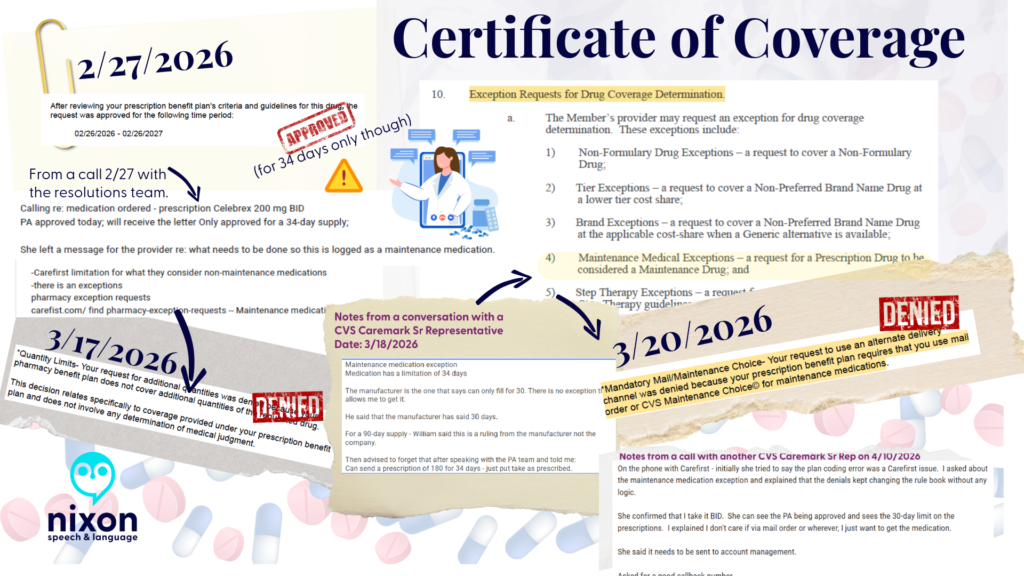
Lower pain with Celebrex 200 mg BID brand vs. Celecoxib generic (all manufacturers)
Lower resting heart rate with a higher dose of Concerta (e.g., 54 vs. 36)
*Note. Correlation does not equal causation. I provide the data to providers as appropriate to help them guide my care.
The 15-Minute Appointment Visit Prep
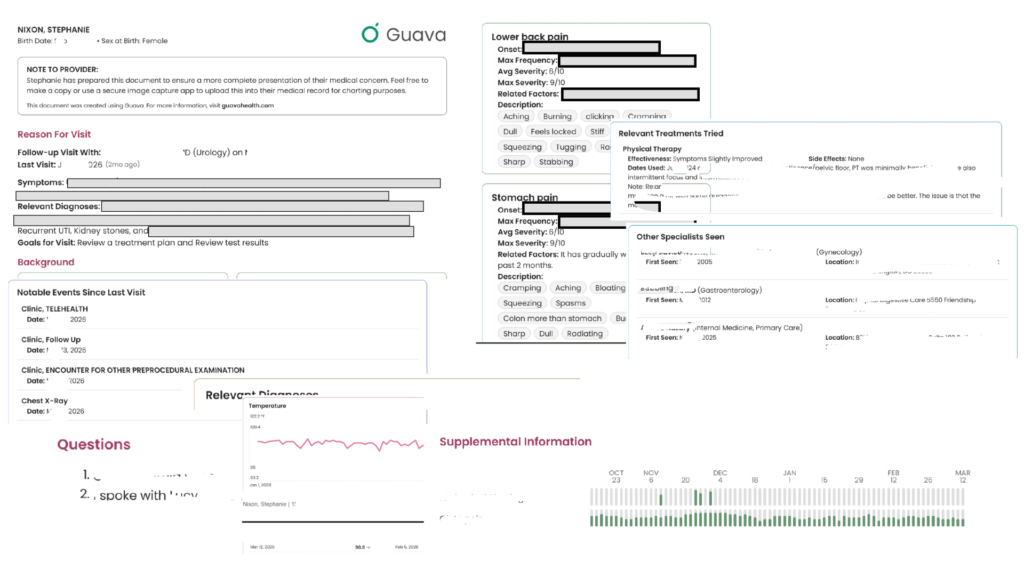
This is an example of a visit prep for a urology appointment I had earlier this year. It helps the provider see what you have tried, your symptoms, etc. If the provider has a “provider portal” you can send it to them that way, or you can download this and had it to them at the appointment (or message it via the portal). My Internal Medicine provider scans the document to add to my appointment note for the Review of Symptoms.
The Experience:
Providers are often rushed. If you hand them a 40-page printout, they won’t read it. Guava allows you to create a “Visit Prep Summary” highlighting your top concerns, current medications, and immediate questions. You can even include relevant labs and biometric data. Total sleep, resting heart rate, blood pressure – these are all examples of what you can include.
Dynamic Sharing:
You can securely send your provider a temporary, interactive web link or to their Provider Dashboard (if they have one). This allows them to click through your interactive charts on their own screen, without cross-sharing your data with your other providers unless you explicitly allow it. You can also revoke permissions to providers if desired.
Downloadable Prep:
You can also download and print the visit prep to take to the appointment.
Will all providers read through everything you provide? No.
BUT, having it available to them is helpful. In fact, this week I walked into my ENT’s office, opened Guava Health, typed the following to the AI: “Could you summarize the pattern of respiratory symptoms and changes over the past few weeks – sitting at ENT…”
And the AI summarized the trajectory of the symptoms and then provided a short statement I could share with my ENT who read through that quickly and honestly was a lot faster than me trying to recall everything over a few weeks on my own.
“For about 3 weeks I’ve had persistent mixed dry/productive cough, marked post-nasal drip and hoarseness, recurrent sore throat, and repeated swallowing difficulty with food/liquids/pills feeling stuck or causing choking/coughing. Symptoms worsened around late June to early July, with increased sinus pressure, sneezing/runny nose, ear pain, chills, and severe fatigue. I’ve felt feverish at times but haven’t had measured fever. Despite amoxicillin and regular nasal/inhaled treatments, symptoms are still ongoing.”
Guava Assistant
You can also use the AI securely in real-time during urgent visits, such as in the ER. If you have access to your lab results in the app, you can ask the AI to help explain them so you know exactly what questions to ask your provider in the moment, which helps reduce the stress and overwhelm of an emergency situation.
Some providers will take a stance of the patient brought in X pages of hand-typed notes (*side-eye* to #wordshaveweight), but others will immediately appreciate having that list of symptoms to reference for charting.
Guava Tags
Guava Tags are NFC tags you can use to log medications, exercises, water, etc. I personally use them to log PRN medications (e.g., Tylenol, migraine meds, etc.) vs. regular prescriptions. A 10-pack costs $19. You can move them to other items and reassign them later.
Tracking
Some examples of symptom tracking
Tracking symptoms, activities (e.g., PT exercises), and medications can seem overwhelming. I get it.
But, you don’t need to do it every time you experience a symptom … for many of us that would be constant!!! I just set specific times to track and try to track at those times.
Why do I track?
To be able to concisely describe when a symptom started and whether it changed/progressed to providers
To help me better understand influences (medication, environmental, etc.) on my health
To provide data on request to providers (e.g., my migraine provider wants to a count of migraine days and how they affected me)
To data dump my symptoms
To find the positives in a day (see Bright Spots in a Day)
For me tracking is like a “diary” of my day. I have a schedule for it (AM symptoms and PM). I rarely log symptoms or events outside of those times unless they are something worth tracking immediately (e.g., migraine starts midday; severe esophageal spasm begins; etc.)
What do I track?
Symptoms (e.g., ankle swelling, migraines, etc.)
Executive functioning (e.g., Problem Solving, Organization, etc.)
Energy
Mood
Custom logs like productivity, bright spots in the day, and physical therapy exercises
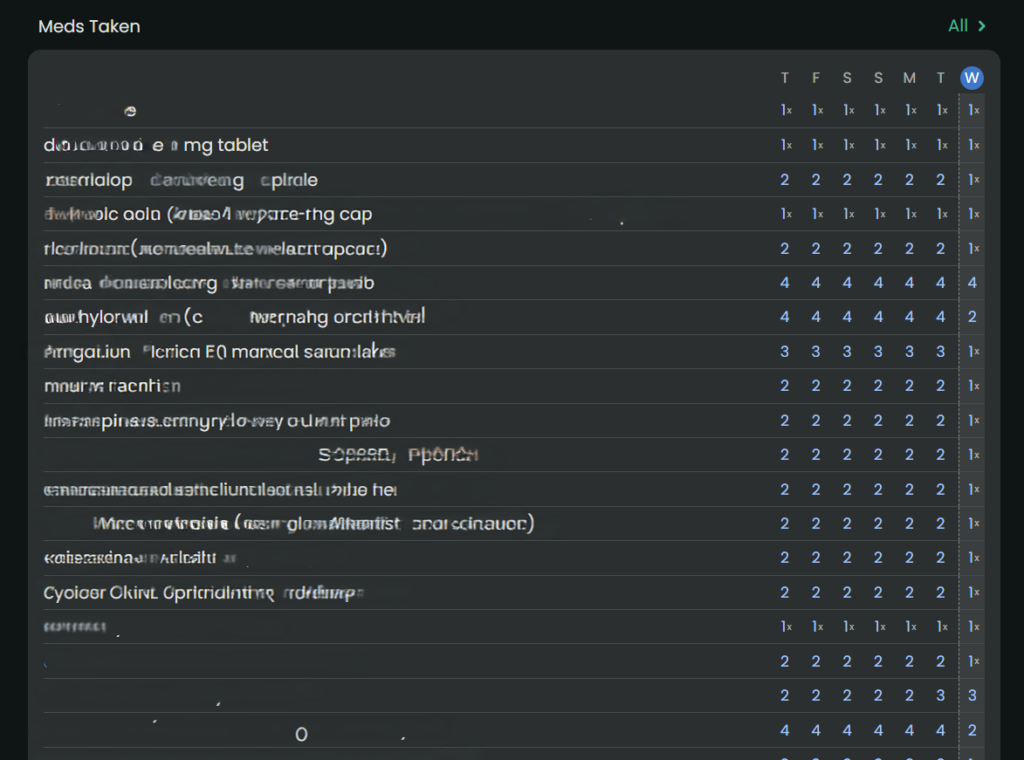
Medications taken
In a log, you put as much as you want or as little as you want.
select a “tag” to indicate whatever you’d like about the symptom (e.g., right ankle, tingly, frequent, constant, 1-2 times during the day)
use the body map to note where it occurred
add a picture (if relevant like with a rash)
write a paragraph with additional details
use the number to note severity or even just mark the symptom as “present”
The custom logs can function like a diary where one day you might just put a “tag” or other days you could write a multi-paragraph description of events.
Medication Management: Reminders, Adherence, and Safety
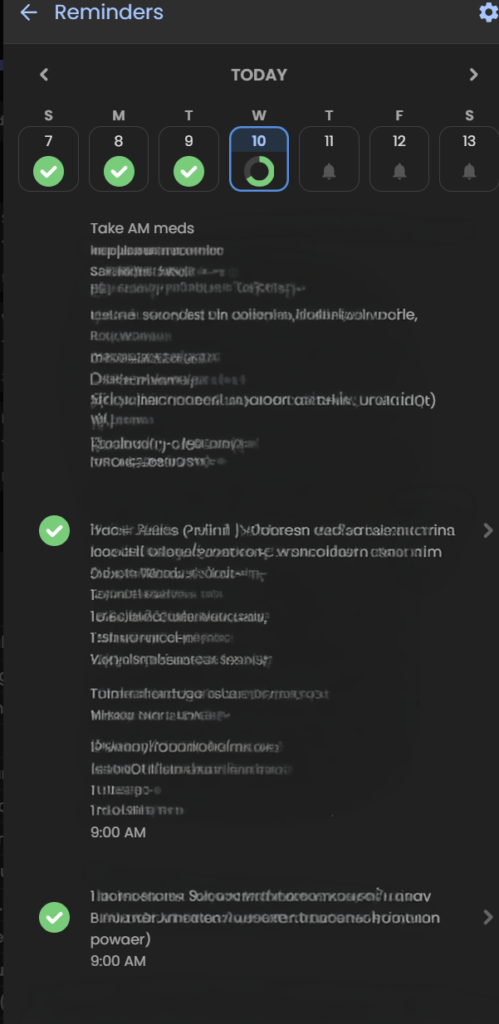
For those of us managing complex regimens—especially with cognitive fatigue or ADHD—medication reminders are a game-changer. I’ve known about “pager” systems, but Guava’s system is a massive step up.
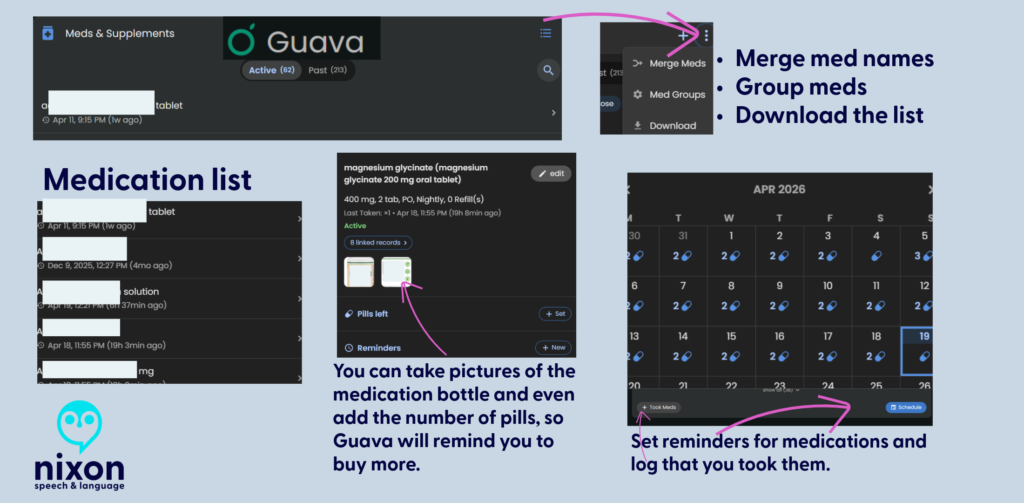
Consistent Reminders: It’s not just for daily pills; it’s for spacing out temporary treatments. For example, if I’m on an antibiotic that needs to be spaced out from my PPI, I can set a distinct, secondary reminder schedule to keep me on track without having to do the mental math.
PRN Organization: For “as-needed” (PRN) medications, I use Guava Tags. It’s an easy, manual way to log these meds without cluttering my daily scheduled reminders.
Safety First: Guava Guardian (beta) adds a critical layer of safety. It recently notified me about medication timing when it saw a new prescription that required careful spacing from my existing meds. This automation removes the anxiety of potentially dangerous overlaps.
Merging Information
Although this may seem like a little deal, for me it’s huge. When I’ve tried other apps that pull from your portal (e.g., Perplexity, Novellia, Pluto, etc.) they don’t allow me to merge the information – to clean it up.
Here’s what I mean – so let’s say you log into the app and see the same medication listed in several ways (e.g., Amlodipine, Amlodipine Besylate, Norvasc, etc.). They are all the same medication, but each one is listed separately in an app. It becomes cumbersome to sift through the data to find what is relevant to you. And you can’t merge any the information in most apps, but in Guava Health – you can.
You can merge conditions, medications, and more.
Some areas that I’d love to see developed:
PRN Tracking: While Guava is fantastic for scheduling routine medications and supplement reminders, it lacks advanced conditional safety logic for “as-needed” (PRN) medications. For example, if you log a heavy PRN pain medication, the app won’t automatically throw up a warning alert if you accidentally try to log another dose too close to the previous one.
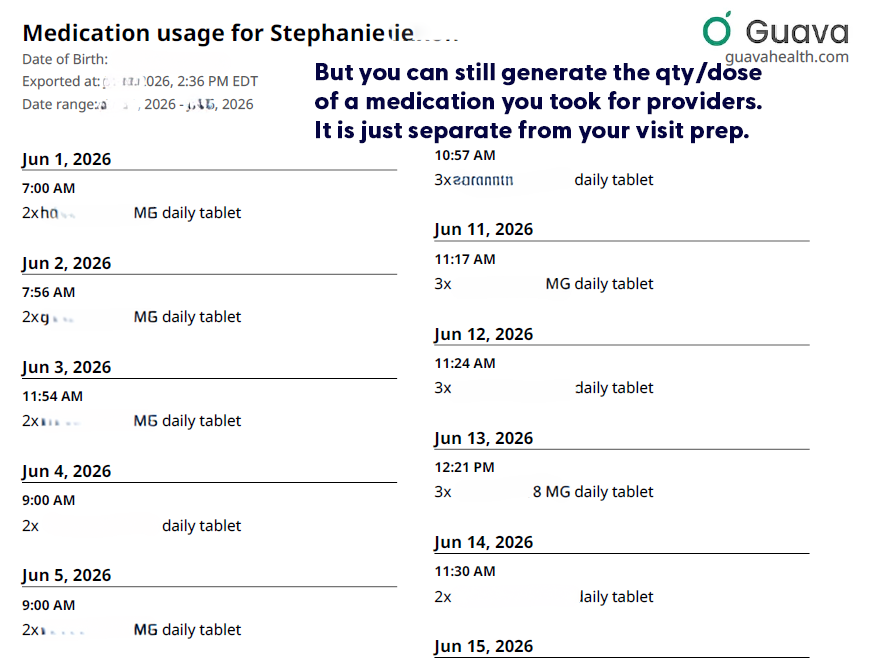
Including medication qty/dose taken on visit preps: Currently the visit prep shows the doctor whether you took the medication (i.e., logged taking it), but it doesn’t tell the provider how much medication you took each day. (i.e., Did you need to take more migraine medication, pain medication, or ADHD medication that day?) But you can still download that list directly from Guava’s interface, for each day.
Tiny metadata choices can make a big difference. If Guava eventually allowed users to mark a custom symptom as ‘higher = better’ or ‘higher = worse,’ it could make behavioral tracking much clearer. This would be especially helpful for executive-functioning and ADHD-related tracking, where users may be measuring improvement in skills rather than worsening of symptoms.
Is it worth it?
Yes, absolutely. Free plans allow portal syncing and manual uploads. The Premium plan ($78/year) unlocks automatic health insights, unlimited family/caregiver profiles, AI-assisted data entry, and automatic lab/imaging imports. If you are managing mild health goals, Guava might be more app than you need. But if you have limited daily energy (“spoons”) and are actively drowning in medical receipts, fragmented portals, and repetitive healthcare questions, Guava is well worth it.
It takes the chaotic, disorganized puzzle of chronic illness and builds a defensive wall around your data, making it one of the most practical tools for self-advocacy on the market today.
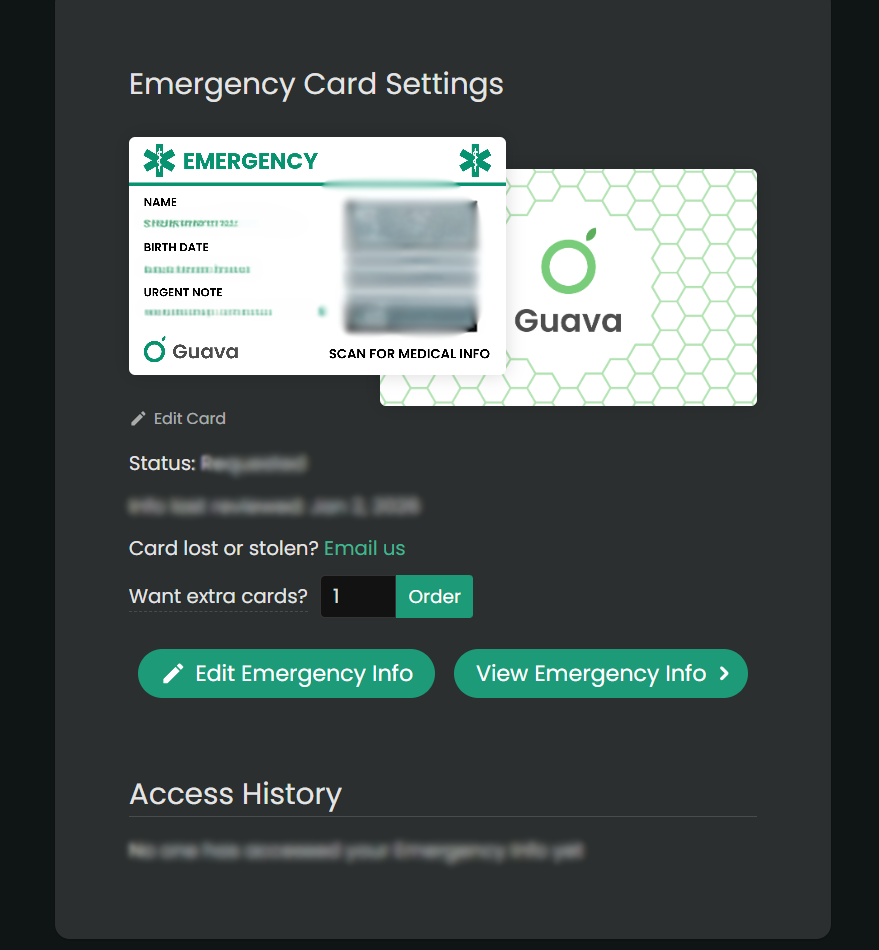
Use this link to get a free Guava Emergency Card!
If you use this link to join Guava Health Premium, you’ll get a free emergency card.
Google Health’s: The Master of Context and Your Early Warning System
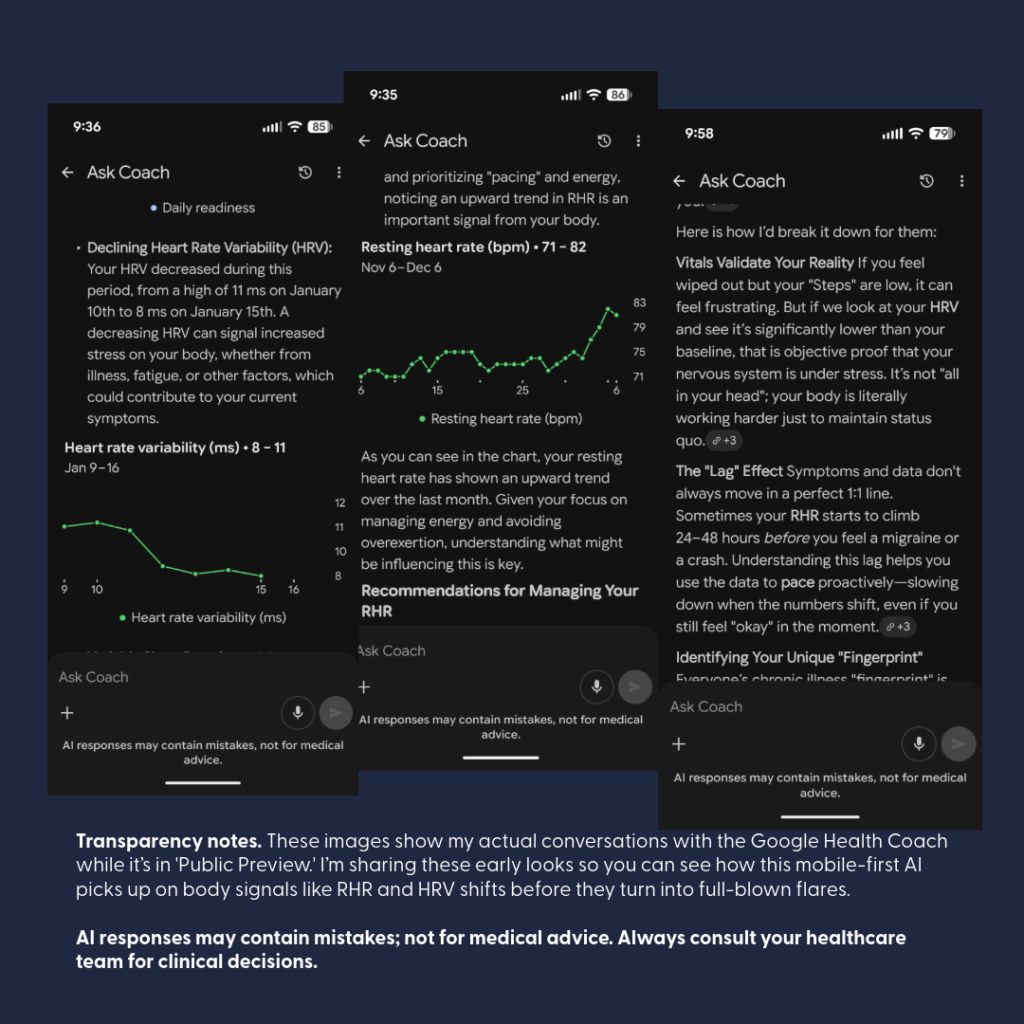
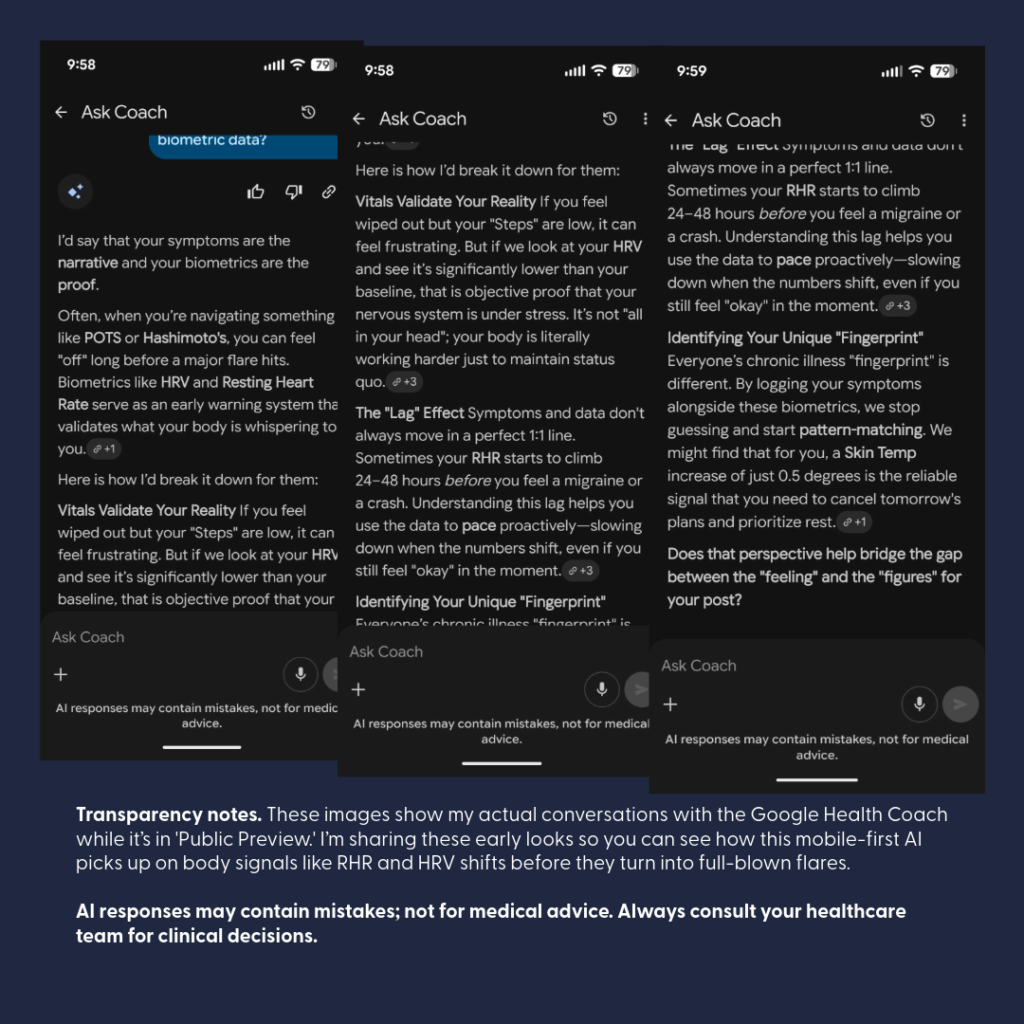
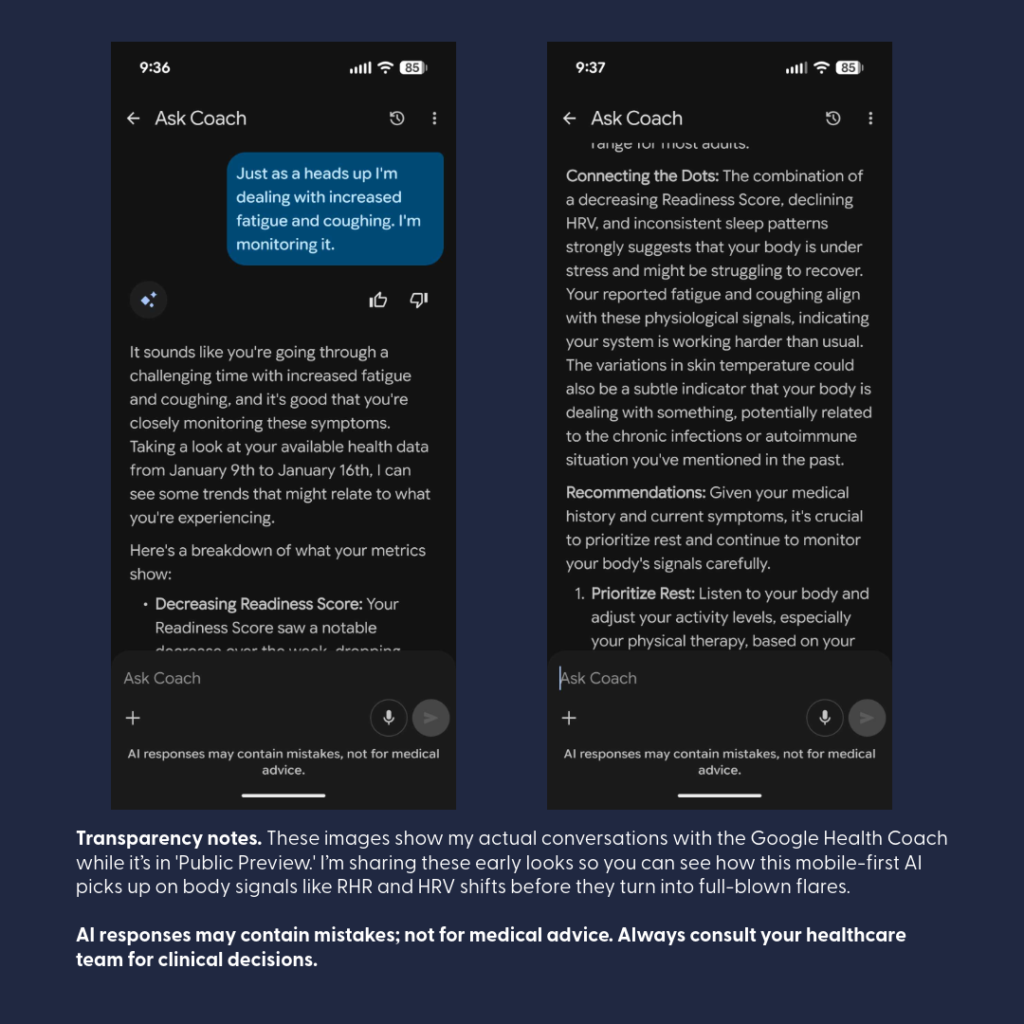
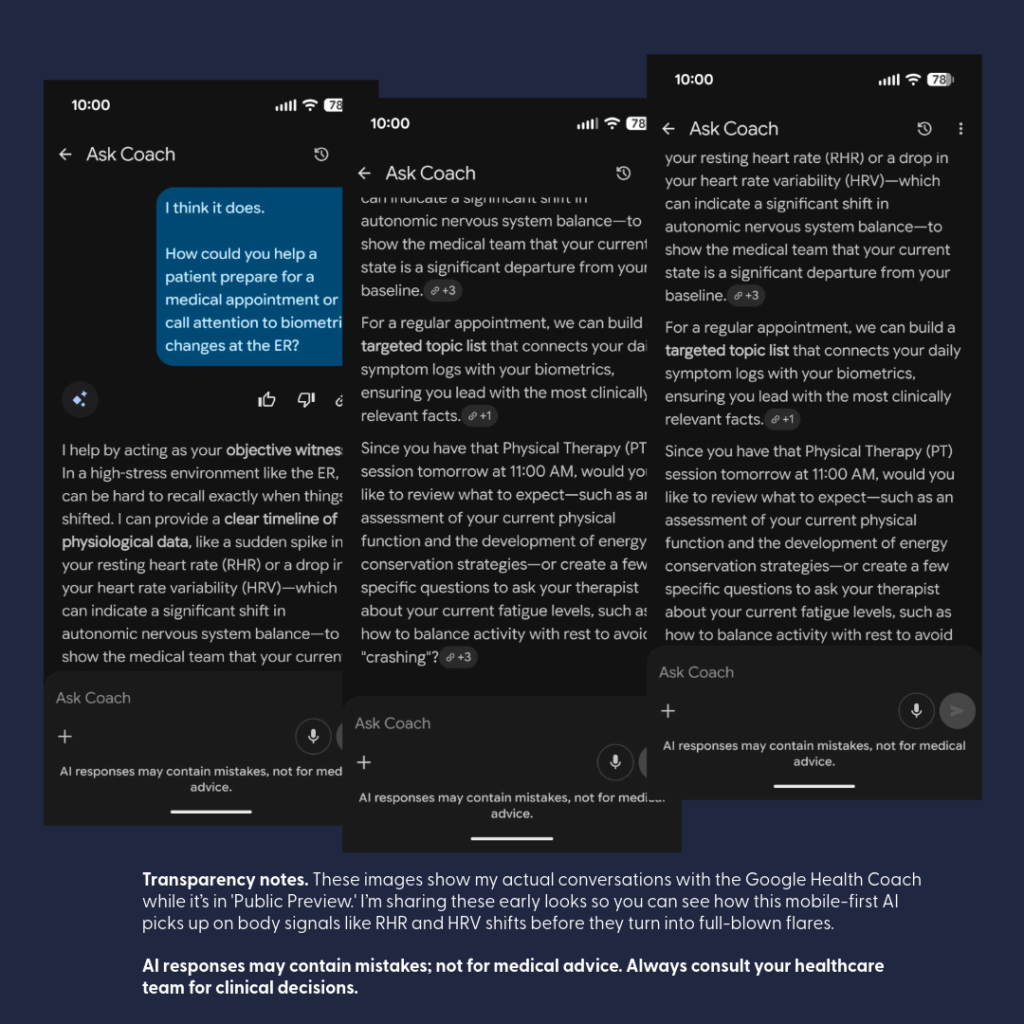
Note on Personalization: Screenshots are from my real-world testing of the Google Health (formerly Fitbit) “Coach” during its beta rollout. These represent a highly personalized conversation. Because I have been “talking” with Gemini for a long time (in Google and in FitBit Pro), the AI has a longitudinal understanding of my specific medical roadmap—including things like my C5-7 disc replacement and chronic pacing goals.
No Guarantee of Results: Each user may have a different initial experience or conversation flow. Like any “learning partner,” the depth of the insights often depends on the context you provide over time.
Beta & Evolving Features: These visuals are part of the Fitbit Labs “Public Preview”. Features like “Unusual Trends” detection are currently in testing and may change or evolve over time.
Standard Safety Reminder:AI responses may contain mistakes and are not for medical advice. Always consult your healthcare team for clinical decisions.
Let’s talk about the Google Health Rollout that began May 19, 2026! I have been participating in the beta for FitBit Pro users, and I must say, I am impressed!
(It won’t replace Guava Health for me, but it is a wonderful addition.)
Have you ever walked into a follow-up appointment, described a new and terrifying symptom, only to be told it’s “just part of the healing process” or “normal”? When a provider dismisses your symptoms, they are often guessing and comparing your body to a textbook average. To get them to move from guessing to investigating, you need objective data.
Walking into a clinic with your biometric data (including trends noted by your wearables) helps to change the dynamic: you are comparing you to YOU. Turning personal data into clinical leverage is the ultimate evolution of patient advocacy.
Google Health’s major platform rollout gives patients with chronic conditions a new set of tools to add to their baseline strategy. Here are some ways you can use this rollout to audit your care and bring the facts to your next appointment.
Master of Context and an Early Warning System
The new Google Health platform brings a clinical-grade environment directly to your phone. Google Health Premium (formerly FitBit Health Pro) serves as the home for the platform’s full Health Coach features.
Google Health is designed specifically to be the Master of Context. The mobile AI “Coach” can provide an “Early Warning System” for your day-to-day well-being:
The Coach is built to “talk” directly to you, your live wearable data, tracking key metrics like Heart Rate Variability (HRV), Resting Heart Rate (RHR), and Breathing Rate.
By continuously analyzing these metrics, the AI can pick up on subtle physiological shifts before you even consciously feel sick, helping you spot trends.
The conversational interface makes it excellent for quick, on-the-go checks to evaluate the potential impacts of medications, treatments, or even review that “something is off with my body” feeling.
Physical Health Shifts Including Infections. Often physical infection stress shows up in your “data” long before you can articulate it to a doctor. Passive wearable algorithms can catch structural emergencies early—like triggering an alert for sustained resting tachycardia (lasting over 20 minutes) or alerting patients to AFib.
The AI Coach in Google Health can take those raw metrics a step further: it can actively recognize the metrics outside YOUR normal (e.g., resting heart rate increase). Increased resting HR can be associated with autonomic imbalance (Borhani et al., 2025), illness (Michard & Saugel, 2025), and as a key metric for remote arrhythmia management (Jena et al., 2025).
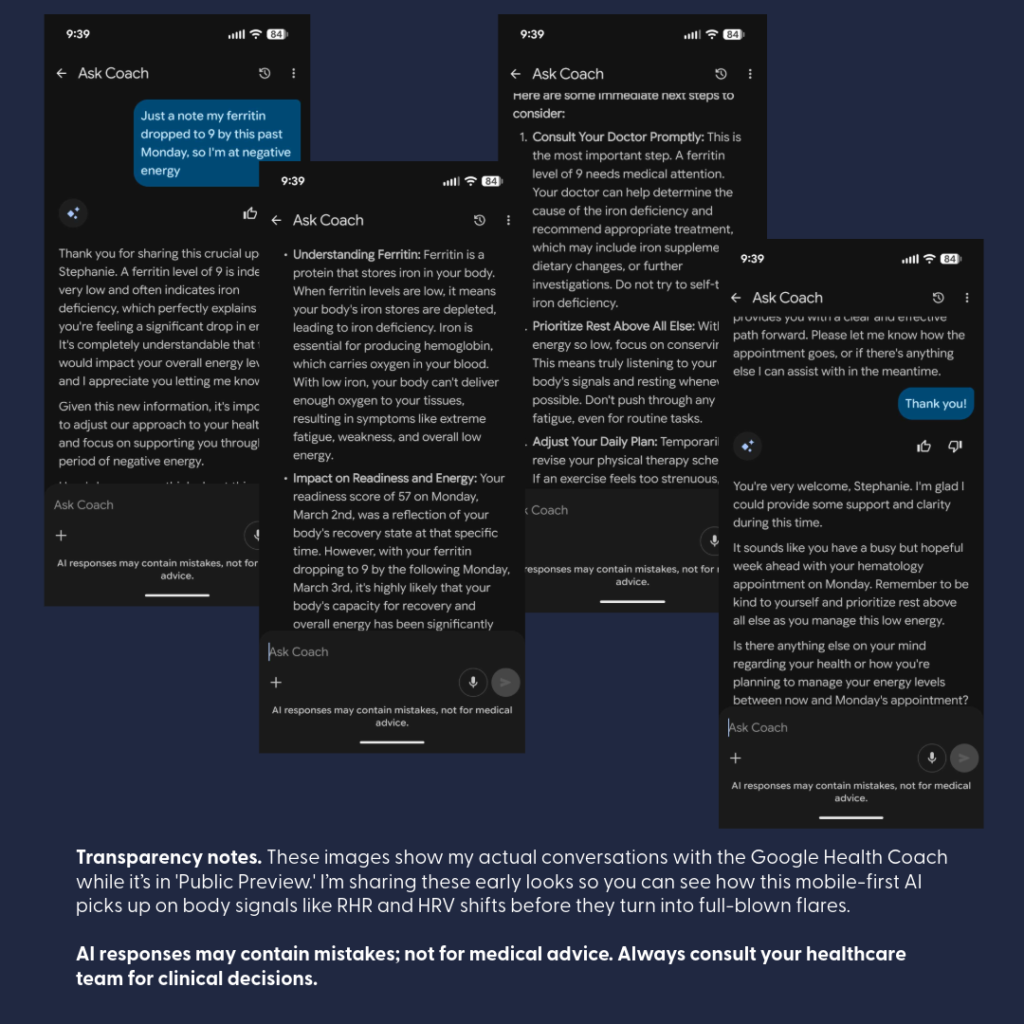
In my case, “Coach” recognized something was off as shown above – and what was off – well I had a kidney stone occluding the lower pole of a ureter. (Complete duplication of my ureters bilaterally … is interesting.)Vitals Validate Your Reality. Navigating Pitfalls, Pivots, and Trajectories. During medical treatments—like managing severe iron deficiency when your Ferritin drops to a critical 9—the Coach acts as an interactive sounding board to map out symptom strategies – and to understand the labs. It also tracks your data during the intervention.
When undergoing back-to-back iron infusions, the Coach can catch delayed shifts in your biometric data indicating an “adverse reaction” to a medication (i.e., Your body and the medication – didn’t get along).
Having that data readily available allows you to make safe, immediate adjustments with your care team to swap out the problematic medication before your next round, while the Coach continues chatting through your follow-up to monitor your recovery trajectory.
Externalizing Medical Memory
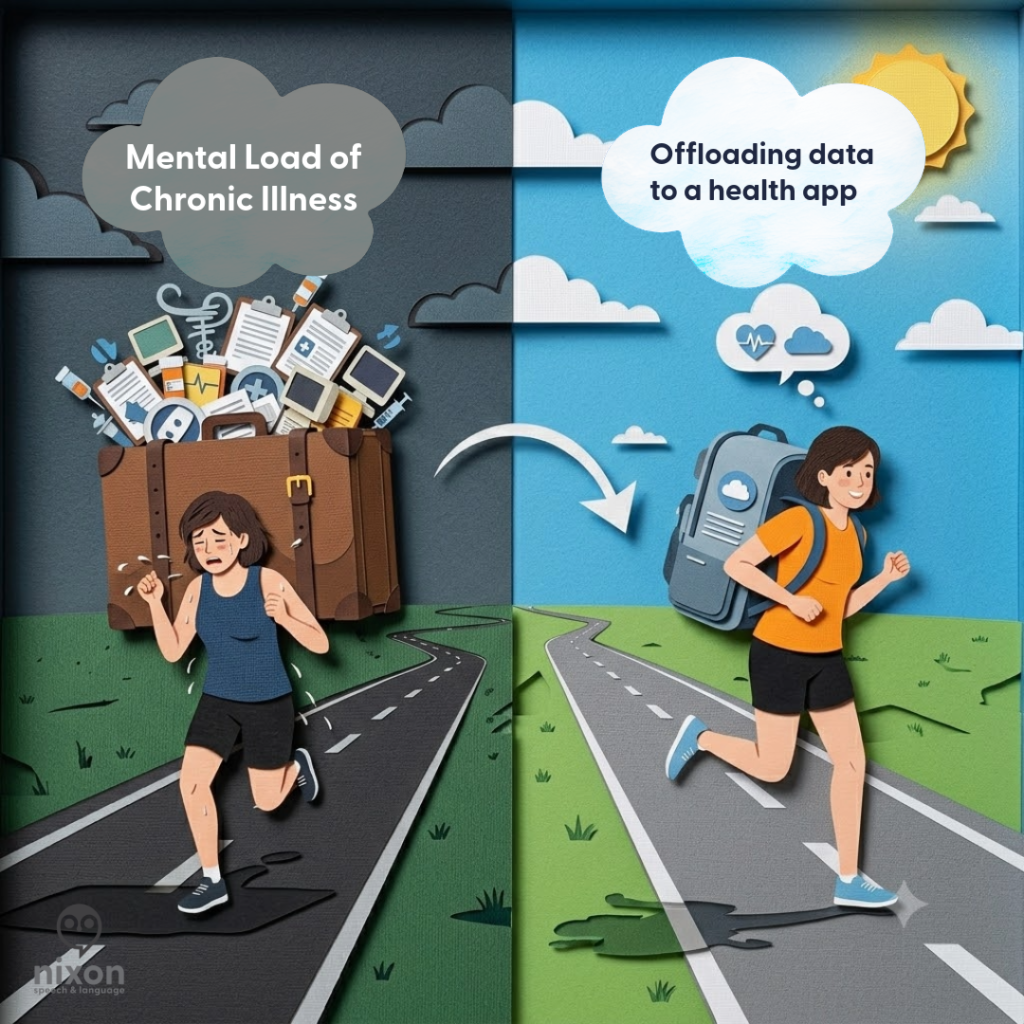
When you’re dealing with chronic illness or a sudden flare, your brain is already working overtime just to handle the pain and exhaustion. Expecting yourself to remember every single detail about when a symptom started or how your heart rate shifted is like trying to run a marathon while carrying a heavy suitcase.
Using a tool like Google Health isn’t about being ‘anxious’—it’s about being smart. It’s like having a backup drive for your brain. You let the app handle the heavy lifting of storing the data so you can save your limited energy—your ‘spoons’—for actually getting through the day and focusing on your recovery.
Offloading data recall to Coach can help you save your energy for the actual clinical conversation. This can help you present objective shifts in your objective data (i.e., biometrics).
Image in part created using Gemini (Google’s AI) with some modifications by Stephanie M. Nixon.
The Gemini integration inside the Google Health Coach changes how you interact with your health metrics. Instead scrolling through a list, the Coach synthesizes complex data into clear, plain-language summaries. This can be a relief for patients who feel completely overwhelmed by the “alphabet soup” of data during a physical flare.
Conversational Symptom Logging
As a Guava Health User, I am used to a symptom-tracking checklist that leads to “insights” paired with biometric data. So switching to indirect symptom logs that came out of my conversations with the AI Coach was initially uncomfortable to me.
If you want a rigid, heavily itemized manual symptom-tracking checklist, Google Health’s baseline menus leave a bit to be desired. There is an “other” section, but it isn’t extensive, and it won’t replace the deep, structured manual entry interfaces found in heavy lifters like Guava.
But here is the magic: it completely flips the script by tracking your symptoms through fluid conversation instead. The Coach is incredibly aware of your specific, ongoing body context—for instance, it remembers and keeps tabs on a stubborn ankle injury. Instead of forcing you to click through endless checkboxes and dropdown menus when you are low on “spoons,” you simply talk to the Coach about how you are feeling, and it handles the tracking dynamically within your chat history.
Providing guidance: Reviewing symptoms when a shift is noted in the biometrics, can help tie the information together.
The Longitudinal Brain: Memory Across Threads
Traditional AI tools often suffer from “amnesia,” resetting entirely every time you open a new window. Because Google Health Coach archives core context into persistent memory logs, it builds an ongoing longitudinal understanding of your medical roadmap.
For example, if you discuss a scheduled spinal fusion that gets pushed back due to sudden low Ferritin, the Coach remembers that timeline.
Weeks later, when you open an entirely separate chat session to ask about an isolated biomarker, the AI doesn’t start from scratch—it remembers your overarching journey, bridges the gap between different conversation loops, and actively checks back in on how you’re feeling ahead of the rescheduled surgery. It behaves like a true, long-term cognitive partner rather than a temporary chatbot.
Strict Privacy Guardrails & Clinical Security
Moving your health metrics into a consumer app understandably raises questions about data security. To address this, Google has implemented rigorous technical, administrative, and physical safeguards to ensure this environment meets strict HIPAA (Health Insurance Portability and Accountability Act) standards for storing and transmitting medical records.
Here are the strict guardrails established for the Google Health app rollout:
Complete Data Separation: Your clinical and wearable health profiles are kept in strict privacy silos, entirely separated from other consumer services like your Google Search history or YouTube recommendations.
No Ad Targeting or Data Selling: Google has committed to a strict guardrail: your personal health records, diagnoses, and daily biometric data are never sold to third parties and will never be used to target Google Ads.
Legal Accountability (BAAs): Google Cloud and its health services support compliance through formal Business Associate Agreements (BAAs)—formal contracts that hold the platform legally accountable for protecting your private health information.
Total Patient Control: You retain full ownership of your profile. You choose exactly which health portals to connect, and you have the power to revoke that access at any moment.
Granular Location Protections: For privacy-conscious or neurodivergent users, GPS tracking is strictly opt-in. Location data is primarily used to track distance and pace for specific outdoor activities, and permissions can be disabled at any device or app level at any time.
De-Identified Research: Participating in health research is completely voluntary and never automatic. Before any data is utilized, it undergoes strict de-identification protocols to remove personal identifiers (like names or emails) and is aggregated with data from thousands of others to study broad public health trends.
The “Spoon-Level” Google Health Strategy
When your energy is limited, preparing for a medical visit shouldn’t waste your precious “spoons”. You can easily adapt your use of Google Health to match your capacity on the day of your appointment:
The Medium-Energy Strategy (🥄🥄): Open your mobile app and ask the Google Health Coach to generate a summary of your recent biometric shifts.
The Outcome: Print out the AI-generated summary to serve as an instant, objective “talking points” script. This ensures your most critical concerns are accurately addressed even if you hit a wall of brain fog or pain in the exam room.
Some of the ways Google Health can help with appointment prep take my app during the beta test.
The Bottom Line
Using an app to monitor your physiological baselines and symptom clusters isn’t a temporary tech trend—it is a necessary act of accessibility for patients navigating complex conditions.
You are not “obsessing” over your health; you are actively partnering in your care.
Utilizing these clinical-grade tools ensures that your medical chart reflects your true physical reality, forcing providers to move past standard labels and look directly at the facts.
Disclaimer: This post is for educational and patient advocacy purposes only. All product names, logos, and brands are property of their respective owners. “Google Health” and “Fitbit” are trademarks of their respective holders. Use of them does not imply any affiliation with, endorsement by, or sponsorship by them.
Designated Record Set: This series represents a personal, professional audit of my own legally obtained medical history and “Designated Record Set”.
Factual Basis: All clinical data points—including the 169.4-minute gastric emptying result —are pulled directly from my documented clinical records.
Advocacy Intent: My goal is to highlight systemic disparities in medical documentation and foster better clinical communication.
Non-Defamation: This audit is a critique of the content and quality of documentation and the patterns of clinical bias, rather than an attack on specific individuals or institutions.
A Note on Neurodivergent Baseline:
Contextual Accuracy: Observations regarding communication style, energy, or behavior (often labeled “manic” or “pressured” in my records) must be viewed through the lens of my documented, lifelong ADHD diagnosis.
A ‘u’ was added (AuDHD) as a late diagnosis a few years ago providing a key to understanding why so many providers saw ‘manic’ behavior where there was actually just a neurodivergent person managing a health emergency. We have to stop labeling what we don’t understand.
Clinical documentation is a legal and clinical record. It should describe findings, reasoning, function, and uncertainty—not turn subjective impressions into a durable patient identity.
When providers prioritize narrative shorthand over objective data, the consequences extend beyond patient frustration. Subjective charting can bias future providers, delay appropriate workup, and create significant medicolegal risk.
The Choice: A Thread or a Relationship?
In a research study by Melanie Sloan and colleagues¹, one patient described her medical record as:
“A deranged Twitter feed… creating a completely unrecognizable image of me as a patient and a person.”²
As a provider, you have a choice:
The “Deranged Twitter Feed”: Do you want to be just another reactionary post in a chaotic thread of subjective dismissals?
The Anchor of Trust: Or do you want to be the provider they respect—the one who actually listens and anchors the record in data?
If you entered medicine for an ego trip or to exert power, there is no point in reading further. But if you are here to help, then I am asking you—as both a provider and a patient—to LISTEN.
The Contrast: Storytelling vs. Clinical Data
When you read a previous provider’s note describing a complex illness as a “saga,” it creates a powerful cognitive bias. It can cause you to actively ignore objective data sitting right in the chart.
Case Study: The “Histrionic” Filter vs. The Objective Truth
Consider one of my ER visits. Likely primed by a previous provider’s “saga” label, the clinician documented: “There is a histrionic component to her presentation.”
What the clinician ignored to maintain their narrative:
Hypovolemic Shock: My blood pressure was 80/51, requiring 39 minutes of critical care.
Inflammatory Markers: A WBC of 14.3, Neutrophils: 84.4%, Lymphocytes: 8.3%.
Radiographic Evidence: A High-Resolution Chest CT finalized one week prior explicitly documented “tree-in-bud nodularity,” the radiographic hallmark of small airway mucus plugging and infection.
When you allow a biased adjective to anchor your judgment, you write a psychiatric label on a patient whose complaint is legitimate and objectively noted in labs and imaging. And you become another domino falling in the chain all because you didn’t review all the data or allowed your diagnosis and assumptions to be guided by others. This is an indefensible medicolegal liability.
Designed by Nixon Speech and Language LLC
Clinician Associated Trauma (CAT) is Real
Clinician Associated Trauma is the cumulative psychological harm caused by repeated medical gaslighting and biased charting.
The “Organization” Trap: I provided a chronological timeline of my worsening cough in hopes they would understand, only to have it called a saga. I spent the past 5 years trying to better organize my history, only to have it referred to as “30 pages of notes”.
The Identity Error: When Precision Fails
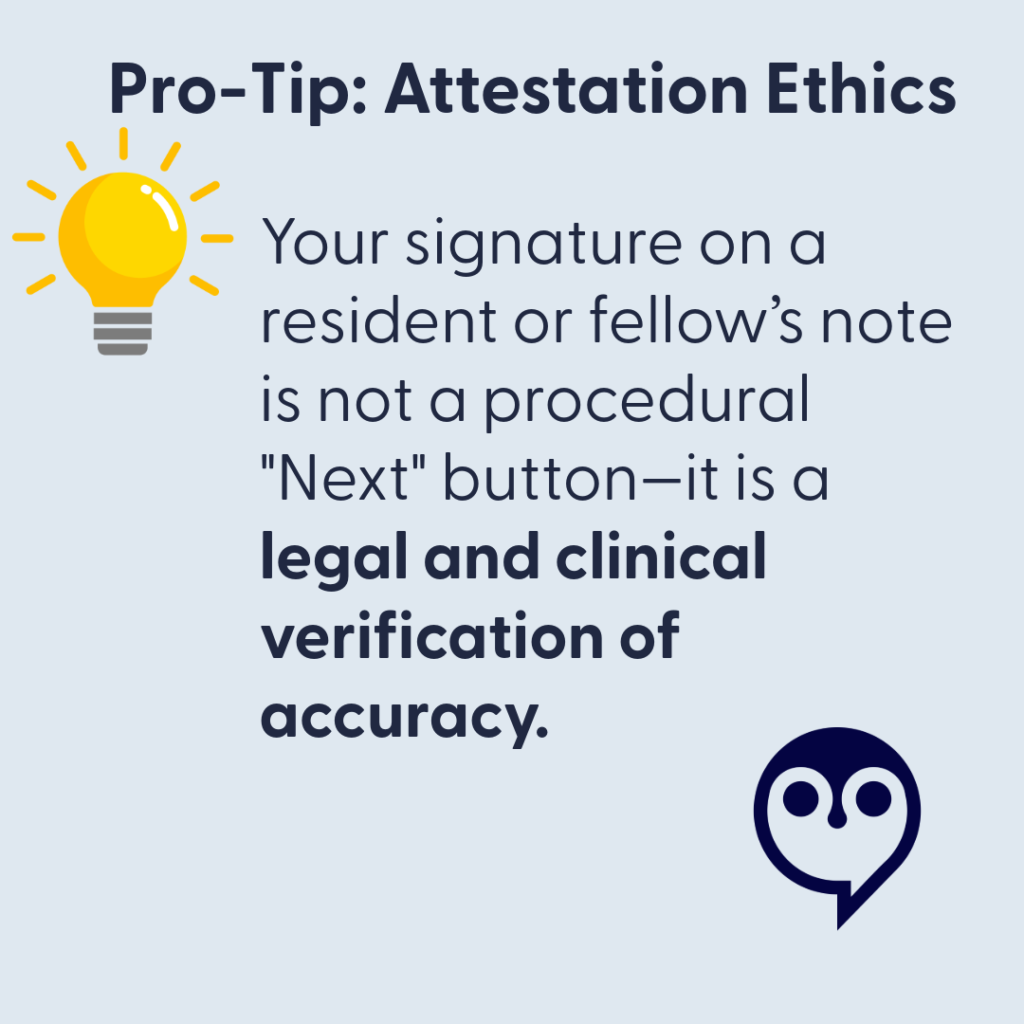
In January 2020, a resident referred to my three-month medical crisis as a “saga” while incorrectly identifying me as “Ms. Dixon”. Most notably, the attending physician then signed off on this report, attesting that they “reviewed the resident’s note and agree with the history” .
In educational settings, using the wrong name on a child’s report would likely render the document invalid. In medicine, however, we allow a senior clinical supervisor to “verify” an error-ridden note, giving subjective character assessments the weight of permanent clinical truth. If a provider isn’t precise enough to get your name right, they aren’t precise enough to label your experience.
The “Rubber Stamp” Risk: When you sign an attestation for a note containing an incorrect patient name or biased labels like “saga,” you are professionally validating a “deranged twitter feed” entry.
The Transparency Reality: Under the 21st Century Cures Act, patients see your attestation immediately. If you are too rushed to catch a wrong name, the patient (and the law) will assume you were too rushed to perform a rigorous clinical review.
The Clinical Standard: If a document’s basic identifiers are wrong, its clinical conclusions are suspect. Use your edit window to ensure the final record reflects the objective truth, not a “rubber-stamped” narrative.
Technical Stewardship: Closing the Gap
Longitudinal aggregation is the best defense against fragmented care.
Guava Health: Allows providers to reconcile conflicting documentation and see the “receipts”—like a 169.4-minute gastric half-time—before a subjective bias can take root.
Google Workspace + BAA: Provides secure, HIPAA-compliant infrastructure to handle high-stakes documentation.
The Correction as a Collaboration
Under the 21st Century Cures Act, the wall between the patient and the record has been removed. If an error exists, they will see it.
Acknowledge the Discrepancy: Respond with empathy: “I am sorry there are discrepancies… I am on your side!”, but mean it.
Avoid Blaming the Patient: Even if the patient had a chance to review whatever the documentation, it isn’t their fault the chart is wrong. That’s the provider’s job.
Update the Record: Whether through an addendum or voiding a note, ensure the final record reflects the functional and physiological truth.
Humanity Over Perfection: The Due Diligence Standard
We are all human. Patients don’t expect their providers to be perfect; they expect them to do their due diligence .
Mistakes happen—a wrong name, a misinterpreted symptom, a “rubber-stamped” attestation . But the difference between a “mistake” and “Clinician Associated Trauma” is the willingness to be honest when your own “spoons” (capacity/energy) are lacking.
The “Honest Pivot” Script
If you are overwhelmed, behind schedule, or hit a wall with a complex case, don’t reach for a “saga” label to end the visit. Try radical honesty instead:
“I want to be fully present for this conversation, and I know you took the time to come in today. Honestly, my capacity is low right now, and I want to give your data the deep thought it deserves. Can I review your records this week and follow up with a call or a telehealth visit in 10 days to discuss my findings?”
Why This Pivot Saves the Relationship:
It Models Respect: You are acknowledging that the patient’s time and data are valuable.
It Prevents Bias: By pausing instead of rushing, you avoid making the “snap judgments” that lead to “histrionic” labels or identity errors.
It Shifts the Dynamic: You are no longer the “gatekeeper” with all the answers; you are a partner performing an audit.
The Provider Challenge: The Mirror Test
Stay in Scope: If you are not a psychiatrist, do not reach for labels like “pressured speech” to pathologize a communication style. Investigate neuro-informed baselines (AuDHD) or physiological distress first. As I said in Part 1 – there are many reasons a person might speak with a fast rate beyond anxiety (and they aren’t zebra reasons…).
Document Uncertainty, Not Assumptions: Do not use psychiatric labels as a “wastebasket” for difficult diagnostics. Similarly, ask yourself … why is this patient bringing 30 pages of “hand-typed notes” to my appointment?
Sometimes…the answer is as simple as the patient doesn’t want to forget the name of the 12 medications or…the patient’s hand cramps writing on your background history forms, so they have it available to print for providers. And other times…their history is just that long.
Don’t assume their physical symptoms are anxiety – some of us blank when people ask questions, that doesn’t mean it’s somatization or anxiety.
Audit Your Adjectives: Adjectives that frame symptoms as a performance (“claims,” “dramatic,” “demonstrates”) transmit bias to every clinician who follows.
Document Function, Not Assumptions: I was an SLP unable to work for 3 weeks due to a vocal fold ulceration, yet a provider wrote my disability “surpassed objective findings”. Document the loss of function, not your “impression
The Bottom Line: Be the Partner, Not the Domino
A corrected chart or a thoughtful follow-up isn’t a sign of weakness; it is a higher standard of Clinical Data Stewardship. It protects you from medicolegal liability and ensures that every future provider sees a clear, objective physiological truth—not a “deranged twitter feed” of biased shorthand.
If you became a provider because you want to help, then be the one who keeps the dominos standing.
Bottom Line: A corrected chart isn’t just a win for the patient; it is a higher standard of Clinical Data Stewardship that protects you and ensures every future provider sees the truth, not a “saga”.
References
Sloan, M., Naughton, F., Harwood, R., Lever, E., D’Cruz, D., Sutton, S., Walia, C., Howard, P., & Gordon, C. (2020). Is it me? The impact of patient-physician interactions on lupus patients’ psychological well-being, cognition and health-care-seeking behaviour. Rheumatology Advances in Practice, 4(2), rkaa037. https://doi.org/10.1093/rap/rkaa037
Sloan, M., Bosley, M., Gordon, C., et al. (2025). “‘I still can’t forget those words’: mixed methods study of the persisting impact on patients reporting psychosomatic and psychiatric misdiagnoses.” Rheumatology. doi: 10.1093/rheumatology/keaf115. PMID: 40037287; PMCID: PMC12107051.
Park, J., Saha, S., Chee, B., Taylor, J., & Beach, M. C. (2021). “Physician Use of Stigmatizing Language in Patient Medical Records.” JAMA Network Open, 4(7), e2117052. doi:10.1001/jamanetworkopen.2021.17052
For more information about Guava Health go to https://guavahealth.com/ For more information about the FitBit transformation to Google Health coming 5/19/2026 go to https://health.google/
Words Have Weight: Stopping the ‘Deranged Twitter Feed’¹ in Your Chart
Designated Record Set: This series represents a personal, professional audit of my own legally obtained medical history and “Designated Record Set”.
Factual Basis: All clinical data points—including the 169.4-minute gastric emptying result —are pulled directly from my documented clinical records.
Advocacy Intent: My goal is to highlight systemic disparities in medical documentation and foster better clinical communication.
Non-Defamation: This audit is a critique of the content and quality of documentation and the patterns of clinical bias, rather than an attack on specific individuals or institutions.
A Note on Neurodivergent Baseline:
Contextual Accuracy: Observations regarding communication style, energy, or behavior (often labeled “manic” or “pressured” in my records) must be viewed through the lens of my documented, lifelong ADHD diagnosis.
A ‘u’ was added (AuDHD) as a late diagnosis a few years ago providing a key to understanding why so many providers saw ‘manic’ behavior where there was actually just a neurodivergent person managing a health emergency. We have to stop labeling what we don’t understand.
Have you ever read a medical note about yourself and thought: Who is this person? You are not alone. In a research study by Melanie Sloan and colleagues,¹ one patient described her medical record as:
“A deranged Twitter feed… creating a completely unrecognizable image of me as a patient and a person.”²
That quote hits hard. It describes what happens when a provider writes something subjective, negative, or dismissive in your chart. One note can change how the next provider sees you. And then the next. And then the next.
Patient safety experts call this The Domino Effect.³ This is how chart bias spreads.
What is Chart Bias?
Chart bias happens when a provider writes words that sound like a judgment of your personality rather than a description of your health. These subjective adjectives can quietly shape your care before a new doctor even walks into the room.⁴
Watch for “performance” words like:
Dramatic,Anxious, or “Histrionic”
Difficult
“Saga”, Somatic/Somatization, or “Exaggerating”
“Well-appearing” (especially when objective data says otherwise)
These words act as a path through your hospital record. They can lead the next doctor to subconsciously view your physical symptoms as a “performance,” questioning your credibility before you even speak.⁵
My Story: Same Patient, Different Stories
A few years ago, I saw my doctor for a cough that had lasted three months. I was hoarse and losing my voice. I provided a clear timeline and evidence of a bacterial infection. Instead of a diagnosis, the provider labeled my experience a “saga” and wrote that I was “demonstrating” my cough.The first note framed the encounter subjectively; the second documented objective evidence of infection.
I wasn’t “demonstrating”— when I didn’t cough, I was taking shallow breaths. Because one cough led to more coughing, and coughing led to bladder incontinence (even mild is embarrassing, iykyk).
Eight days later, a specialist looked at the same body but saw a different story:
Abnormal lung sounds (Rhonchi)
Rapid heart rate (Tachycardia)
Chest CT results: “Tree-in-bud nodularity,” which showed a likely infection.
The first note framed the encounter subjectively; the second documented objective evidence of infection.
When the Story Overwrites the Facts
Later, in the ER, a doctor labeled my coughing “histrionic” despite contemporaneous objective findings including a blood pressure of 80/51 and an elevated white blood cell count paired with elevated neutrophils (84.4%) and low lymphocytes (8.3%). I will never know if the doctor was reading the “saga” in my chart, but somehow the data on the screen didn’t receive the same emphasis in that note as his perception of me as a “chronic pain” patient.
I eventually filed a HIPAA correction to have the word “histrionic” (and other comments) struck from my record. I did this because words in a chart don’t stay in one visit. They follow you.
To this day, I still question what I could’ve done differently to avoid being misunderstood. Yes, when I go to the ER, I try to communicate past my pain past my symptoms in hopes because in my mind that is the best way to get help. Sometimes, it works … Other times, it seems providers think if you can communicate that well you can’t be “that sick”.
Why This Matters
Research shows that even one stigmatizing note can change how clinicians think about you. It can change how seriously they take your pain and how hard they look for a physical cause.3, 4, 5, 6, 7 In other words: your chart can become a story about how the provider perceives your character instead of a record of your health.¹, ²
And when I realized what that provider said and what another provider said – providers I thought I trusted, it felt like betrayal – it hurt.
Those comments didn’t match with my personality or with what I was experiencing in those moments in those hours on those days. And the thought that a provider would put those words, words I would’ve told interns not to use ever, in my chart – the chart of another provider, felt like a slap.
Could I have just ignored these comments and found new providers? Yes. But they would stay there. So I have decided to advocate with whatever spoons I have.
The “Spoon Theory” of Medical Advocacy
Dealing with chronic infections, illness, providers, employers (concerned about productivity from missed work due to the first two-three), and trying to have a balanced life – well it is absolutely fatiguing.
That means many of us come into these situations with our executive function cups full to overflowing. Such situations require working memory – we need to hold in our memory what the provider says in the current appointment at System A, what the labs say, what our imaging says, what the other provider at System B, not to mention what we might need to take care of at work or home because we may need to schedule another appointment.
So when I saw the note above in my chart, the biased note, it was like a “gut punch” that felt invalidating. It drained my energy. And I know there are other patients (many women) out there like me. I thought the ER visit that night went okay – I thought the provider understood, then I saw that note.
Yes, can I look up all the terms to understand what each lab means? But the energy – it’s overwhelming:but that costs “spoons” you don’t have.
For me, I have been using an AI Buffer – to separate the data from the disrespect, the dismissal, the gut punch, literally not being heard…
For me, these are my strategies to navigate care today at this moment. I will provide more information about these paths later – but I hope these help:
Strategy Summary
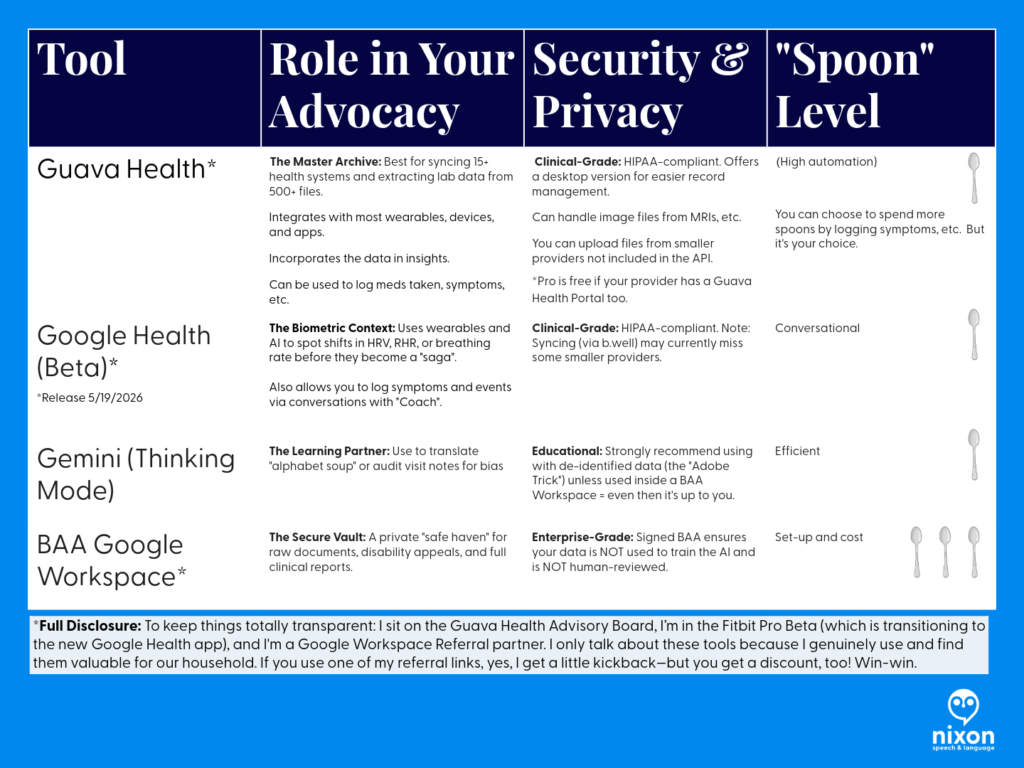
Audit for Bias: Use Gemini (Thinking Mode) to help you objectively spot if a note describes your personality instead of your physiology.
Externalize Your Memory: Use Guava’s Body Map and Medication Tracker to replace the high-stress “spotlight” of trying to remember 32 medications during a 15-minute visit.
Provide the Receipts: Use your multi-year biometric trends (Heart Rate, HRV, etc.) to prove that your symptoms are a significant shift from your baseline, not “health anxiety”.
Protect Your Privacy: If you are managing sensitive documents like disability appeals or vocational reports, move them into a Google Workspace with a BAA for maximum protection.
Why This Tech Matters
Using these tools isn’t about obsessing over every data point; it’s about Spoon Management. When you have a complex history—like Ulcerative Pancolitis or Gastrointestinal Dysmotility—you shouldn’t be expected to be your own medical librarian. These tools turn the “deranged Twitter feed” of a medical record into a searchable database that you control.
Here’s how how I go about it
1. Access Your Notes (Medical Records)
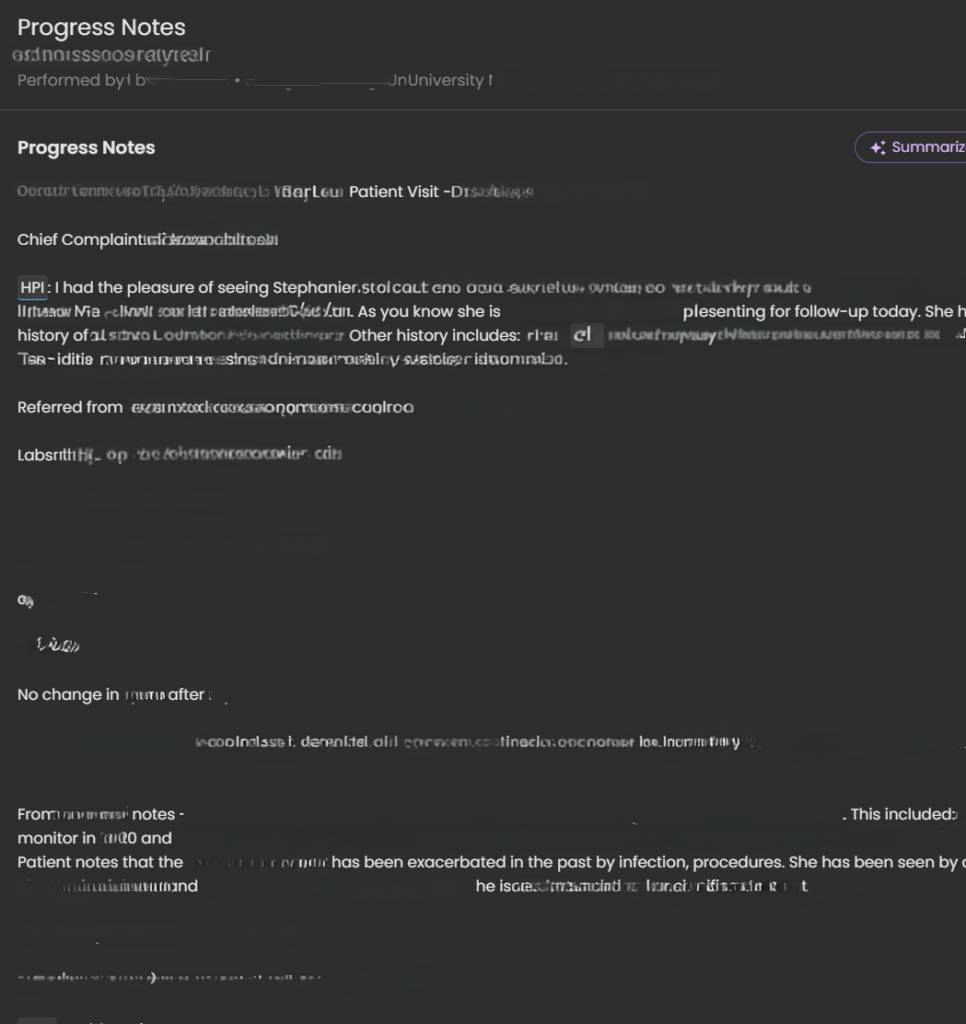
Under the Cures Act, you have the right to see your clinical notes.⁹ Don’t just read the summary; get the Progress Notes.
Tips: Sign up for the patient portal.
Use the summary like a snapshot. It’s the outline to the Progress Note (usually). But, often it just lists your current medications or the appointments to schedule, etc.
2. Create an “AI Buffer” (Protect Your Spoons)
Medical advocacy is exhausting. When a note feels like a “gut punch,” don’t waste your limited energy (“spoons”) manually looking up every term.
The Strategy: Use an AI tool to objectively “audit” the note. Ask: “Does this note focus on my health or my personality?” (If it focuses on your personality – ask yourself if that is the provider’s role in your care.)
* The Privacy Choice: If you use an AI like Gemini, consider a Google Workspace with a BAA.11 This ensures your data isn’t used to train public models and isn’t reviewed by humans. It’s your “Safe Haven” for medical records. (I’ll talk more about this in another post – but I want to be sure you understand those risks.)
If you’re thinking about setting up Google Workspace for yourself, keep an eye out for my upcoming post on how I’m using it to manage our household! I’ll be sharing a deep dive, and as a member of the Google Workspace Referral Program, I’ll share some information and discount links – we will both be rewarded. <3
Accuracy Tip: Always use “Thinking” or “Pro” mode for medical analysis. “Fast” modes can miss the technical nuances you need for an appeal.12
3. Use Technology to “Translate” and “Talk”
If you struggle with dense text due to dyslexia, a stroke, or a learning disability, use these apps to hear your data:
Guava Guardian (Beta): A personal health detective. It can voice-alert you to a “split chart” (duplicate records) and helps you see how symptoms like hoarseness correlate with objective biometrics like HRV.
Google Health Coach Pro (Coming May 19): This multimodal tool allows you to talk to your data. Instead of squinting at a screen, ask the Coach to “summarize my last labs in plain English.”
4. Request a Correction
If you see something inaccurate or stigmatizing, say something.There are several paths and each depends on your comfort level with the provider.
I’ve used emails, faxes, portal messages, and phone calls to navigate these issues. In the portal, be aware that other providers in that system can likely see your messages. (I didn’t know this.)
How to start:
Contact the provider directly via the patient portal to request the correction/clarification: “I was reviewing my visit note from [Date] and noticed the history doesn’t match the objective data from my specialist. I’ve attached the relevant lab results and cultures to help clarify the timeline. Could we update the record to reflect these physical findings accurately?”
Contact the hospital’s Medical Records or Patient Advocacy department and ask about the amendment process.
For small practices, there is still a path for requesting corrections – this is your right to request it and there must be a path provided to you in that LONG HIPAA statement you received. Ask.
Phrases you can use:
“I read my note and this wording does not reflect what happened.”
“Can we focus the record on the objective lab findings from that visit?”
“I would like to add an addendum to reflect the functional impact of my symptoms.”
I’ll go into this further in a separate post. I don’t want to tell you it will always work out. But I do want you to know this is your right. And I understand it isn’t as easy as I said just now.
The Bottom Line
Your medical chart should describe your health. It should not turn one provider’s opinion into your permanent identity. If you feel like your chart describes a stranger instead of you, you are not wrong to question it.
References
Sloan, M., Naughton, F., Harwood, R., Lever, E., D’Cruz, D., Sutton, S., Walia, C., Howard, P., & Gordon, C. (2020). Is it me? The impact of patient-physician interactions on lupus patients’ psychological well-being, cognition and health-care-seeking behaviour. Rheumatology Advances in Practice, 4(2), rkaa037. https://doi.org/10.1093/rap/rkaa037
Sloan, M., Bosley, M., Gordon, C., et al. (2025). “‘I still can’t forget those words’: mixed methods study of the persisting impact on patients reporting psychosomatic and psychiatric misdiagnoses.” Rheumatology. doi: 10.1093/rheumatology/keaf115. PMID: 40037287; PMCID: PMC12107051.
Park, J., Saha, S., Chee, B., Taylor, J., & Beach, M. C. (2021). “Physician Use of Stigmatizing Language in Patient Medical Records.” JAMA Network Open, 4(7), e2117052. doi:10.1001/jamanetworkopen.2021.17052
Patient Track: Being good at makeup, didn’t mean I was well.
Disclaimers.
Professional Standards and Scope:
Credentials and expertise: Dr. Stephanie Michelle Nixon is a PhD-level Speech-Language Pathologist and consultant.
Educational purpose: The content in this series is shared for informational, educational, and advocacy purposes only.
No clinical relationship: Engagement with this content does not constitute medical advice, a clinical diagnosis, or the establishment of a patient-provider relationship.
Medical consultation: Always seek the advice of your physician or other qualified health providers with questions regarding a medical condition.
Personal Narrative & Data Integrity:
Designated Record Set: This series represents a personal, professional audit of my own legally obtained medical history and “Designated Record Set”.
Factual Basis: All clinical data points—including the 169.4-minute gastric emptying result —are pulled directly from my documented clinical records.
Advocacy Intent: My goal is to highlight systemic disparities in medical documentation and foster better clinical communication.
Non-Defamation: This audit is a critique of the content and quality of documentation and the patterns of clinical bias, rather than an attack on specific individuals or institutions.
A Note on Neurodivergent Baseline:
Contextual Accuracy: Observations regarding communication style, energy, or behavior (often labeled “manic” or “pressured” in my records) must be viewed through the lens of my documented, lifelong ADHD diagnosis.
A ‘u’ was added (AuDHD) as a late diagnosis a few years ago providing a key to understanding why so many providers saw ‘manic’ behavior where there was actually just a neurodivergent person managing a health emergency. We have to stop labeling what we don’t understand.
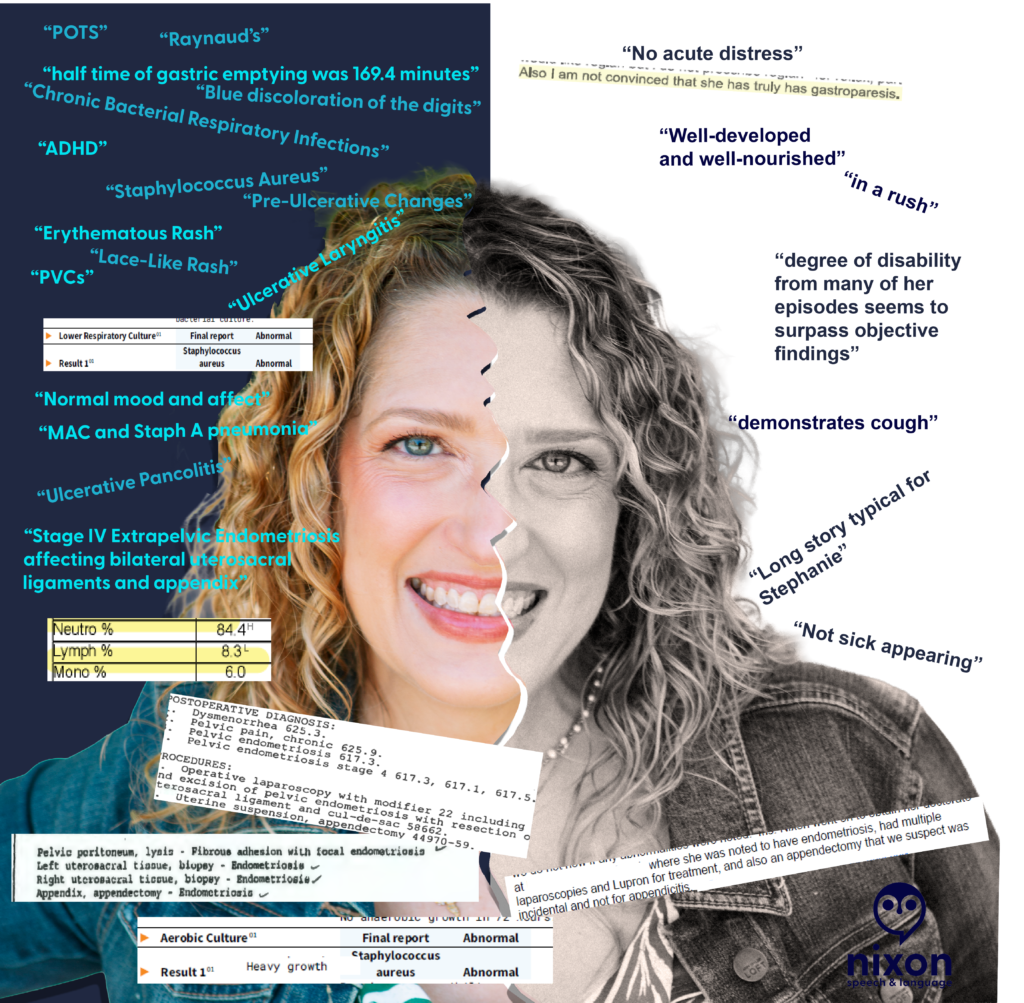
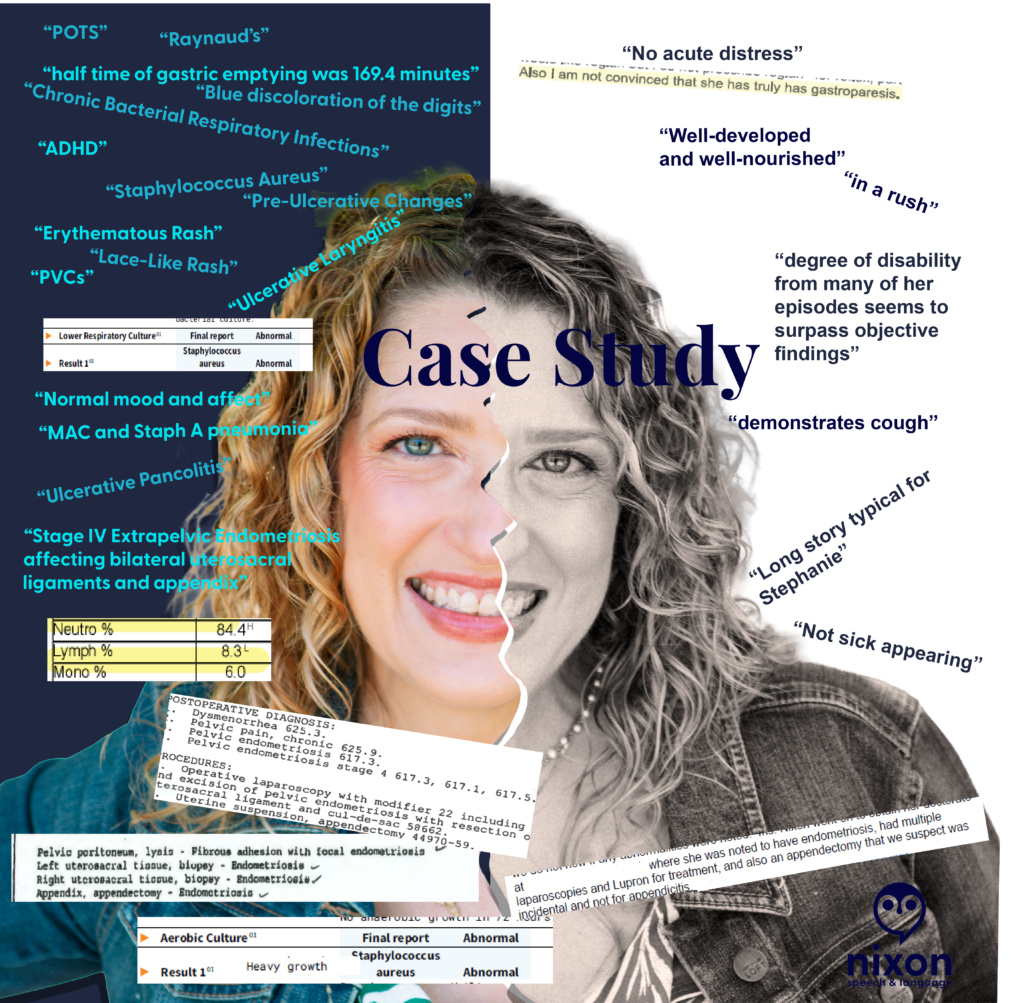
Which version of you is in your medical record? On the right are the labels found in my permanent charts—words like “typical,” “rushed,” “not sick appearing”, “well groomed”. On the left is the objective data my body was reporting at that exact same time.
Words have weight. After auditing my own medical charts across different institutions, it became obvious just how much weight those words carry—and how they can shadow a patient for decades. And let me say, words can hurt.
During an initial appointment years ago, a provider looked at me and said, “You look well.” My response came quickly: “I’m good at makeup.”
How many of us get up, put on our “mask” (a smile, our makeup, shallow breaths to avoid a cough), and go about our day? I know I did. I watched TikToks to improve my makeup skills while I was getting sicker. I didn’t want the world to see me looking as bad as I felt.
But do we really need to look as bad as we feel for a provider to believe the data? I once showed a provider a photo of myself before I put on my makeup that morning, just so she could see the reality of my physical state. Her response? “Why are you showing me this?”
Looking back, I realize that if a provider needs you to look “sick enough” to believe your symptoms, they aren’t the right provider for you.
Receipts
The Science: A specialist was “not convinced” I had a condition, despite a nuclear study providing a 169.4 minute gastric half-time – nearly double the normal limit.
The “Well-Appearing” Paradox: My chart once documented me as “well-appearing” and in “no acute distress” while my oxygen saturation was recorded at 65% at room air. (Note. The 65% was likely associated with PVCs.)
The “Performance” Label: My cough was described as something I “demonstrated” when I was actually navigating multiple bacterial respiratory infections (including … MAC and Staph).
The Missing “u”: My speech was labeled as “pressured,” a psychiatric term that completely ignored my AuDHD baseline (ADHD 1979 / Autism 2024; iykyk).
Audit Your Medical History
Have you ever found a statement in your records that felt more like a character critique than a clinical note?
What is one “label” a provider gave you that was the complete opposite of your reality?
How did it change the way you presented yourself at your next visit?
Provider Track: Would you want these words in your permanent record?
Disclaimers.
Professional Standards and Scope:
Credentials and expertise: Dr. Stephanie Michelle Nixon is a PhD-level Speech-Language Pathologist and consultant.
Educational purpose: The content in this series is shared for informational, educational, and advocacy purposes only.
No clinical relationship: Engagement with this content does not constitute medical advice, a clinical diagnosis, or the establishment of a patient-provider relationship.
Medical consultation: Always seek the advice of your physician or other qualified health providers with questions regarding a medical condition.
Personal Narrative & Data Integrity:
Designated Record Set: This series represents a personal, professional audit of my own legally obtained medical history and “Designated Record Set”.
Factual Basis: All clinical data points—including the 169.4-minute gastric emptying result —are pulled directly from my documented clinical records.
Advocacy Intent: My goal is to highlight systemic disparities in medical documentation and foster better clinical communication.
Non-Defamation: This audit is a critique of the content and quality of documentation and the patterns of clinical bias, rather than an attack on specific individuals or institutions.
A Note on Neurodivergent Baseline:
Contextual Accuracy: Observations regarding communication style, energy, or behavior (often labeled “manic” or “pressured” in my records) must be viewed through the lens of my documented, lifelong ADHD diagnosis.
A ‘u’ was added (AuDHD) as a late diagnosis a few years ago providing a key to understanding why so many providers saw ‘manic’ behavior where there was actually just a neurodivergent person managing a health emergency. We have to stop labeling what we don’t understand.
Clinical documentation is a record of pathology, not a character assessment. Yet, after auditing my own medical records, I found decades of “subjective” notes that had nothing to do with my physiological state and everything to do with a provider’s snap judgement and dismissal of my lived reality.
It doesn’t matter if a provider feels these words “justified” in the moment. Once they are in the patient’s chart, they become a permanent filter for every provider who follows.
The words on the black and white side minimize and dismiss both objective findings and my symptoms.
In the image above, a provider documented that my degree of disability ‘surpassed objective findings.’ In doing so, they failed to recognize my functional reality: I was a Speech-Language Pathologist unable to see my patients for 3 weeks after losing my voice to an ulceration on my vocal fold. When documentation focuses on ‘surpassing findings’ but ignores a total loss of vocational function, the clinical record is incomplete. We must document the patient’s life, not just the provider’s impression.
The Scope-of-Practice Gap:
I found repeated psychiatric judgments—labels like ‘pressured speech’ and ‘somatization’—written by specialists who were not psychiatrists or behavioral neurologists. Labeling a communication style as ‘pressured speech’ without establishing a neuro-informed baseline (AuDHD) isn’t just a misinterpretation—it is a specialist overstepping their scope to pathologize a natural speech rate instead of investigating physical health.
What they called “pressured”:
A Neurodivergent Baseline: If anyone had paused to ask, I would have laughed and told them that I had the words “SLOW DOWN!” in bold on every note for every presentation during my post-graduate education.
Physiological Distress: Rapid speech and “short rushes” are frequently associated with shortness of breath. Documentation that reaches for a psychiatric label while a patient is in respiratory distress is a failure of clinical reasoning.
Fluency Dynamics: As an SLP, I recognize these patterns as potential symptoms of cluttering among other speech and language disorders.
None of these clinical presentations require a mental health diagnosis. When we reach for mental health labels to describe a fast speech rate, we ignore the very real physical or fluency-based realities of the patient standing in front of us.
The “Incidental” Dismissal
I once had a specialist (not a gynecologist or GI) dismiss my appendectomy as “incidental” to my laparoscopy for Stage IV extra-pelvic endometriosis. When a pathology report confirms ‘Appendix – Endometriosis,’ that appendectomy is a diagnostic data point, not an ‘incidental’ event. Labeling it as such signals to every future provider that the patient’s surgical history—and their reported pain—is irrelevant.
The Receipts:
The Science: A 169.4-minute gastric half-time (normal is <90) was dismissed by a specialist who was “not convinced.”
The Paradox: A 65% O2 saturation reading was recorded alongside a note that I was “well-appearing”. (Note. The 65% O2 reading was likely associated with PVCs based on the other data in the visit.)
The Shorthand: A systemic crisis involving a 20-lb weight gain and pitting edema was labeled “long story typical for Stephanie”.
The Challenge:
The Mirror Test: If you were the patient, would you want a crisis described as “typical” for you?
Stay in Scope: If you aren’t a psychiatrist, why are you reaching for psychiatric labels to describe a patient’s communication? (Also, check with the patient. Had that provider asked me, I would’ve laughed and told her that my rate of speech has always been fast…in fact, I must actively think about it to speak more slowly.)
Watch for Bias: Literally watch for it. If you see a dismissive note from a colleague, don’t carry it forward. Check the data, ask the patient, and document the objective truth.
Let’s hold the record to a higher standard. How can we ensure our “Subjective” notes don’t do lasting harm?
In a world of sponsored “health tech” content, here is the truth:
I am a paying subscriber of Perplexity Pro ($20/mo) and a paying subscriber of the Guava Health Family Plan.
While I serve on the Guava Health Patient Advisory Panel, I do so pro bono (unpaid).
This review is not a promotion; it is a clinical audit. I’ve spent my own money on these tools because I am a “spoonie” patient, provider, and researcher searching for a way to make a complex life more manageable. (But for the record, I do accept cookies.)
The Dangerous Illusion of “All Your Data”
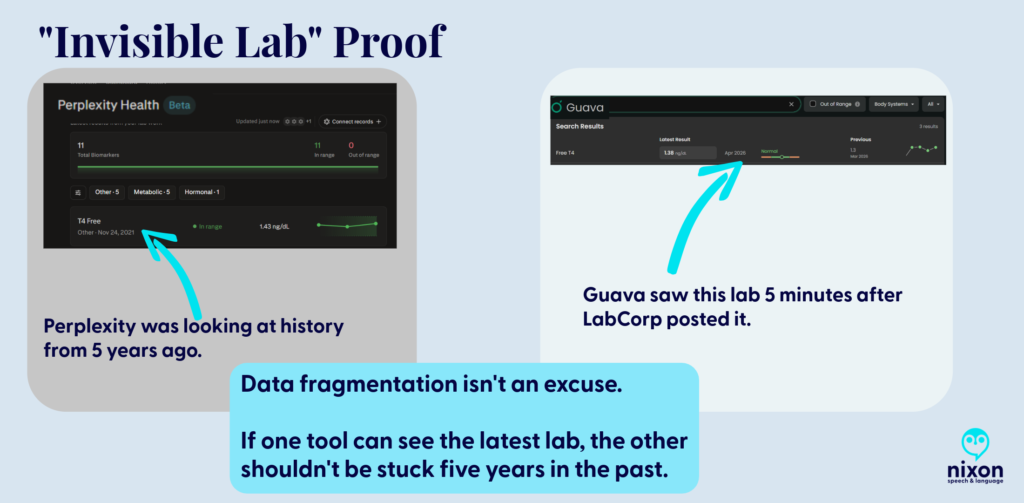
The biggest risk of Perplexity Health (Beta) is the illusion of completeness. Its marketing promises a seamless “Health Hub,” but my testing revealed a dangerous “blind spot.” Despite being connected to my EMRs, Perplexity ignored my most recent labs and defaulted to a T4 Free result from 2021 as my “current” status.
The Safety Warning: If a patient trusts Perplexity’s dashboard, they might miss key data and believe they are clinically stable when the AI is simply “ignoring” the last five years of their data because it didn’t index in a way the AI could add to your biomarkers.
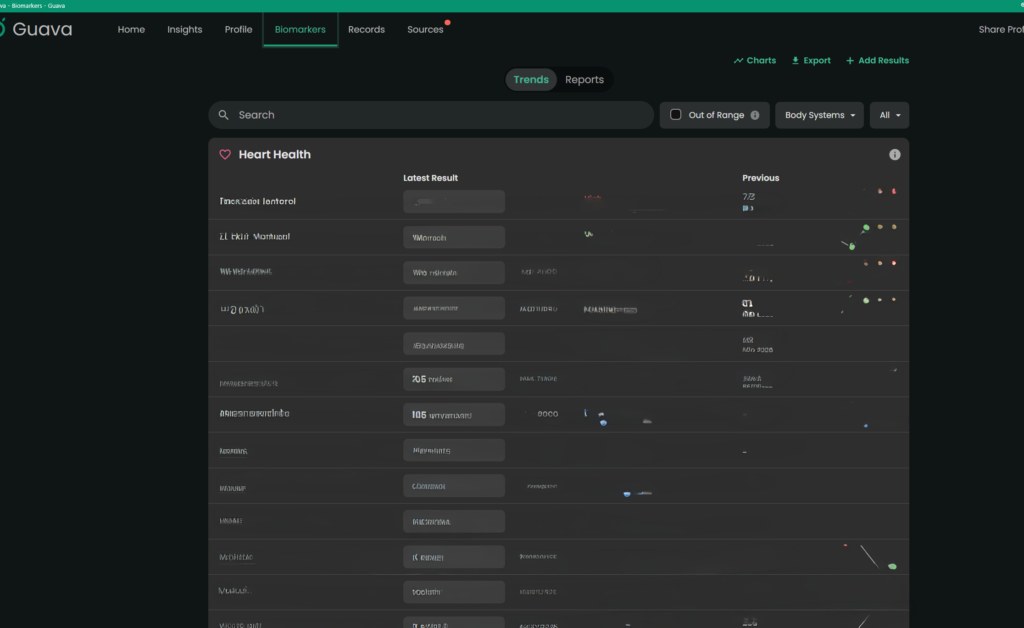
The Guava Advantage: Guava understands that medical data is messy. Even when a provider doesn’t have a direct API integration, Guava allows you to upload the report. The platform doesn’t just “store” the PDF; it indexes and pulls that data into your biomarkers, ensuring your trends are accurate and complete (or as complete as the data it obtains via APIs and your uploads).
Data Latency Proof. Perplexity remained stuck in 2021 despite current data being physically present in the system.
The “Spoonie Tax”: Friction as a Barrier
Chronic illness management is often a full-time job. We use technology to save “spoons,” not spend them. Perplexity, however, added to that fatigue through technical friction:
The Quantity and Size File Wall
I could only upload 200 documents. As a person with chronic illness who has been on this earth more than say 40 years, that didn’t begin to cover even half of my documents. You might tell me, ‘Just upload the most important ones’ or ‘Import them from the provider’, well, I tried that.
The connection to my primary care provider’s office linked to her old facility vs. the current one despite having the correct address on file for her.
My dermatologist, hematologist, integrative medicine provider, endocrinologist, cardiologist, gynecologist, primary care provider, and gastroenterologist weren’t accessible via Perplexity. (And these are only a few of the providers whose data couldn’t be accessed by Perplexity.)
Note. Six of eight of the above aren’t accessible via Guava either, but I can upload those visit notes to Guava Health myself.
To only see 10% of the data can also limit seeing the big picture. So, I grouped the files using Adobe to upload them (after deleting each individual file that I had uploaded).
BUT if you’ve used AI to try to analyze data in large 150+ page files, you’ll know … it isn’t always easy. (Even Gemini tells me occasionally that my files are “too large”.)
The Administrative Demand
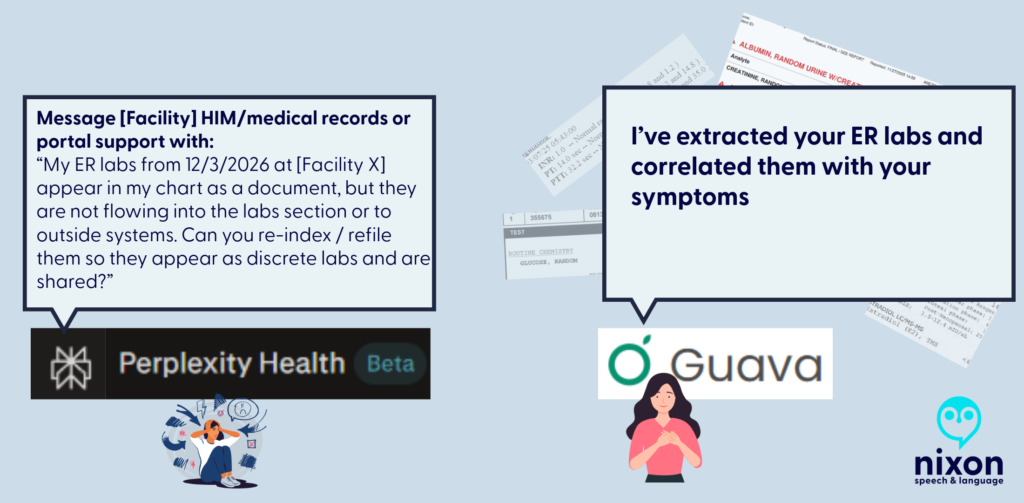
Then I had an interesting ‘conversation’ with Perplexity’s AI when I realized that despite syncing up with the API of one of my facilities with most of the lab data, it was missing specific data points (e.g., all Free T4 data after November 2021 despite that specific lab being drawn between 2-6 times/year.)
So I asked Perplexity Health’s AI where the labs are, and was told “You’re right that [FACILITY X] has them and that you uploaded them; the issue is that they’re not surfacing in the structured “labs/observations” stream I can see”. The AI provided several reasons for why those labs weren’t there:
They may be stored only as a scanned PDF/image of the ER report, not as discrete lab rows, so they don’t appear in the lab feed even though they’re in your chart.
The upload might be filed under “Media,” “Documents,” or an outside-records bucket that isn’t mapped into the lab/observation section my view is pulling from.
The interface that shares data from Facility X’s EMR to this aggregate view may not map ED lab panels from that date or that specific visit type correctly.
But as a patient, provider, or researcher, the issue for those of us using Perplexity Health is that those labs aren’t there, and even uploading them, doesn’t lead to them being added to the biomarker section of the site.
So when I asked Perplexity AI what I should do, it suggested that I call the hospital’s IT department to request they “re-index” my FHIR API mapping.
Fig. 2 Perplexity delegates technical labor to the patient; Guava automates the extraction through AI parsing.
Even when I provided the connections to the facilities and uploaded the records (labs and visit notes), which took A LOT OF TIME, I learned today from the Perplexity Health AI: “So even though those note sets exist in your health system, what’s flowing into this connection right now is the coded summary, not the full written note body”.
To get Perplexity Health AI to review the visit note (not the summary, the actual note), I had to reupload the visit notes to the AI side of the conversation so it could read those vs. the coded summaries.
With that in mind, Guava’s AI had me copy the line from the visit note that I wanted it to compare with my other visit notes. This is what Guava Health’s AI told me today: “I can review excerpts you paste here, but I can’t directly pull provider notes from your chart unless the app exposes them to me in this chat. If you want, paste the relevant sections”.
The Patient’s Reality
Asking a hospital’s HIM department to fix a third-party AI’s mapping is an exercise in futility. We don’t have the energy to act as unpaid data engineers for a Beta product that is already charging a premium. Also, what do you think the hospital system would say if I asked for this?
Help Desk Emails
I have emailed the help desk for Perplexity Health AI and Guava. Because I did so about the above issue with Perplexity Health AI at the suggestion of the AI after it realized it was missing significant biomarker data points, let’s address the difference.
Perplexity Health: AI Support Agent Sam emailed me back to thank me for my insights and saying that they forwarded my feedback about lab integration limitations, file upload limits, and suggestions to the product team. I sent the email April 14, 2026. I haven’t heard back.
Guava Health: This is one example of an email with the Guava Help Desk. I emailed Guava Health’s Help Desk and asked how to fix an issue when there were two sources for the same lab on August 7, 2025. On August 8, 2025, I received an email from Alex Yau, Founder and President of Guava Health to answer my question. He asked for a screenshot for an example, which I sent and he followed up with additional insight and added that he would forward it to his team to give more thought.
Note. Both Perplexity Health AI and Guava Health have discords. I am not in the Perplexity discord, but I am in the Guava Health Discord.
The Android OS Barrier
While iOS users have a native Hub, Perplexity is “desktop-primary” for Android users. Using a mobile browser to check your health data is clunky and lacks the seamless utility of a native app.
The Repository Advantage: DICOM, Quest, and GI Notes
Guava is a Source of Truth; Perplexity is a search window.
Imaging (DICOM): Guava supports actual X-ray, CT, and MRI image files. You aren’t just storing a “report”; you are carrying your entire imaging library in your pocket. (Note. You need to upload those, but, still.)
Medication Reconciliation: I manage 62 active medications. Guava allows me to merge and deduplicate them across providers. Perplexity was able to retrieve some medication lists from the facilities BUT some of those lists were outdated.
My understanding is that Perplexity Health AI integrates with Apple Health for medication management, but I use Android, so I cannot comment on that.
I can, however, comment on Guava Health’s Medication management:
Data Portability: The “Disability & Tax” Hack
The true power of a health platform is what you can do with the data.
The Guava Hack: I downloaded my encounter history from Guava and used Gemini (in thinking or data analysis mode) to generate a mileage CSV for my taxes and a total encounter count for other paperwork. Guava provided the “raw material” to simplify my legal and financial life.
Perplexity’s Failure: Because Perplexity couldn’t accurately aggregate my history, I question whether it could do so accurately.
I’ll talk more about this in another post.
Setting Health Goals in Perplexity
One of the most revealing disconnects in Perplexity’s “Health Hub” is the Health Goals feature, which feels fundamentally “un-Spoonie.” While the marketing suggests a personalized experience, the available goals are largely aspirational wellness targets—like “Improving sleep” or “Marathon training”—that assume a linear, healthy baseline.
For a patient managing chronic illness, these rigid targets are often inappropriate or even demoralizing, as they ignore the daily fluctuations in energy and capacity that define the “Spoonie” experience. In contrast, the Fitbit Beta with Gemini feels significantly more approachable; instead of assigning a generic wellness category, it begins with a conversation about your specific challenges and health conditions. This “Coach” approach allows the AI to adjust its insights to your actual reality, rather than forcing you into a “fitness enthusiast” mold that your body simply isn’t in today.
Taken from Perplexity Health AI. It felt like there should be an “other” option.
Auditing for Bias & The Privacy Trap
I decided to test Guava Health and Perplexity AI today on auditing visit notes for biased language from a specific former provider.
While Perplexity was helpful, I found that NotebookLM and Gemini were significantly better at finding subtle linguistic cues.
Guava Health had me copy and paste the lines from the visit note into the AI for analysis against my record, but the AI then gave me an excellent plain language overview of bias in the portion I provided it.
CRITICAL PRIVACY WARNING: Unless you have a signed BAA (Business Associate Agreement)—like Guava—BE AWARE that uploading sensitive records to any non-HIPAA compliant AI (e.g., Gemini via personal Gmail, NotebookLM attached to personal Gmail, ChatGPT, or Perplexity without the Perplexity Health piece) is only as secure as your cloud data/passwords/and more.
Final Verdict: Research vs. Management
Perplexity Health is charging a premium ($20/month) for a Beta product that requires the patient to act as a manual data entry clerk. It is for people who want to research a disease.
Guava Health is for people who have to manage one. Guava Health Premium is only $8 per month. And if your provider has a Guava Health Provider Dashboard and invites you to it, IT IS free for you. Guava Health also offers a free version to patients.
Use Perplexity if: You want a search engine for medical trends. (Maybe? But I still haven’t tested this out as much as I need to. I tend to use Google Scholar.)
Use Guava if: You need to manage medications, prepare questions for medical visits, quickly access provider notes, see overviews of your biomarkers, store your imaging, and have your data work for you in the real world.
COMING SOON:
How to get a copy of your evidence (certificate) of coverage
The Disability & Tax Guide: A step-by-step on using your medical data to navigate these two data heavy tasks.
The Provider Portal: How Guava helps your doctors help you.
Guava Tags: How I use custom tagging to find patterns in flares.
If you have questions about Guava Health, post them here!
Identification Note:Logos used for nominative fair use for critical review. Stephanie Nixon, PhD, CCC-SLP serves on the Guava Patient Advisory Panel pro bono. Review based on the April 2026 Beta of Perplexity Health.
The following post is based entirely on my personal experience navigating the DC Government CareFirst BluePreferred PPO Plan and its Pharmacy Benefit Manager, CVS Caremark.
I am a healthcare professional and a patient, not an attorney or an insurance broker. This is NOT legal or financial advice. While I make no guarantees about the results of using these methods, my goal is to share my knowledge, documentation strategies, and experiences so you can better advocate for your own health.
Any information from conversations with CVS Caremark or CareFirst comes from my notes taken during the calls in my ‘patient’s log’ as described in my blog. These notes were taken contemporaneously to ensure an accurate, time-stamped record of the instructions provided to me. All references to contractual rights are drawn directly from the governing CareFirst Blue Preferred PPO Evidence of Coverage Document.
Specific to the Certificate of Coverage (Evidence of Coverage), a CareFirst employee provided it to me when I was unable to obtain a copy from DCHR. If there is mismatch between the version I have and the version with DCHR, well that’s for another post. (Stay tuned.)
Please note: I currently have a formal grievance regarding this matter under active review with the District of Columbia Department of Insurance, Securities & Banking (DISB; DCID#: 2065134). I have also contacted the DC City Council and Mayor’s office.All regulatory violations discussed below are alleged based on my documentation, and I will provide an update once I receive a final disposition.
The Tech Black Hole: Where Prior Authorizations Go To Die
If your doctor tells you they are waiting on your insurance, and your insurance tells you they are waiting on your doctor, someone is lying. Actually, it’s probably the software.
I tracked a pattern across five medical specialties (including neurology, gastroenterology, rheumatology, and my PCP). Providers were submitting prior authorizations through a vendor portal called CoverMyMeds. The system would tell the pharmacy the request was “sent,” but the providers never received the questionnaires. After 48 to 72 hours, the system automatically closed the files for “no response”.
This is a de facto denial of benefits without clinical review, likely caused by a software defect. I realized something was off in December 2025 when I was still with Aetna, but I thought it might just be the facility.
When providers had the same trouble in January 2026 with the same result, I realized that didn’t fit. It seemed more “systemic”, and the only commonality across these situations was that the prior authorizations were being submitted through CoverMyMeds. When speaking with a CVS Caremark Sr Rep in February, I was told that providers and patients had been expressing the same frustration I just noted. Additionally, you can see more here in the reviews.
(DISCLAIMER: This is an observation based on a pattern of incomplete PAs for the same reasons and the reactions of providers who all indicated the same issue: They never received requests for the information.)
Clinical Absurdity and Medical Impossibility
What do you do when a senior representative at your Pharmacy Benefit Manager (PBM) suggests you ask your provider to give a 30-day prescription for a 90-day quantity of a medication?
I’ve been taking the same dose of a brand-name maintenance medication for over 20 years. Recently, my PBM, CVS Caremark, approved my brand medically necessary PA (2/27/2026) but restricted the system to only dispense a 34-day supply. (This changed to 30-days less than 12 days later.)
What followed was a masterclass in administrative gaslighting:
Excuse 1: First, they told me I just needed my provider to file a ‘maintenance exception’.
Excuse 2: Then, they told my provider that an exception didn’t actually exist. When I called CVS Caremark, a Senior Representative blamed the manufacturer, claiming they restrict the medication to 30 days. I addressed this odd statement as there is nothing on the manufacture’s website or the web indicating the recommendation was accurate*.
The “Solution”: Finally, the Senior Representative spoke with the Prior Authorization team again. Their solution? Have my provider submit a prescription for 180 Celebrex 200 mg capsules to be taken over 30 days.
* Note. That is 6 pills a day of a medication where the FDA safe limit is two. Also, while on hold on that date, I emailed the manufacturer, Viatris, and received the response below:
Screenshots in this image are from: -CareFirst BluePreferred PPO Certificate of Coverage (Plan Sponsor: Government of the District of Columbia) (Obtained via CareFirst) -Responses to medication PA requests from CVS Caremark -Notes from my conversations with representatives at CVS CaremarkI contacted Viatris directly to confirm they had not changed their prescription recommendations.
I was stunned. I pointed out that this sounded like “creative pharmaceutical benefits”—otherwise known as insurance fraud. The representative laughed.
I didn’t know what to say as I got off the phone.
I spoke with my amazing Health Advocate and PCP, and then dug into my hundred-page policy myself.
I found Section 10(a)(4), which explicitly allows a medication like mine to be classified under a “Maintenance Medical Exception” for a 90-day fill. So I’m unsure what rules the senior representative was looking at, but they definitely did not match the rulebook the CVS Caremark Resolutions Specialist saw on 2/27/2026.
Note. CVS Caremark was mentioned as the PBM also responsible in the filing. Because CareFirst writes the “rules” I put them as the primary group in the complaint.
Since that date, I have contacted DC City Council and Mayor Muriel Bowser via email. There are more issues than just the above, but I will explain how I did this in another post.
As of 4/10/2026
After an almost 1-hour call with CVS Caremark on 4/10/2026, a Senior Representative informed me that she could see the maintenance medication exception in my plan documents. At the end of the call, she said that the issue needed to be sent to “account management” and that such issues are often corrected after 5 business days.
I have not heard anything as of 4/18/2026.
The Patient’s Playbook: Protect Yourself
Insurance companies rely on your exhaustion. You must document everything and demand your legal rights.
Track Every Call: Stop scribbling on scrap paper. Use the free Google Form I created—my “Patient’s Log”—to track the date, time, representative name, and action items of every call. Evidence is the only thing that wins appeals.
Check Your EOBs: If you are on a PPO and see a sudden deductible applied to standard pharmacy claims, call your insurer, demand an “Accumulator Adjustment,” and report a “Plan Design Error.”
Never take a verbal denial at face value. You must read the actual rules in your Certificate of Coverage (COC) to catch their lies—just like a Resolutions Specialist pointed out the ‘Maintenance Medical Exception’ in my contract leading me to push a Senior Representative at CareFirst about the frustration I had actually…getting one. (i.e., I couldn’t.)
Patients and Providers: Never take a verbal denial at face value. Demand the policy in writing, contact the manufacturer if they are blamed, and report “creative pharmaceutical benefits” to your state insurance administration immediately
To do this, you must get a copy of your Certificate of Coverage (COC). This is the governing rulebook—usually over 100 pages—not the short “Summary of Benefits.”
Under federal disclosure standards (specifically ERISA), if you submit a written request to your plan administrator for your governing plan documents, they are legally required to provide them to you within 30 days. Failure to comply with this federal disclosure window can carry potential statutory penalties of up to $110 per day.
Stay tuned—because simply obtaining my COC from the DC Government (DCHR) has been an entirely separate battle. I have a copy, but not via DCHR, despite repeated requests.
🗣️ Please share this post and tag @MayorBowser, @CMCHenderson, and the DC City Council Committee on Business and Economic Development. We need proactive DISB market conduct audits, not just individual complaint responses.
Trademarks and Fair Use Notice: All company names, logos, and trademarks—including CareFirst BlueCross BlueShield, CVS Caremark, Viatris, and any brand-name prescription drugs (such as Celebrex)—are the property of their respective owners. Their inclusion in this post and associated images is for educational, informational, and advocacy purposes only and does not imply any affiliation or endorsement.
🚨 TL;DR: The “Paddle Boarder’s Guide to Surviving the Medical System”
The Problem: For neurodivergent and chronically ill people, a change in medical plans (like a surgery delay) isn’t just an “inconvenience.” It is an enormous, destabilizing wave that threatens to knock us completely into the water.
The Metaphor: Most people navigate medical uncertainty on a stable cruise ship. They feel the waves but stay dry. We are on a stand-up paddle board. We require constant, exhaustive internal effort to balance on perfectly calm water. When the system changes, a “ripple” to the cruise ship becomes a catastrophic “tsunami” for us.
The Fatigue: We are exhausted not because we are “weak,” but because we are spending all our energy on a silent, Invisible Brace. Every admin call, sensory input, and physical pain is a wave hitting our wobbly board.
The “Flip”: When we have a meltdown, shutdown, or cancel plans, the “board has flipped.” This isn’t a failure; it’s a necessary, protective reset. We need to “sink” for a minute to stop the adrenaline of trying not to fall.
How to Help: Don’t tell us to “be flexible.” Help us stabilize. Be the solid object we can hold onto. Take over the phone calls and give us the grace to be “underwater” until the sea calms down.
How many of us have heard these words, “Be more flexible”? I didn’t realize that meant my surgery date would be doing yoga while I’m just trying to stay upright. Between the rogue waves of kidney stones and the sinking weight of low ferritin, my medical calendar has become a series of “maybe next weeks” for my lumbar fusion.
To most people, a schedule shift is an inconvenience—a slight tilt on the deck of a cruise ship. But for the neurodivergent and chronically ill, stability isn’t a given; it’s a manually operated system. We aren’t on the cruise ship. We are on a stand-up paddle board in the middle of a high-traffic wake. Each appointment that changes often means changing another appointment, changing a leave request, and navigating yet another unknown.
When the world tells us to “go with the flow,” they don’t see the Invisible Brace. They don’t see the constant, microscopic mental and physical adjustments we make just to keep our heads above the spray. In a medical system that moves like a speedboat, being “flexible” isn’t a personality trait—it’s an expensive, exhausting executive function tax that may eventually lead to our board flipping.
And sometimes, flipping the board is the only way to finally find some peace.
The First Wave
It started with a constant wave pushing my side. A kidney stone—the first rogue wave in a storm I didn’t see coming. Then came the low ferritin, the overwhelming fatigue, and the sudden, sickening realization that my carefully constructed medical plan was no longer a plan; it was a loose suggestion.
In the midst of this chaos, I kept receiving I felt like I just needed to be remain flexible.
But that is a lot to manage: Flexibility is a great trait for a gymnast, but it’s a terrifying requirement for a medical plan. Here is the reality of my recent experience:
The Paddle Board vs. The Cruise Ship
To understand why “going with the flow” is so utterly exhausting for neurodivergent and chronically ill people, you have to understand the difference in our vessels.
Most people experience medical delays or schedule shifts like they are on a massive cruise ship. The floor might tilt, the waves might get choppy, and it’s certainly annoying, but the hull is thick enough to absorb the impact. They stay dry. They stay standing.
But when you are neurodivergent—craving predictability to manage sensory and cognitive loads—or living with chronic illness, you aren’t on a cruise ship. You are on a stand-up paddle board.
Even when the water is perfectly flat, we are already expending significant executive function and physical energy just to maintain balance. Every sensory input, every social interaction, and every administrative task requires a micro-adjustment of our internal stabilization systems.
When the medical boat (the scheduling office, the specialist, the test results) suddenly changes course, it creates a massive wake. For the cruise ship, it’s just more water. For the paddle boarder, it is a catastrophic side-chop that we were not braced for. Telling ourselves to “just stand up” when we have been knocked horizontal by the wake is a misunderstanding of physics.
The Invisible Brace: Taking on Water
If it’s not the main wake from the medical boat, it’s the debris. Being neurodivergent in a medical shift (or even change in what to do next) feels like you are paddling through a constant, exhausting stream of waves you cannot anticipate.
While we are trying to keep our balance, the environment is constantly throwing more waves at us, demanding more “flexibility”:
The Rogue Wave (The Admin Avalanche): Having to make immediate phone calls to rearrange transportation, update employers, or coordinate with multiple specialists, all while processing bad news.
The Side-Chop (Sensory & Cognitive Overload): Navigating an insurance company’s phone menu or reading complex medical instructions while in physical pain and brain fog.
The Undertow (Sensory Dread): Mentally bracing for the specific sensory inputs of an impending procedure, only to have that dread extended indefinitely when the date moves.
This is Tether Fatigue. We are exhausted not because we are “difficult,” but because we have been in a permanent, tense, Invisible Brace for weeks, absorbing the kinetic energy of every ripple. Our energy reserves are fully bankrupted by the sheer volume of waves we’ve had to process just to avoid falling in.
The Grace of the Capsized Board
There comes a point where the balance is lost. The board flips. The paddle boarder goes under. To an observer, this looks like a crisis, a meltdown, or “giving up.”
But here is the secret that the neurotypical world needs to understand: Sometimes, we need to let the board flip.
When we hit the water, the Invisible Brace is finally over. We stop fighting the waves. We stop trying to anticipate the next administrative side-chop. For a moment, there is just the quiet, cold weight of the water.
We aren’t failing to cope; we are allowing the system to reboot because the cost of staying upright on a wobbly board hit by a tsunami has fully bankrupted our energy reserves. We need that “sink time” to stop the adrenaline and let our nervous systems reset before we can even think about climbing back onto the board.
How to Be an Anchor
If someone you love is neurodivergent or chronically ill and their “ship” has just flipped, don’t stand on the shore and yell at them to swim harder. Help them stabilize the water.
Reduce the “Administrative Friction”: When the plan changes, the “to-do” list explodes, requiring executive function we don’t have.
Don’t say: “Let me know if you need anything.”
Do say: “I am standing by a phone. Give me your permission, and I will handle the rescheduling calls today so you don’t have to explain your situation five more times.”
Validate the Physics, Not the Feeling: Don’t gaslight us with positivity. Acknowledge the environment.
Don’t say: “Just keep rowing! Be resilient!”
Do say: “The water is incredibly choppy right now. It makes total sense that you fell. I’m right here when you’re ready to try again.”
Grant the Grace to Sink: Let us stay underwater for a minute. We need that silence to recalibrate before we have the strength to climb back onto the wobbly board.
Examples of Stabilization in Action
Example A: Dear Medical Provider (The View from the Paddle Board)
“When you tell me a surgery is delayed or a result requires a pivot, you might see it as a minor scheduling shift. For my neurodivergent brain and my chronically ill body, it is a tsunami hitting a stationary paddle board. Please help me stay above water:
Reduce the Administrative Friction: Don’t make me the middleman between specialists. Coordinate the update with my other providers so I don’t have to spend my limited energy repeating my trauma five times.
Give Me a Fixed Point: Tell me exactly what the next step is. Ambiguity is a wave I cannot balance on.
Example B: Dear Friend (When My Board Flips)
“Right now, the floor is shaking. I am exhausted from trying to ‘stay upright’ on a board that feels every single ripple. When you see me overwhelmed, please know that I’m not being difficult—I’m bankrupt from navigating a constant stream of administrative and sensory cross-currents. Here is how to be my anchor:
Don’t Ask, Just Do: Telling me ‘I’m bringing over safe food at 6:00 PM’ is infinitely more helpful than ‘Let me know what you need.’
Let Me Sink: If I cancel, don’t take it personally. My board has flipped, and I promise I’ll climb back on when the sea calms down.”
Flexibility isn’t a personality trait; it’s an expensive resource. For the neurodivergent and chronically ill, “going with the flow” often means fighting the current just to avoid drowning. Sometimes, the best way to help us is to just let us float until the sea is still again.
Note about the art:
To capture the “layered” nature of neurodivergent life, I used a collaborative AI process to create the visuals for this post. I worked with Adobe Firefly to generate the base “paper-cut” style and used Gemini as an “Art Director” to refine the metaphors—ensuring the “administrative debris” and the “underwater reset” felt as visceral as the words themselves.
With a unique perspective shaped by my own learning disabilities, including ADHD, I bring a wealth of professional expertise in education and health policy, grant review, as well as research, evaluation, and treatment of children with speech, language, and reading disorders.
My passion lies in advocating for those who are not able to do so for themselves, leveraging my diverse background – both personally and professionally – to make a meaningful impact in the field of special education and child development.
We use cookies and similar technologies to improve your experience on our website.